Sprocket
Sprocket: A capable free desktop editor for multitrack, color, audio, multicam, and 4K work. Ranked #89 of 153 in Video Editing Software by our editors (3.0/10); pricing: Free plan; best for free open-source desktop editing.
At a glance
- Editor score3.0 / 10
- PricingFree plan
- Best forFree open-source desktop editing
- Free planYes
- Paid fromFree
- 4K exportYes
- Facts checked21 Sep 2026
Where it wins
- Open-source Free plan with no subscription or watermarks
- Detailed multitrack, color, audio, and multicam tools
- 4K output across Windows, Linux, and macOS desktop builds
Where it doesn't
- Alpha software heading toward beta
- Desktop-only, with no web or mobile app
- Feature depth may exceed the needs of simple editing projects
Our verdict on Sprocket
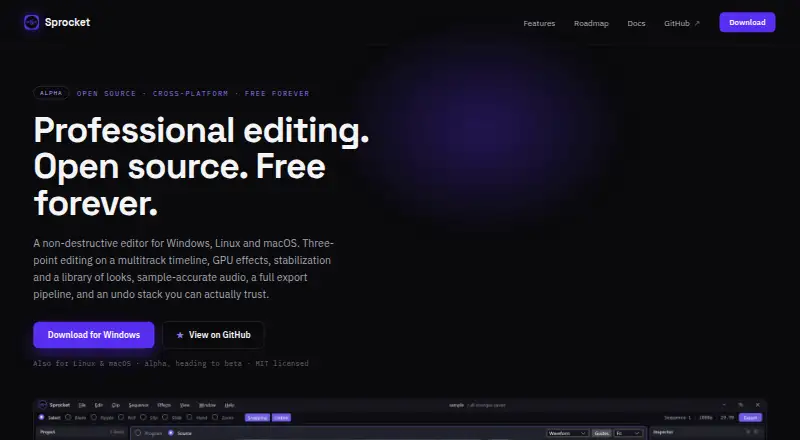
Sprocket is a free, open-source desktop video editor for creators, editors, and production teams working on Windows, Linux, or macOS. Its Free plan includes no subscription and no watermarks, while the application covers multitrack timelines, non-destructive editing, color correction, audio mixing, titles, multicam work, and 4K output. It is aimed at people who want a full desktop editing workflow without a paid tier or proprietary-only distribution model.
The standout strength is the breadth of control available in one application. Editors get Select, Blade, Ripple, Roll, Slip, and Slide tools; keyframing; color wheels, curves, HSL qualification, and scopes; plus GPU compositing, hardware decoding, proxy media, and timeline render cache. Audio work includes a sample-accurate mixer, effects, and loudness metering. Titles, lower thirds, credits rolls, crawls, adjustment layers, multiple sequences, nested clips, and multicam editing extend it beyond basic cutting. Export queues, burn-ins, EDL or Final Cut XML interchange, and 4K output support more structured workflows.
Sprocket is best suited to desktop users who value open-source software and want detailed editing, grading, audio, and delivery tools at no subscription cost. Its main consideration is maturity: it is described as alpha software heading toward beta, so teams seeking a more established production environment may prefer an alternative. The lack of web and mobile apps also limits it to desktop workflows. Choose Sprocket for broad, locally installed editing capabilities across three operating systems; choose another tool if browser access, mobile editing, or a mature release stage is central to the project.
Your product? Our editors can test Sprocket in depth and publish a review, labelled as paid · from $149/mo →
Sprocket pricing
All 1 Sprocket plans and prices →
Sprocket fact sheet
| Free plan | Yes |
|---|---|
| Paid from | Free |
| Desktop app | Yes |
| Web app | No |
| Mobile app | No |
| 4K export | Yes |
| Team collaboration | Not verified |
| Included cloud storage | Not verified |
| Deployment | Desktop |
| Platforms | Windows, macOS, Linux |
| Support | Docs |
| Built for | Solo, Small business (editorial estimate) |
| Pricing | Free plan (source) |
| Website | sprocketvideo.org |
| Facts checked | 21 Sep 2026 |
Alternatives to Sprocket
- DaVinci ResolveA deep free editor with professional post-production tools across desktop and iPad.9.3
- Avid Media ComposerA deep editing suite with collaborative workflows, AI search, and a free entry option.9.2
- Final Cut ProA full-featured editor for Apple users who want desktop and iPad workflows.9.1


See all Sprocket alternatives →
Also Ranked In
Sprocket is ranked in 2 of our directories.
Used Sprocket? Be the first to review it
The editor score above is our own research. What this page doesn't have yet is a reader's view — what you used Sprocket for, what worked and what didn't. No stars are seeded and no review is paid for; an editor reads every one before it appears.
Write a reviewTwo minutes · verified accounts only · read by an editor before it appears
Featured on iTechGuides

Sprocket is listed in our Video Editing Software directory. Add the badge to your site — it links back to this page.
<a href="https://www.itechguides.com/products/sprocket/"><img src="https://www.itechguides.com/best/badge/sprocket.svg" alt="Featured on iTechGuides" width="230" height="46"></a>
Reviewed by iTechGuides Editors · Editorial team · Updated Oct 2026
Advertiser disclosure: iTechGuides is reader-supported. Vendors can pay for top positions in our rankings and for a place on other products' pages, and we may earn a commission when you click some links. Bought places stand at the number bought; this page and our disclosure say so. Paying vendors may get a fuller, more detailed review from our editors, and that review can change their score. How we rank.
Last updated · How we research and update