
Splice
Splice: A mobile editor with conventional controls, captions, social guides and 4K export. Ranked #24 of 29 in Social Media Video Makers by our editors (6.9/10); pricing: Paid; best for mobile editors needing conventional controls.
At a glance
- Editor score6.9 / 10
- PricingPaid
- Best forMobile editors needing conventional controls
- Free planNo
- Auto captionsYes
- Facts checked19 Sep 2026
Where it wins
- Trim, reorder, and combine clips with speed controls and transitions
- Generate editable captions from speech and style text overlays
- Use social aspect-ratio guides and export in 4K
Where it doesn't
- No free plan; premium editing features require a subscription
- Available on iOS and Android, not listed for desktop
- The published plan is a weekly subscription with a free trial
Our verdict on Splice
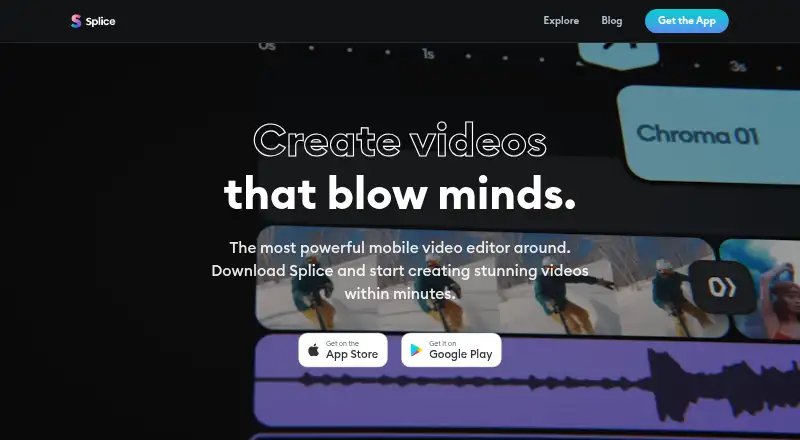
Splice is a mobile video editor for creators, influencers, and casual users who want familiar tools for shaping videos and sharing them on social platforms. Its editing toolkit covers trimming, cutting, merging, and reordering clips, along with speed changes, transitions, effects, masks, chroma key, reverse, and extraction tools. It runs on iOS and Android, and supports export to a device camera roll as well as sharing to services including YouTube, Instagram, TikTok, Facebook, WhatsApp, and Messenger.
For social video work, the combination of aspect-ratio selection and social-media margin guides helps frame content for different destinations. Splice also supports captions generated from speech and converted to editable text, plus styled titles and text overlays. Audio tools include adding music, mixing multiple tracks, and adjusting volume; a logo overlay is available for projects. These features make it a fit for creators who want mobile editing controls and social-oriented output without moving to a desktop workflow.
Splice is paid, with a listed plan called Splice Weekly With Free Trial that provides premium video-editing features and offers a trial before subscription billing. The published plan description does not specify its price. Choose Splice if mobile editing, captions, social guides, and sharing integrations suit your workflow. Consider another option if you need a free plan, desktop editing, or a subscription structure other than the listed weekly plan.
Your product? Our editors can test Splice in depth and publish a review, labelled as paid · from $99/mo →
Splice pricing
All 1 Splice plans and prices →
Splice fact sheet
| Free plan | No |
|---|---|
| Paid from | Not verified |
| Auto captions | Yes |
| Social resizing | Yes |
| Text-to-video | Not verified |
| Export resolution | 4k |
| Watermark-free export | Not verified |
| Maximum video length | Not verified |
| Brand kit | Not verified |
| Deployment | Mobile |
| Platforms | iOS, Android |
| Integrations | 6 integrations: YouTube, Instagram, TikTok, Facebook, WhatsApp, Messenger |
| Pricing | Paid (source) |
| Website | spliceapp.com |
| Facts checked | 19 Sep 2026 |
Splice integrations
Splice lists 6 integrations on its own site.
- YouTube
- TikTok
- Messenger
Alternatives to Splice
- CapCutCross-device video editing with social-ready tools, AI features and team collaboration.9.3
- VEEDA web-first editor combining AI tools, subtitles, collaboration, and mobile apps.9.1
- AnimotoA browser-based video maker with AI creation, social formats, and brand tools.9.0



Also Ranked In
Splice is ranked in 2 of our directories.
Used Splice? Be the first to review it
The editor score above is our own research. What this page doesn't have yet is a reader's view — what you used Splice for, what worked and what didn't. No stars are seeded and no review is paid for; an editor reads every one before it appears.
Write a reviewTwo minutes · verified accounts only · read by an editor before it appears
Featured on iTechGuides

Splice is listed in our Social Media Video Makers directory. Add the badge to your site — it links back to this page.
<a href="https://www.itechguides.com/products/splice/"><img src="https://www.itechguides.com/best/badge/splice.svg" alt="Featured on iTechGuides" width="230" height="46"></a>
Reviewed by iTechGuides Editors · Editorial team · Updated Oct 2026
Advertiser disclosure: iTechGuides is reader-supported. Vendors can pay for top positions in our rankings and for a place on other products' pages, and we may earn a commission when you click some links. Bought places stand at the number bought; this page and our disclosure say so. Paying vendors may get a fuller, more detailed review from our editors, and that review can change their score. How we rank.
Last updated · How we research and update