Spin 3D
Spin 3D: A practical mesh converter with batch processing, previews and correction tools. Ranked #18 of 31 in 3D File Converter Software by our editors (7.5/10); pricing: Free plan; best for affordable batch mesh conversion.
At a glance
- Editor score7.5 / 10
- PricingFree plan
- Best forAffordable batch mesh conversion
- Free planYes
- Format scopeMesh
- Facts checked22 Sep 2026
Where it wins
- Batch conversion uses multi-threaded processing.
- Previews and mesh correction support cleaner conversion workflows.
- Supports common STL, 3DS, 3DP, 3MF, OBJ and PLY formats.
Where it doesn't
- Its core scope is focused on mesh rather than broad CAD conversion.
- Additional input formats require an optional component.
- The free version is limited to non-commercial use.
Our verdict on Spin 3D
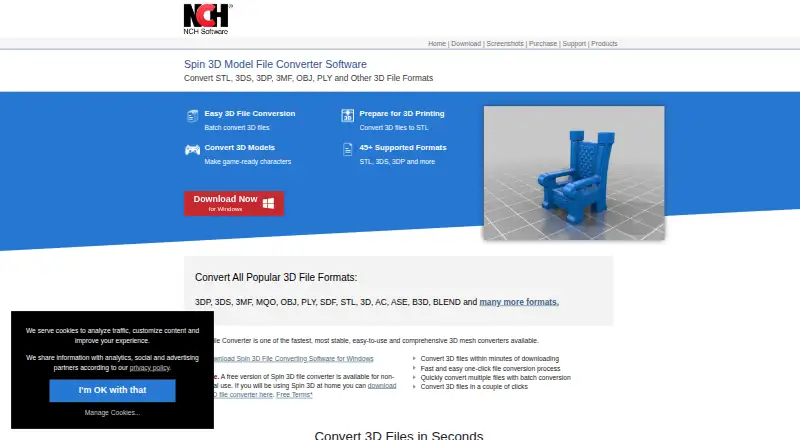
Spin 3D is a 3D mesh file converter from NCH Software for Windows and macOS, with a web option also listed. It is aimed at people who need to prepare models for 3D printing, game modding, design applications or sharing in a recipient’s required format. The software handles common formats such as STL, 3DS, 3DP, 3MF, OBJ and PLY, while drag-and-drop support covers both files and folders. Its free version is licensed for non-business use, making it suitable for personal projects rather than commercial production.
Batch conversion is the product’s clearest workflow advantage. Multi-threaded processing is designed for handling multiple files, and previews let users inspect a 3D model before conversion. Translation, rotation and scale offsets provide control over how models are adjusted, while mesh correction includes normal recalculation and duplicate removal. These tools make Spin 3D more than a basic format switcher, particularly for users preparing groups of mesh files or correcting common model issues before export.
The main boundary is format scope. Spin 3D focuses on mesh conversion, and additional input support for FBX, GLTF, GLB, IFC2X3 and DXF is available through an optional component. Commercial users need a paid license: the Home plan is for non-business use, while the Plus commercial plans provide unlimited licensed use and continued access to professional features and upgrades. Choose Spin 3D for affordable batch mesh conversion with practical adjustment and correction tools. Choose an alternative if broad CAD coverage or a wider format set is central to the workflow.
Your product? Our editors can test Spin 3D in depth and publish a review, labelled as paid · from $149/mo →
Spin 3D pricing
All 2 Spin 3D plans and prices →
Spin 3D fact sheet
| Free plan | Yes |
|---|---|
| Paid from | Not verified |
| Format scope | Mesh |
| Animation conversion | Not verified |
| Batch conversion | Yes |
| API access | Not verified |
| Maximum file size | Not verified |
| Supported platforms | web, windows, macos |
| Deployment | Cloud, Desktop |
| Platforms | Web, Windows, macOS |
| Support | Community, Docs |
| Built for | Solo, Small business (editorial estimate) |
| Pricing | Free plan (source) |
| Website | nchsoftware.com |
| Facts checked | 22 Sep 2026 |
Alternatives to Spin 3D
- 3D_EvolutionA professional CAD conversion suite for complex engineering workflows and enterprise validation.9.4
- 3D InterOpA broad engineering SDK for integrating high-volume CAD and BIM translation.9.3
- HOOPS ExchangeA broad CAD/BIM conversion SDK for engineering software teams.9.2



See all Spin 3D alternatives →
Used Spin 3D? Be the first to review it
The editor score above is our own research. What this page doesn't have yet is a reader's view — what you used Spin 3D for, what worked and what didn't. No stars are seeded and no review is paid for; an editor reads every one before it appears.
Write a reviewTwo minutes · verified accounts only · read by an editor before it appears
Featured on iTechGuides

Spin 3D is listed in our 3D File Converter Software directory. Add the badge to your site — it links back to this page.
<a href="https://www.itechguides.com/products/spin-3d/"><img src="https://www.itechguides.com/best/badge/spin-3d.svg" alt="Featured on iTechGuides" width="230" height="46"></a>
Reviewed by iTechGuides Editors · Editorial team · Updated Oct 2026
Advertiser disclosure: iTechGuides is reader-supported. Vendors can pay for top positions in our rankings and for a place on other products' pages, and we may earn a commission when you click some links. Bought places stand at the number bought; this page and our disclosure say so. Paying vendors may get a fuller, more detailed review from our editors, and that review can change their score. How we rank.
Last updated · How we research and update