
SoundCraft
SoundCraft: Low-cost browser-based production with multitrack, MIDI, effects and collaboration. Ranked #65 of 128 in Audio Editing Software by our editors (3.0/10); pricing: Free plan; best for low-cost browser-based multitrack production.
At a glance
- Editor score3.0 / 10
- PricingFree plan
- Best forLow-cost browser-based multitrack production
- Free planYes
- Paid from$1.99/mo
- Third-party pluginsYes
- Facts checked20 Sep 2026
Where it wins
- Free access includes multitrack editing, MIDI, instruments and effects.
- Supports VST3 instruments and effects through ClipCraft Bridge.
- Includes automation, DJ decks, MP3/WAV export and community sharing.
Where it doesn't
- VST3 hosting requires the Windows-only ClipCraft Bridge companion app.
- Platform coverage is limited to web and Windows.
- Studio features and early access begin at the $19.99 monthly plan.
Our verdict on SoundCraft
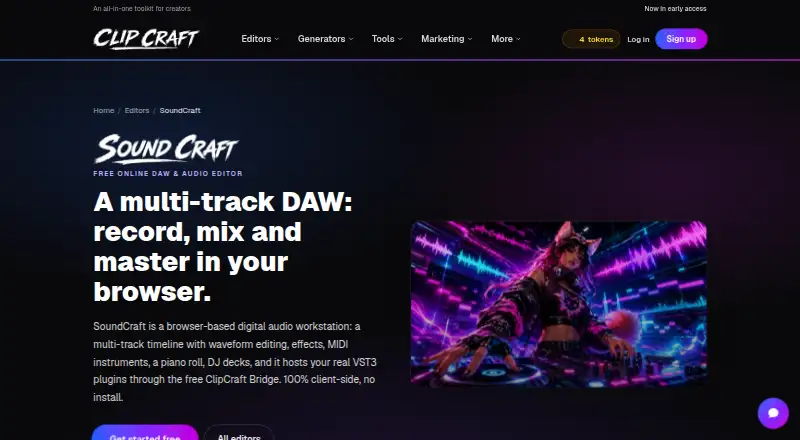
SoundCraft is a browser-based digital audio workstation for music producers and other creators who want multitrack recording, mixing and mastering without installing the main editor. Its workspace combines a timeline with up to 12 tracks, waveform editing, channel effects, MIDI sequencing, built-in instruments, piano-roll note editing and parameter automation. It also includes a two-deck DJ mixer, MP3 and WAV export, and sharing through the ClipCraft community. The free access makes it suitable for creators exploring browser-based production and for projects that need a focused set of editing and mixing tools.
Pricing is structured across four plans. Free costs $0 per month and includes photo, video and audio editors plus community track posting. Saver costs $1.99 per month, billed monthly, with the same listed highlights. Creator costs $7.99 per month and adds every tool without per-use tokens, studio tool interfaces, turbo video render and email support. Studio costs $19.99 per month, billed monthly, and includes everything in Creator plus early access to new features. Paid ClipCraft plans also add storage and token allowances, while the editor itself supports free editing and mixing.
SoundCraft runs in a web browser, with a Windows companion app for VST3 hosting. ClipCraft Bridge connects third-party VST3 instruments and effects, while VideoCraft and the ClipCraft community extend its platform fit. Channel routing, group buses, reverb, EQ, solo, mute, volume, pan, fading and crossfading give the multitrack workflow useful control across audio and MIDI material. Choose SoundCraft if browser access, low monthly pricing, collaboration and Windows-based VST3 support match your workflow. Choose another option if you need support beyond web and Windows or require VST3 hosting without the companion app.
Your product? Our editors can test SoundCraft in depth and publish a review, labelled as paid · from $149/mo →
SoundCraft pricing
All 4 SoundCraft plans and prices →
SoundCraft fact sheet
| Free plan | Yes |
|---|---|
| Paid from | $1.99/mo |
| Supported platforms | Web browser; Windows companion app for VST3 hosting |
| Multitrack editing | Yes |
| MIDI sequencing | Yes |
| Third-party plugins | Yes |
| Noise reduction | Not verified |
| Video synchronization | Not verified |
| Cloud collaboration | Yes |
| Deployment | Cloud, Browser extension |
| Platforms | Web, Windows |
| Support | Email, Docs |
| Built for | Solo, Small business, Mid-market (editorial estimate) |
| Integrations | 3 integrations: ClipCraft Bridge, VideoCraft, ClipCraft community |
| Pricing | Free plan (source) |
| Website | clipcraft.ai |
| Facts checked | 20 Sep 2026 |
SoundCraft integrations
SoundCraft lists 3 integrations on its own site.
- ClipCraft Bridge
- VideoCraft
- ClipCraft community
Alternatives to SoundCraft
- Pro ToolsA broad workstation for studios spanning music production, audio post, and immersive mixing.9.4
- REAPERA flexible desktop DAW with broad audio and MIDI tools and a one-time license from $60.9.3
- Logic ProA broad audio and MIDI workstation for Apple-based producers and video composers.9.2


See all SoundCraft alternatives →
Used SoundCraft? Be the first to review it
The editor score above is our own research. What this page doesn't have yet is a reader's view — what you used SoundCraft for, what worked and what didn't. No stars are seeded and no review is paid for; an editor reads every one before it appears.
Write a reviewTwo minutes · verified accounts only · read by an editor before it appears
Featured on iTechGuides

SoundCraft is listed in our Audio Editing Software directory. Add the badge to your site — it links back to this page.
<a href="https://www.itechguides.com/products/soundcraft/"><img src="https://www.itechguides.com/best/badge/soundcraft.svg" alt="Featured on iTechGuides" width="230" height="46"></a>
Reviewed by iTechGuides Editors · Editorial team · Updated Oct 2026
Advertiser disclosure: iTechGuides is reader-supported. Vendors can pay for top positions in our rankings and for a place on other products' pages, and we may earn a commission when you click some links. Bought places stand at the number bought; this page and our disclosure say so. Paying vendors may get a fuller, more detailed review from our editors, and that review can change their score. How we rank.
Last updated · How we research and update