
Snippety
Snippety: A capable Apple-only text expander with advanced templates, automation, and AI options. Ranked #14 of 31 in Text Expansion Software by our editors (7.4/10); pricing: Free plan; best for apple users wanting AI-enabled snippets.
At a glance
- Editor score7.4 / 10
- PricingFree plan
- Best forApple users wanting AI-enabled snippets
- Free planYes
- Paid from$2.99/mo
- Expansion rulesAdvanced
- Facts checked20 Sep 2026
Where it wins
- Advanced placeholders, conditional blocks, scripts, and calculated dates
- Works across Mac, iPhone, and iPad with iCloud sync and sharing
- Adds AI integrations, usage statistics, Shortcuts, Siri, and a CLI
Where it doesn't
- Support is limited to macOS, iOS, and iPadOS
- Cross-device access is tied to the All Apple devices plans
- Some advanced features require paid Pro access
Our verdict on Snippety
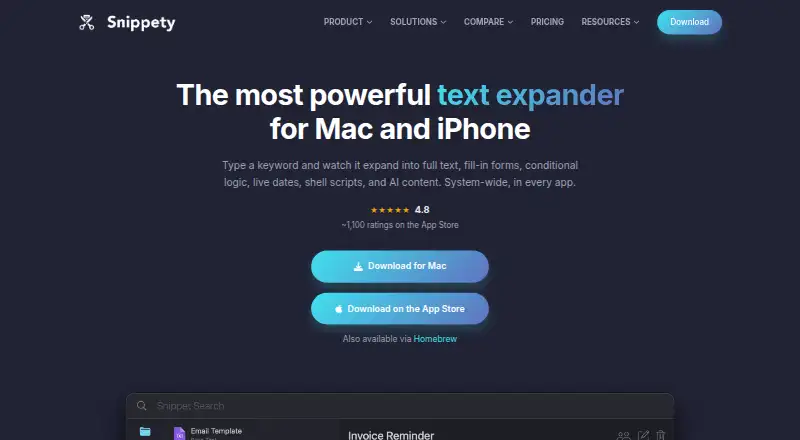
Snippety is a native text expansion and snippet-management app for macOS, iPhone, and iPad. It lets individuals and small teams create reusable snippets that expand system-wide from keywords. Beyond basic replacement, snippets can include placeholders, conditional blocks, calculated dates, formatting, shell scripts, and optional AI features. Its local-first approach does not require an account, while iCloud provides synchronization and collaboration across supported Apple devices. Snippety is designed for Apple users who want reusable templates and automation close to the apps they already use.
The feature set is notably deep for users who need more than static text insertion. macOS users get per-application snippet rules, usage statistics, a command-line interface, Apple Shortcuts and Siri integration, and shell scripts inside snippets. AI placeholders and custom AI API integration extend the template system for users with AI-assisted workflows. On iPhone and iPad, the custom Snippety Keyboard brings snippet expansion to mobile typing. These capabilities make it a strong fit for structured writing, repeated responses, and workflows that benefit from conditional or calculated content.
Pricing offers a free plan alongside paid choices. The Mac plan costs $39.99 as a one-time purchase billed annually and supports up to 2 active Macs, iCloud sync and sharing, and personal and commercial use. The All Apple devices plan costs $49.99 as a one-time purchase billed annually, while its optional Pro subscription costs $2.99 per month and can be canceled anytime. The iPhone & iPad plan costs $19.99 as a one-time purchase billed annually. Choose Snippety if you work within Apple’s ecosystem and value advanced snippets, automation, and AI options; choose another tool if Windows or Android support is essential.
Questions about Snippety
Does Snippety have a free plan? No free plan is listed; paid plans start at $49.99 one-time (All Apple devices).
How much does Snippety cost? Snippety lists 3 paid plans; the lowest is All Apple devices at $49.99 one-time.
What does Snippety run on? macOS and iOS. It runs as a desktop app and as a mobile app.
What does Snippety integrate with? 3 integrations: iCloud, Apple Shortcuts and Siri.
Who is Snippety built for? Solo users, small businesses and mid-market companies (our editorial estimate).
Your product? Our editors can test Snippety in depth and publish a review, labelled as paid · from $149/mo →
Snippety pricing
All 3 Snippety plans and prices →
Snippety fact sheet
| Free plan | Yes |
|---|---|
| Paid from | $2.99/mo |
| Supported platforms | macOS, iOS, iPadOS |
| Expansion rules | Advanced |
| Team snippet sharing | Yes |
| Usage analytics | Yes |
| Approval controls | Not verified |
| Mobile support | Yes |
| Deployment | Desktop, Mobile |
| Platforms | macOS, iOS |
| Support | Docs |
| Built for | Solo, Small business, Mid-market (editorial estimate) |
| Integrations | 3 integrations: iCloud, Apple Shortcuts, Siri |
| Pricing | Free plan (source) |
| Website | snippety.app |
| Facts checked | 20 Sep 2026 |
Snippety integrations
Snippety lists 3 integrations on its own site.
- iCloud
- Apple Shortcuts
- Siri
Alternatives to Snippety
- TextExpanderA broad text-expansion platform with governed team workflows and cross-platform support.9.4
- PhraseExpressA deep text expansion tool for automation, sharing, forms, and AI-assisted workflows.9.1
- typedeskA flexible text expansion tool for teams that write recurring responses across many apps.8.9


See all Snippety alternatives →
Also Ranked In
Snippety is ranked in 2 of our directories.
Used Snippety? Be the first to review it
The editor score above is our own research. What this page doesn't have yet is a reader's view — what you used Snippety for, what worked and what didn't. No stars are seeded and no review is paid for; an editor reads every one before it appears.
Write a reviewTwo minutes · verified accounts only · read by an editor before it appears
Featured on iTechGuides

Snippety is listed in our Text Expansion Software directory. Add the badge to your site — it links back to this page.
<a href="https://www.itechguides.com/products/snippety/"><img src="https://www.itechguides.com/best/badge/snippety.svg" alt="Featured on iTechGuides" width="230" height="46"></a>
Reviewed by iTechGuides Editors · Editorial team · Updated Nov 2026
Advertiser disclosure: iTechGuides is reader-supported. Vendors can pay for top positions in our rankings and for a place on other products' pages, and we may earn a commission when you click some links. Bought places stand at the number bought; this page and our disclosure say so. Paying vendors may get a fuller, more detailed review from our editors, and that review can change their score. How we rank.
Last updated · How we research and update