
SnipIT
SnipIT: A flexible snippet vault for developers and teams, with paid collaboration and sync features. Ranked #4 of 21 in Code Snippet Managers by our editors (8.6/10); pricing: Free plan; best for teams wanting synced snippets and security tools.
At a glance
- Editor score8.6 / 10
- PricingFree plan
- Best forTeams wanting synced snippets and security tools
- Free planYes
- Cross-device syncYes
- Facts checked20 Sep 2026
Where it wins
- Free local snippet storage with syntax highlighting and organization
- Apps across web, Windows, macOS, Linux, and Chrome
- Secret scanning, AI review, and shared team workspaces
Where it doesn't
- Free-tier snippets are stored locally in the browser
- Real-time sync is part of the paid feature set
- Team workspaces and centralized vaults are paid capabilities
Our verdict on SnipIT
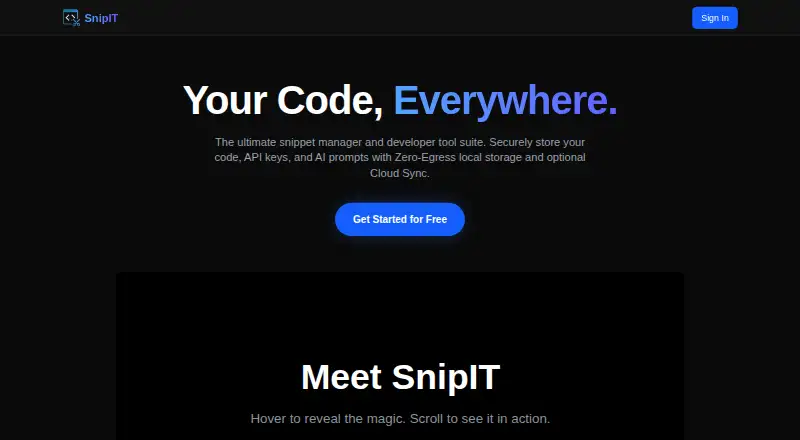
SnipIT is a developer-focused snippet manager built around local vaults for reusable code, AI prompts, developer links, and offline utilities. It is delivered through a Chrome extension and also supports web, Windows, macOS, and Linux access. Developers can organize snippets, apply syntax highlighting, clip code blocks and text from the web, and keep free-tier snippet data in local browser storage. Teams can use shared workspaces and centralized vaults when they need a common place for developer resources.
Its main distinction is the combination of local-first storage with broader synchronization and security tooling. The product description places real-time cloud synchronization across the extension, desktop application, and web dashboard among its paid capabilities. That creates a useful split: individual developers can keep a local collection, while users working across devices can move toward synchronized access. Secret scanning for credentials and API keys adds a practical safeguard for repositories of reusable code, prompts, and links. AI-powered code review and code generation extend the product beyond simple snippet storage, although teams should assess whether those tools fit their review and development workflows.
SnipIT suits developers who want a snippet library that also covers web clipping, offline resources, AI prompts, and credential checks. Teams managing shared technical references should consider it for its workspaces, centralized vaults, and cross-client synchronization. It is less suitable for users who want all collaboration and cloud access included in a local-only workflow, since those capabilities are associated with paid features. The Chrome extension is central to the experience, while the additional clients broaden access for users who work across operating systems.
Your product? Our editors can test SnipIT in depth and publish a review, labelled as paid · from $149/mo →
SnipIT pricing
SnipIT fact sheet
| Free plan | Yes |
|---|---|
| Paid from | Not verified |
| Cross-device sync | Yes |
| Browser extension | Yes |
| Team workspaces | Yes |
| Version history | Not verified |
| Snippet limit | Not verified |
| Markdown notes | Not verified |
| Deployment | Cloud, Desktop, Browser extension |
| Platforms | Web, Windows, macOS, Linux, Chrome extension |
| Built for | Solo, Small business, Enterprise (editorial estimate) |
| Pricing | Free plan |
| Website | snipit.devitsystems.com |
| Facts checked | 20 Sep 2026 |
Alternatives to SnipIT
- CacherA mature snippet hub with strong integrations, history, and team libraries.9.3
- massCodeA broad free toolkit for developers who want local-first snippet and Markdown workflows.9.0
- SnippetsLabA free, deeply organized snippet library for developers on Mac.8.8


SnipIT vs the competition
- SnipIT vs Cacher
- SnipIT vs massCode
- SnipIT vs SnippetsLab
- SnipIT vs Code Snippets
- SnipIT vs Pieces for Developers
- SnipIT vs Gisto



Compare SnipIT with any tool side by side →
Used SnipIT? Be the first to review it
The editor score above is our own research. What this page doesn't have yet is a reader's view — what you used SnipIT for, what worked and what didn't. No stars are seeded and no review is paid for; an editor reads every one before it appears.
Write a reviewTwo minutes · verified accounts only · read by an editor before it appears
Featured on iTechGuides

SnipIT is listed in our Code Snippet Managers directory. Add the badge to your site — it links back to this page.
<a href="https://www.itechguides.com/products/snipit/"><img src="https://www.itechguides.com/best/badge/snipit.svg" alt="Featured on iTechGuides" width="230" height="46"></a>
Reviewed by iTechGuides Editors · Editorial team · Updated Oct 2026
Advertiser disclosure: iTechGuides is reader-supported. Vendors can pay for top positions in our rankings and for a place on other products' pages, and we may earn a commission when you click some links. Bought places stand at the number bought; this page and our disclosure say so. Paying vendors may get a fuller, more detailed review from our editors, and that review can change their score. How we rank.
Last updated · How we research and update