
SnapDownloader
SnapDownloader: A paid desktop downloader with 8K support, bulk links, playlists, subtitles, and scheduling. Ranked #26 of 135 in Video Downloaders by our editors (6.1/10); pricing: 2-day trial; best for paid users wanting bulk desktop downloads.
At a glance
- Editor score6.1 / 10
- Pricing2-day trial
- Best forPaid users wanting bulk desktop downloads
- Free planNo
- Paid from$29.99/yr
- Maximum video quality8k
- Facts checked20 Sep 2026
Where it wins
- Downloads video and audio from more than 900 websites
- Handles playlists and batches of up to 100 links
- Supports 8K video, subtitles, scheduling, trimming, and proxies
Where it doesn't
- No permanent free plan after the two-day trial
- Available only for Windows and macOS
- Personal plan includes updates only within its current major version
Our verdict on SnapDownloader
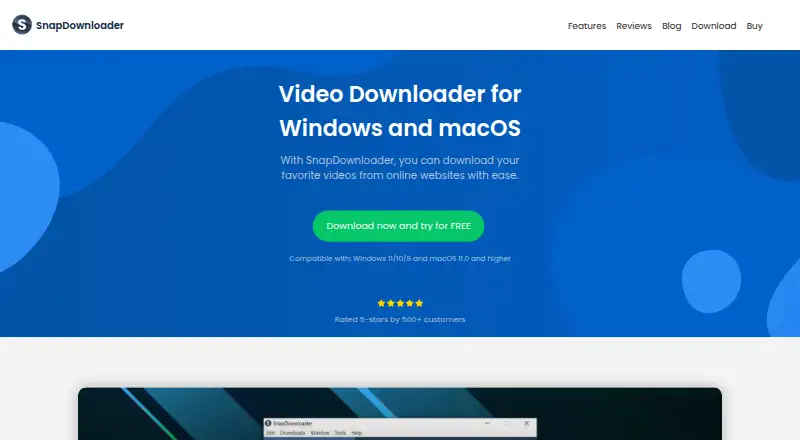
SnapDownloader is desktop software for Windows and macOS that downloads and converts online video and audio. It supports more than 900 websites, including YouTube, Instagram, Facebook, TikTok, Vimeo, Twitter, Reddit, Twitch, Dailymotion, and Zoom. Its audience is paid users who need playlist downloads, subtitle files, audio extraction, media conversion, or repeated desktop downloads rather than a browser-only tool.
The published plans show a two-day trial, followed by paid options. Monthly costs $7.99 per month, while Annual costs $29.99 per year; both include unlimited downloads, video and audio downloads, up to 8K quality, playlists and channels, bulk downloads, an in-built video trimmer, and a web browser. Personal costs $39.99 one time and includes updates within the current major version only. Family Edition costs $69.99 one time, adds use on up to 3 devices, and includes everything in Personal. The product therefore suits buyers who prefer either recurring access or a one-time license, but it does not provide a permanent free plan.
Its feature set is oriented toward larger or more structured download jobs. SnapDownloader can process up to 100 links in a batch, download subtitles from YouTube, schedule downloads, configure proxies, use a built-in browser for private content, and convert files to formats including MP4, MP3, MOV, AVI, AAC, M4A, WAV, AIFF, FLAC, and WMA. The tool is a strong fit for users who want desktop controls across playlists, channels, audio conversion, and queued downloads. Buyers who need a free product or support beyond Windows and macOS should choose an alternative.
Your product? Our editors can test SnapDownloader in depth and publish a review, labelled as paid · from $149/mo →
SnapDownloader pricing
All 4 SnapDownloader plans and prices →
SnapDownloader fact sheet
| Free plan | No |
|---|---|
| Paid from | $29.99/yr |
| Maximum video quality | 8k |
| Supported sources | YouTube, Instagram, Facebook, TikTok, Vimeo, Twitter, Reddit, Twitch, Dailymotion, Zoom, and 900+ websites |
| Output formats | MP4, MP3, MOV, AVI, AAC, M4A, WAV, AIFF, FLAC, WMA |
| Playlist downloads | Yes |
| Subtitle downloads | Yes |
| Batch downloads | Yes |
| Device platforms | Windows and macOS |
| Free trial | 2 days · no card needed |
| Money-back guarantee | 72 days |
| Deployment | Desktop |
| Platforms | Windows, macOS |
| Support | Email · 24/7 |
| Built for | Solo, Small business (editorial estimate) |
| Pricing | 2-day trial (source) |
| Website | snapdownloader.com |
| Facts checked | 20 Sep 2026 |
Alternatives to SnapDownloader
- yt-dlpMaximum control for users comfortable with command-line downloading and automation.9.4
- EaseUS Video DownloaderA broad Windows and macOS downloader with playlists, livestreams, subtitles, and 8K support.9.2
- 4K Video Downloader+A broad desktop downloader with a free starter plan and a $60 Pro option.9.0


See all SnapDownloader alternatives →
Used SnapDownloader? Be the first to review it
The editor score above is our own research. What this page doesn't have yet is a reader's view — what you used SnapDownloader for, what worked and what didn't. No stars are seeded and no review is paid for; an editor reads every one before it appears.
Write a reviewTwo minutes · verified accounts only · read by an editor before it appears
Featured on iTechGuides

SnapDownloader is listed in our Video Downloaders directory. Add the badge to your site — it links back to this page.
<a href="https://www.itechguides.com/products/snapdownloader/"><img src="https://www.itechguides.com/best/badge/snapdownloader.svg" alt="Featured on iTechGuides" width="230" height="46"></a>
Reviewed by iTechGuides Editors · Editorial team · Updated Oct 2026
Advertiser disclosure: iTechGuides is reader-supported. Vendors can pay for top positions in our rankings and for a place on other products' pages, and we may earn a commission when you click some links. Bought places stand at the number bought; this page and our disclosure say so. Paying vendors may get a fuller, more detailed review from our editors, and that review can change their score. How we rank.
Last updated · How we research and update