
Smultron
Smultron: A focused Mac editor with coding tools and a one-time $9.99 purchase. Ranked #67 of 82 in Text Editors by our editors (3.0/10); pricing: Paid; best for mac users wanting a low-cost text editor.
At a glance
- Editor score3.0 / 10
- PricingPaid
- Best forMac users wanting a low-cost text editor
- Free planNo
- Paid from$9.99 one-time
- Facts checked23 Sep 2026
Where it wins
- Syntax coloring, regex search, and color-coded document comparison
- Snippets, configurable commands, and folder browsing with filtering
- Column data tools and focused writing views in one editor
Where it doesn't
- Available for macOS only
- The demo cannot save documents until licensed
- The $9.99 purchase is not a recurring subscription
Our verdict on Smultron
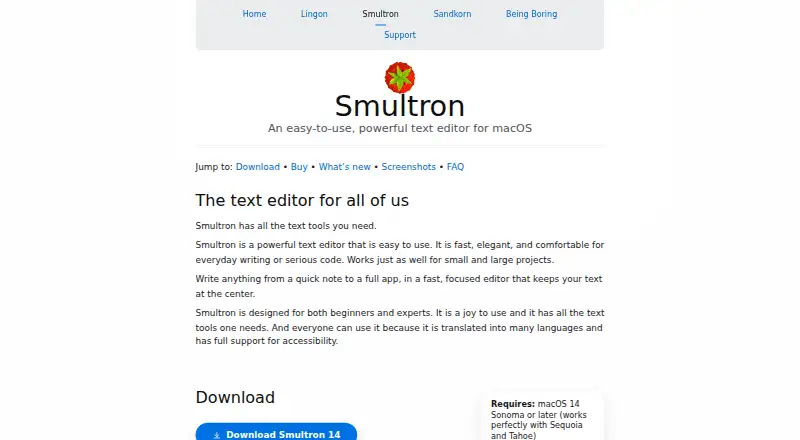
Smultron is a macOS text editor for everyday writing and code editing, with tools aimed at beginners as well as experienced users. It brings programming and markup syntax coloring together with writing features such as focus mode, split windows, and full-screen editing. For Mac users who want one desktop editor for text work and coding, that mix is the main appeal; it is not suited to people who need an editor on other operating systems.
The standout toolset goes beyond basic text entry. Advanced find and replace supports regular expressions, and Smultron can compare two saved documents with color-coded changes. Reusable snippets can include cursor and selection placeholders, while configurable commands can be run from within the editor. A folder browser with filtering, bookmarks, notes, and a column data tool for delimited text add practical options for working with files and structured text. These features suit varied solo workflows, though the product details do not establish an extension ecosystem; users who depend on add-ons should look for an editor with verified extension support.
Smultron 14 costs $9.99 as a one-time purchase, rather than a subscription. The vendor offers a free-to-download demo, but it cannot save documents until licensed, so it is not a free plan for ongoing work. Purchases from the vendor's own store have a 14-day refund guarantee. The Mac App Store is another purchase route, where regional pricing may vary. Choose Smultron if a single Mac editor with useful writing, coding, comparison, and column-data tools fits your needs; choose another option if you need cross-platform access, a save-capable free tier, or confirmed extension support.
Your product? Our editors can test Smultron in depth and publish a review, labelled as paid · from $149/mo →
Smultron pricing
All 1 Smultron plans and prices →
Smultron fact sheet
| Free plan | No |
|---|---|
| Paid from | $9.99 one-time |
| Supported platforms | macOS |
| Multi-cursor editing | Not verified |
| Macro recording | Not verified |
| Column editing | Yes |
| Large-file handling | Yes |
| Extension support | Not verified |
| Money-back guarantee | 14 days |
| Deployment | Desktop |
| Platforms | macOS |
| Support | |
| Built for | Solo, Small business (editorial estimate) |
| Pricing | Paid (source) |
| Website | peterborgapps.com |
| Facts checked | 23 Sep 2026 |
Alternatives to Smultron
- Visual Studio CodeA free, open-source editor with broad development features across desktop and web.9.4
- NeovimA free, open-source editor for keyboard-driven workflows and deep customization.9.3
- GNU EmacsA mature, highly customizable editor for users who value breadth and control.9.2


See all Smultron alternatives →
Used Smultron? Be the first to review it
The editor score above is our own research. What this page doesn't have yet is a reader's view — what you used Smultron for, what worked and what didn't. No stars are seeded and no review is paid for; an editor reads every one before it appears.
Write a reviewTwo minutes · verified accounts only · read by an editor before it appears
Featured on iTechGuides

Smultron is listed in our Text Editors directory. Add the badge to your site — it links back to this page.
<a href="https://www.itechguides.com/products/smultron/"><img src="https://www.itechguides.com/best/badge/smultron.svg" alt="Featured on iTechGuides" width="230" height="46"></a>
Reviewed by iTechGuides Editors · Editorial team · Updated Oct 2026
Advertiser disclosure: iTechGuides is reader-supported. Vendors can pay for top positions in our rankings and for a place on other products' pages, and we may earn a commission when you click some links. Bought places stand at the number bought; this page and our disclosure say so. Paying vendors may get a fuller, more detailed review from our editors, and that review can change their score. How we rank.
Last updated · How we research and update