SketchBubble
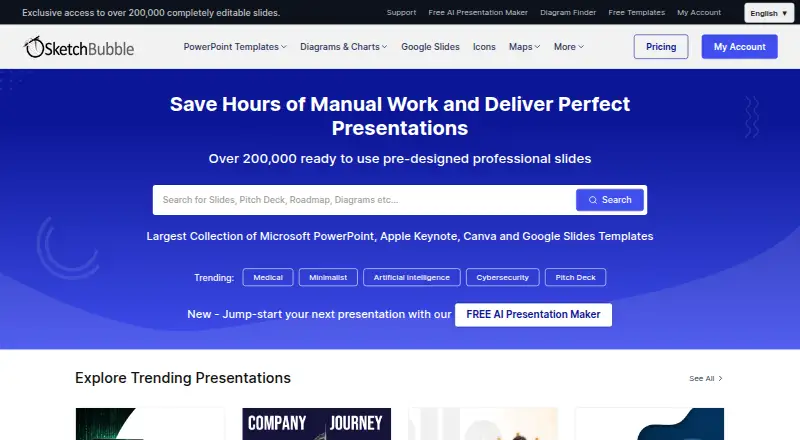
SketchBubble: A multi-format template library with diagrams, visual assets, and AI presentation generation. Ranked #17 of 34 in Presentation Template Libraries by our editors (7.7/10); pricing: Free plan; best for multi-format users wanting AI and visual assets.
At a glance
- Editor score7.7 / 10
- PricingFree plan
- Best forMulti-format users wanting AI and visual assets
- Free planYes
- Commercial useYes
- Facts checked20 Sep 2026
Where it wins
- Editable templates with diagrams, infographics, charts, maps, and icons
- Works with PowerPoint, Keynote, Google Slides, and Canva
- AI presentation generation with PDF and PowerPoint export
Where it doesn't
- The Free plan offers limited downloads
- AI Only includes access only to free templates
- Commercial use includes attribution and other EULA restrictions
Our verdict on SketchBubble
SketchBubble is a presentation-template library for people creating business, marketing, finance, education, organizational, and professional-development presentations. Its editable slides support customization of text, colors, graphics, icons, charts, and layouts. Templates are available for Microsoft PowerPoint, Apple Keynote, and Google Slides, while some products also support Canva. The service is available across web, Windows, macOS, iOS, and Android, making it suitable for users who move between presentation formats and devices.
The plan structure covers both template-led and AI-led workflows. Free is labeled Free Forever and includes access to free templates, AI presentation maker credits, PDF and PowerPoint export, and saving in Google Slides. Pro adds access to all templates, the AI presentation maker, PDF and PowerPoint export, Google Slides saving, and monthly credit refills. AI Only focuses on the AI presentation maker, PDF and PowerPoint export, and Google Slides saving, while retaining access only to free templates. The published plans therefore give buyers a choice between broader template access and a more focused AI option.
SketchBubble’s strongest fit is for users who need more than static slide designs. Its library includes multiple color themes on many templates, standard and widescreen formats, diagrams, infographics, charts, maps, and icons. Compatibility with PowerPoint, Keynote, Google Slides, and Canva supports established editing workflows, while AI-generated presentations can be exported to PDF or PowerPoint. Commercial presentation use is permitted under the EULA, subject to attribution and other restrictions. Choose SketchBubble for varied visual assets and multi-format editing; choose another library if your priority is a narrower workflow or unrestricted commercial use.
Your product? Our editors can test SketchBubble in depth and publish a review, labelled as paid · from $149/mo →
SketchBubble pricing
All 3 SketchBubble plans and prices →
SketchBubble fact sheet
| Free plan | Yes |
|---|---|
| Paid from | Not verified |
| Template count | Not verified |
| Download formats | PowerPoint, Keynote, Google Slides, Canva |
| Editing platforms | PowerPoint, Keynote, Google Slides, Canva |
| Commercial use | Yes |
| Team sharing | Not verified |
| License scope | Commercial |
| Money-back guarantee | 10 days |
| Deployment | Cloud |
| Platforms | Web, Windows, macOS, iOS, Android |
| Support | Email, Tickets |
| Built for | Solo, Small business, Mid-market, Enterprise (editorial estimate) |
| Integrations | 4 integrations: Microsoft PowerPoint, Apple Keynote, Google Slides, Canva |
| Pricing | Free plan (source) |
| Website | sketchbubble.com |
| Facts checked | 20 Sep 2026 |
SketchBubble integrations
SketchBubble lists 4 integrations on its own site.
- Microsoft PowerPoint
- Apple Keynote
- Google Slides
- Canva
Alternatives to SketchBubble
- SmileTemplatesA broad, low-cost template library with free downloads and flexible file support.9.4
- SlideBazaarA large template library with AI tools and paid plans starting at $4.99 monthly.9.2
- PoweredTemplateA broad template library with AI tools, commercial licensing, and team features.9.1

See all SketchBubble alternatives →
Used SketchBubble? Be the first to review it
The editor score above is our own research. What this page doesn't have yet is a reader's view — what you used SketchBubble for, what worked and what didn't. No stars are seeded and no review is paid for; an editor reads every one before it appears.
Write a reviewTwo minutes · verified accounts only · read by an editor before it appears
Featured on iTechGuides

SketchBubble is listed in our Presentation Template Libraries directory. Add the badge to your site — it links back to this page.
<a href="https://www.itechguides.com/products/sketchbubble/"><img src="https://www.itechguides.com/best/badge/sketchbubble.svg" alt="Featured on iTechGuides" width="230" height="46"></a>
Reviewed by iTechGuides Editors · Editorial team · Updated Oct 2026
Advertiser disclosure: iTechGuides is reader-supported. Vendors can pay for top positions in our rankings and for a place on other products' pages, and we may earn a commission when you click some links. Bought places stand at the number bought; this page and our disclosure say so. Paying vendors may get a fuller, more detailed review from our editors, and that review can change their score. How we rank.
Last updated · How we research and update