
Shotcut
Shotcut: A capable desktop editor for free 4K/8K workflows without built-in collaboration. Ranked #10 of 153 in Video Editing Software by our editors (8.3/10); pricing: Free plan; best for free open-source editors needing 4K/8K.
At a glance
- Editor score8.3 / 10
- PricingFree plan
- Best forFree open-source editors needing 4K/8K
- Free planYes
- Paid fromFree
- 4K exportYes
- Founded2004
- Facts checked20 Sep 2026
Where it wins
- Supports multitrack editing, filters, transitions, compositing, and color grading
- Handles 4K and 8K projects with proxy editing and preview scaling
- Includes capture, hardware acceleration, and batch export controls
Where it doesn't
- No built-in team collaboration
- No cloud storage or web app
- No mobile app for editing on phones or tablets
Our verdict on Shotcut
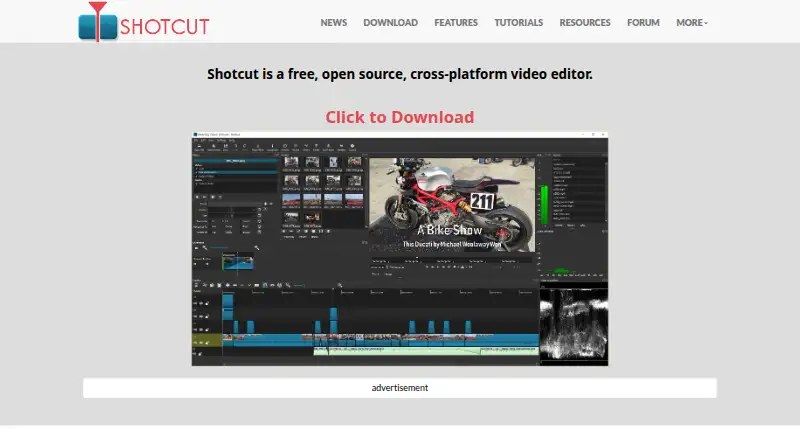
Shotcut is a free, open-source desktop video editor for creators who need a broad editing toolkit across Windows, macOS, or Linux. Its timeline supports native editing without importing media, mixed resolutions and frame rates, multitrack work with thumbnails and waveforms, and formats supported through FFmpeg. The feature set also covers video filters, transitions, compositing, color grading, subtitles, text-to-speech, audio mixing, voiceover recording, screen capture, webcam capture, and 4K/8K resolution support. It suits independent editors, educators, and production teams that prefer local desktop software and do not need a shared online workspace.
The main pricing advantage is straightforward: Shotcut is distributed free under an open-source license, with no recurring paid plans described. That makes its full desktop feature set available without separating core editing, high-resolution support, capture, or export controls into paid tiers. Proxy editing and preview scaling can support demanding projects, while hardware-accelerated decoding, scaling, and encoding can help with supported workflows. Batch encoding and export job control add useful structure when several output jobs need attention.
Shotcut fits an open media ecosystem through FFmpeg, Glaxnimate, Frei0r, and MLT. Its local filesystem project folders keep the workflow desktop-centered, while the published product details do not include built-in cloud storage or collaborative editing. Choose Shotcut if free, cross-platform editing with 4K/8K support and extensive audio and video tools matters most. Choose another editor if browser access, mobile editing, shared projects, or cloud-based collaboration is central to the workflow.
Your product? Our editors can test Shotcut in depth and publish a review, labelled as paid · from $149/mo →
Shotcut pricing
Shotcut fact sheet
| Free plan | Yes |
|---|---|
| Paid from | Free |
| Desktop app | Yes |
| Web app | Not verified |
| Mobile app | Not verified |
| 4K export | Yes |
| Team collaboration | Not verified |
| Included cloud storage | Not verified |
| Deployment | Desktop |
| Platforms | Windows, macOS, Linux |
| Support | Community, Docs |
| Built for | Solo, Small business (editorial estimate) |
| Pricing | Free plan |
| Website | shotcut.org |
| Facts checked | 20 Sep 2026 |
Alternatives to Shotcut
- DaVinci ResolveA deep free editor with professional post-production tools across desktop and iPad.9.3
- Avid Media ComposerA deep editing suite with collaborative workflows, AI search, and a free entry option.9.2
- Final Cut ProA full-featured editor for Apple users who want desktop and iPad workflows.9.1


See all Shotcut alternatives →
Also Ranked In
Shotcut is ranked in 6 of our directories.
Used Shotcut? Be the first to review it
The editor score above is our own research. What this page doesn't have yet is a reader's view — what you used Shotcut for, what worked and what didn't. No stars are seeded and no review is paid for; an editor reads every one before it appears.
Write a reviewTwo minutes · verified accounts only · read by an editor before it appears
Featured on iTechGuides

Shotcut is listed in our Video Editing Software directory. Add the badge to your site — it links back to this page.
<a href="https://www.itechguides.com/products/shotcut/"><img src="https://www.itechguides.com/best/badge/shotcut.svg" alt="Featured on iTechGuides" width="230" height="46"></a>
Reviewed by iTechGuides Editors · Editorial team · Updated Oct 2026
Advertiser disclosure: iTechGuides is reader-supported. Vendors can pay for top positions in our rankings and for a place on other products' pages, and we may earn a commission when you click some links. Bought places stand at the number bought; this page and our disclosure say so. Paying vendors may get a fuller, more detailed review from our editors, and that review can change their score. How we rank.
Last updated · How we research and update