
ShaderMap
ShaderMap: An affordable Windows tool for PBR map generation, geometry baking, and scripted workflows. Ranked #14 of 29 in 3D Texturing Software by our editors (7.4/10); pricing: Free plan; best for affordable Windows map-generation workflows.
At a glance
- Editor score7.4 / 10
- PricingFree plan
- Best forAffordable Windows map-generation workflows
- Free planYes
- Paid from$19 one-time
- 3D texture paintingNo
- Facts checked20 Sep 2026
Where it wins
- Free Basic version plus low-cost perpetual paid licenses
- Bakes multiple maps from 3D geometry and generates PBR maps
- Supports Lua batch processing and multi-angle light scans
Where it doesn't
- Available only on Windows
- The free Basic version includes ads and watermarks
- Focused on map workflows rather than general texture painting
Our verdict on ShaderMap
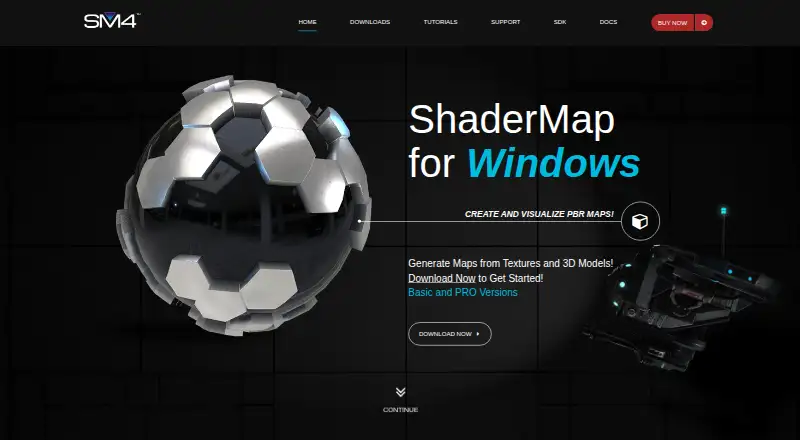
ShaderMap is a Windows desktop application for 3D artists who need to generate, bake, edit, and visualize texture maps. It works from source images, 3D models, and multi-angle light-scan photo stacks. Its workflow covers normal, ambient occlusion, color ID, curve, depth, metallic, roughness, and displacement-related map tasks, with material visualization on 3D models.
Pricing is straightforward. A free Basic version is available, while paid Pro licenses are offered as one-time purchases: Student costs $19, Personal costs $29, and Commercial costs $49. Each paid tier lists all Pro features, PBR maps and materials, multi-angle light scan plugins, Lua scripting project setup, external editing, and no watermarks or ads. The Student tier is the lowest-cost route, while the Personal and Commercial tiers align with broader usage categories.
ShaderMap is strongest when map generation and baking are the center of the workflow. The Normal Editor can paint and modify normal and displacement maps, filters include blur, high pass, brightness, and contrast, and Lua scripting supports batch processing of source files. External image-editor export adds flexibility, but the product is focused on texture maps rather than general texture painting. Choose it for an affordable Windows-based map-generation workflow with geometry baking, PBR support, and scripting; choose another category tool if broad texture-painting capabilities or non-Windows support is a priority.
Your product? Our editors can test ShaderMap in depth and publish a review, labelled as paid · from $149/mo →
ShaderMap pricing
All 3 ShaderMap plans and prices →
ShaderMap fact sheet
| Free plan | Yes |
|---|---|
| Paid from | $19 one-time |
| 3D texture painting | No |
| Procedural materials | Not verified |
| Texture baking | Yes |
| PBR workflow | Yes |
| Node-based authoring | Yes |
| Maximum texture resolution | Not verified |
| Supported platforms | Windows |
| Deployment | Desktop |
| Platforms | Windows |
| Support | Email, Community, Docs |
| Built for | Solo, Small business, Mid-market (editorial estimate) |
| Pricing | Free plan (source) |
| Website | shadermap.com |
| Facts checked | 20 Sep 2026 |
Alternatives to ShaderMap
- InstaMATA cross-platform toolkit for procedural materials, texture painting, baking, and pipeline automation.9.4
- Mixos PaintA broad, cross-platform PBR texturing workspace with a capable free tier and paid 4K export.9.2
- MariA deep texturing tool for VFX teams that need UDIM scale and procedural control.9.1



See all ShaderMap alternatives →
Used ShaderMap? Be the first to review it
The editor score above is our own research. What this page doesn't have yet is a reader's view — what you used ShaderMap for, what worked and what didn't. No stars are seeded and no review is paid for; an editor reads every one before it appears.
Write a reviewTwo minutes · verified accounts only · read by an editor before it appears
Featured on iTechGuides

ShaderMap is listed in our 3D Texturing Software directory. Add the badge to your site — it links back to this page.
<a href="https://www.itechguides.com/products/shadermap/"><img src="https://www.itechguides.com/best/badge/shadermap.svg" alt="Featured on iTechGuides" width="230" height="46"></a>
Reviewed by iTechGuides Editors · Editorial team · Updated Oct 2026
Advertiser disclosure: iTechGuides is reader-supported. Vendors can pay for top positions in our rankings and for a place on other products' pages, and we may earn a commission when you click some links. Bought places stand at the number bought; this page and our disclosure say so. Paying vendors may get a fuller, more detailed review from our editors, and that review can change their score. How we rank.
Last updated · How we research and update