SewArt
SewArt: An affordable one-time option for raster conversion, manual digitizing, and common machine formats. Ranked #21 of 31 in Embroidery Design Software by our editors (7.3/10); pricing: 30-day trial; best for affordable raster-to-embroidery conversion.
At a glance
- Editor score7.3 / 10
- Pricing30-day trial
- Best forAffordable raster-to-embroidery conversion
- Free planNo
- Paid from$75 one-time
- Supported platformsBoth
- Facts checked21 Sep 2026
Where it wins
- Converts raster and supported vector artwork into embroidery files
- Combines automatic and manual digitizing with image-processing tools
- Exports PES, DST, JEF, EXP, HUS, VIP, VP3, and XXX files
Where it doesn't
- Mac use requires Windows emulation
- No verified stitch-sequence simulation
- CD delivery ships only within the United States
Our verdict on SewArt
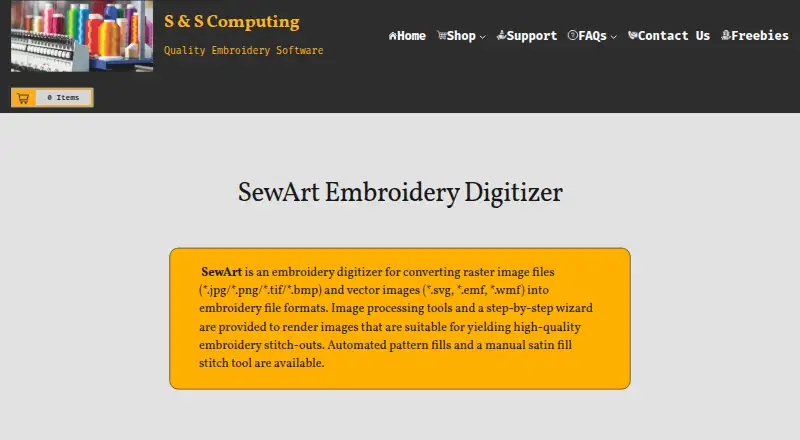
SewArt is desktop embroidery-digitizing software from S & S Computing for turning raster and supported vector artwork into machine embroidery files. It is suited to makers, small embroidery businesses, and other users who need automatic or manual digitizing without a recurring software charge. The workflow includes an image-processing wizard, color reduction, pattern fills, manual satin-fill stitching, and border or centerline appliqué options. It supports Windows natively and is also available for macOS through Windows emulation.
Pricing is straightforward. The SewArt Email Download plan costs $75 as a one-time purchase and includes an email download plus license registration through emailed credentials. The SewArt CD plan costs $93 as a one-time purchase, adds CD delivery, and also includes the email download. CD shipping is limited to the United States. A 30-day demo is available, while the product is otherwise sold as paid software rather than a free plan. For buyers comparing ownership costs, the email-download plan is the lower-priced route and includes the core license.
Its strongest fit is raster-to-embroidery conversion with control available at both automated and manual stages. Users can prepare images, reduce colors, import supported vector artwork, apply fills or satin stitching, create appliqué elements, and export to widely used machine formats. The narrower consideration is platform workflow: macOS users must rely on Windows emulation rather than a native Mac environment. SewArt should appeal to buyers prioritizing a one-time price and broad file-format export for image conversion. Buyers who need native macOS operation or verified stitch-sequence simulation should consider software with those capabilities instead.
Questions about SewArt
Is there a free trial of SewArt? Yes: a 30-day free trial.
What does SewArt run on? Windows and macOS. It runs as a desktop app.
Who is SewArt built for? Solo users and small businesses (our editorial estimate).
Your product? Our editors can test SewArt in depth and publish a review, labelled as paid · from $149/mo →
SewArt pricing
All 2 SewArt plans and prices →
SewArt fact sheet
| Free plan | No |
|---|---|
| Paid from | $75 one-time |
| Auto-digitizing | Yes |
| Stitch simulation | Not verified |
| Appliqué tools | Yes |
| Vector import | Yes |
| Machine file formats | PES, DST, JEF, EXP, HUS, VIP, VP3, XXX |
| Supported platforms | Both |
| Maximum hoop size | Not verified |
| Free trial | 30 days |
| Deployment | Desktop |
| Platforms | Windows, macOS |
| Support | Email, Phone, Docs |
| Built for | Solo, Small business (editorial estimate) |
| Pricing | 30-day trial (source) |
| Website | sandscomputing.com |
| Facts checked | 21 Sep 2026 |
Alternatives to SewArt
- Hatch EmbroideryA complete embroidery suite for professionals who need manual and automated digitizing.9.4
- BERNINA Embroidery Software 9A deep desktop toolkit for BERNINA owners and advanced embroidery workflows.9.3
- mySewnet EmbroideryA flexible embroidery suite with free access, cloud transfer, and advanced paid-tier tools.9.2



Used SewArt? Be the first to review it
The editor score above is our own research. What this page doesn't have yet is a reader's view — what you used SewArt for, what worked and what didn't. No stars are seeded and no review is paid for; an editor reads every one before it appears.
Write a reviewTwo minutes · verified accounts only · read by an editor before it appears
Featured on iTechGuides

SewArt is listed in our Embroidery Design Software directory. Add the badge to your site — it links back to this page.
<a href="https://www.itechguides.com/products/sewart/"><img src="https://www.itechguides.com/best/badge/sewart.svg" alt="Featured on iTechGuides" width="230" height="46"></a>
Reviewed by iTechGuides Editors · Editorial team · Updated Nov 2026
Advertiser disclosure: iTechGuides is reader-supported. Vendors can pay for top positions in our rankings and for a place on other products' pages, and we may earn a commission when you click some links. Bought places stand at the number bought; this page and our disclosure say so. Paying vendors may get a fuller, more detailed review from our editors, and that review can change their score. How we rank.
Last updated · How we research and update