Scanitto Pro
Scanitto Pro: A low-cost Windows utility for scanning, OCR, cleanup, and searchable PDFs. Ranked #22 of 30 in Photo Scanning Software by our editors (6.9/10); pricing: 30-day trial; best for low-cost Windows scanner utility.
At a glance
- Editor score6.9 / 10
- Pricing30-day trial
- Best forLow-cost Windows scanner utility
- Free planNo
- Paid from$29.95/device one-time
- Founded2005
- Facts checked20 Sep 2026
Where it wins
- Automatic border detection, cropping, deskew, and despeckle
- OCR creates editable text and searchable PDFs
- Exports to PDF, BMP, JPG, TIFF, JP2, and PNG
Where it doesn't
- Windows-only platform coverage
- Photo organization is limited
- The download page lists version 3.19 from 2017
Our verdict on Scanitto Pro
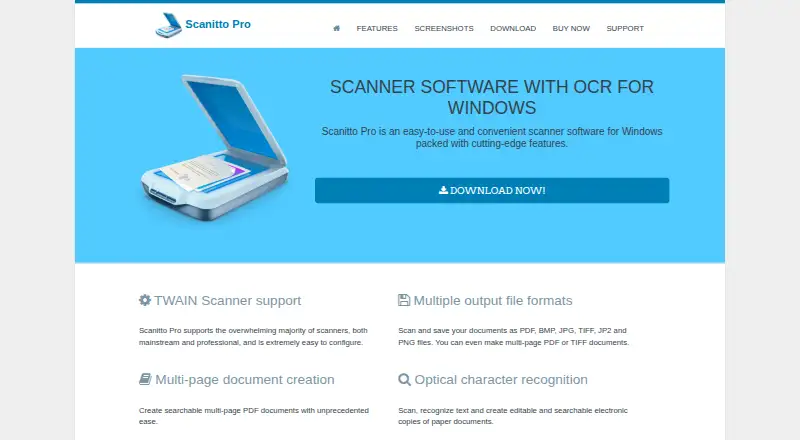
Scanitto Pro is desktop scanning software for Windows, aimed at home users and small offices that need a straightforward utility for TWAIN scanners. It supports one-click scanning, direct printer copying, multi-page PDF creation, OCR, image preparation, and exports to common image and document formats. Its strongest fit is practical document and photo capture rather than extensive photo-library management. The vendor lists support from Windows XP through Windows 10, along with several Windows Server versions, so buyers should check compatibility with their specific environment before purchase.
Pricing is license-based rather than subscription-based. The Single-user license costs $29.95 one time and includes free minor updates, with volume discounts available. The Site license costs $199 one time, also includes free minor updates, and permits installation on any number of computers within an organization or company. A 30-day fully functional trial gives individual buyers and small teams a way to assess scanner compatibility and workflow before licensing. The distinction is clear: the single-user option suits one person, while the site license is designed for broader organizational deployment.
Scanitto Pro’s standout capability is its scanning-to-document workflow. Automatic border detection and cropping reduce manual cleanup, while deskew and despeckle prepare images before OCR. Searchable PDFs and editable text creation add value when scanned material needs to be found or revised later. Exports include PDF, BMP, JPG, TIFF, JP2, and PNG, and the product lists Google Drive, Dropbox, Facebook, and Twitter integrations. Choose it for affordable Windows scanning with OCR and common exports. Consider another option if cross-platform support, deeper photo organization, or a more current Windows compatibility target is central to the purchase.
Questions about Scanitto Pro
Is there a free trial of Scanitto Pro? Yes: a 30-day free trial.
What does Scanitto Pro run on? Windows. It runs as a desktop app.
What does Scanitto Pro integrate with? 4 integrations: Google Drive, Dropbox, Facebook and Twitter.
Who is Scanitto Pro built for? Solo users and small businesses (our editorial estimate).
Your product? Our editors can test Scanitto Pro in depth and publish a review, labelled as paid · from $149/mo →
Scanitto Pro pricing
All 2 Scanitto Pro plans and prices →
Scanitto Pro fact sheet
| Free plan | No |
|---|---|
| Paid from | $29.95/device one-time |
| Auto-crop | Yes |
| Deskew correction | Yes |
| Auto enhancement | Not verified |
| Photo organization | Not verified |
| OCR support | Yes |
| Export formats | PDF, BMP, JPG, TIFF, JP2, PNG |
| Supported platforms | Windows |
| Free trial | 30 days |
| Deployment | Desktop |
| Platforms | Windows |
| Support | Email, Tickets, Docs |
| Built for | Solo, Small business (editorial estimate) |
| Integrations | 4 integrations: Google Drive, Dropbox, Facebook, Twitter |
| Pricing | 30-day trial (source) |
| Website | scanitto.com |
| Facts checked | 20 Sep 2026 |
Scanitto Pro integrations
Scanitto Pro lists 4 integrations on its own site.
- Google Drive
- Dropbox
Alternatives to Scanitto Pro
- Epson FastFotoA capable batch-scanning bundle for large home photo archives, with a high upfront cost.9.4
- Photo Scan by PhotomyneA capable phone-based scanner for turning printed photos into organized digital albums.9.2
- NostalgiaA family-photo archive with phone scanning, AI restoration, and genealogy integrations.9.0


See all Scanitto Pro alternatives →
Also Ranked In
Scanitto Pro is ranked in 2 of our directories.
Used Scanitto Pro? Be the first to review it
The editor score above is our own research. What this page doesn't have yet is a reader's view — what you used Scanitto Pro for, what worked and what didn't. No stars are seeded and no review is paid for; an editor reads every one before it appears.
Write a reviewTwo minutes · verified accounts only · read by an editor before it appears
Featured on iTechGuides

Scanitto Pro is listed in our Photo Scanning Software directory. Add the badge to your site — it links back to this page.
<a href="https://www.itechguides.com/products/scanitto-pro/"><img src="https://www.itechguides.com/best/badge/scanitto-pro.svg" alt="Featured on iTechGuides" width="230" height="46"></a>
Reviewed by iTechGuides Editors · Editorial team · Updated Nov 2026
Advertiser disclosure: iTechGuides is reader-supported. Vendors can pay for top positions in our rankings and for a place on other products' pages, and we may earn a commission when you click some links. Bought places stand at the number bought; this page and our disclosure say so. Paying vendors may get a fuller, more detailed review from our editors, and that review can change their score. How we rank.
Last updated · How we research and update