
Revora
Revora: A focused iPhone photo restorer with colorization, repair, and portrait animation. Ranked #24 of 25 in Photo Restoration Software by our editors (6.7/10); pricing: Freemium; best for iPhone restoration with animation features.
At a glance
- Editor score6.7 / 10
- PricingFreemium
- Best foriPhone restoration with animation features
- Free planNo
- Scratch repairYes
- Facts checked20 Sep 2026
Where it wins
- Repairs scratches, dust, tears, blur, fading, and noise
- Adds colorization, face enhancement, lighting correction, and HD upscaling
- Portrait animation and watermark-free Pro exports add creative flexibility
Where it doesn't
- No free plan is available
- Designed for iOS devices rather than multiple platforms
- Batch processing is not part of the stated workflow
Our verdict on Revora
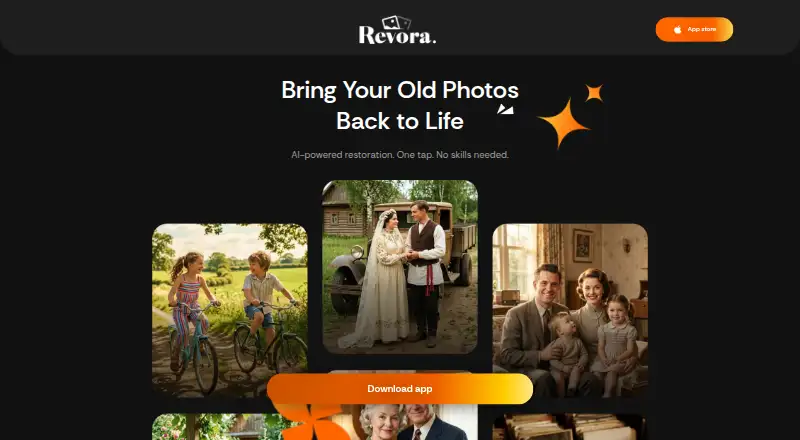
Revora is an AI-powered photo restoration app for iPhone and iPad. It is aimed at people restoring old family photographs, particularly when damage reduction, facial enhancement, colorization, or portrait animation matters. Users upload selected photos, choose a restoration tool, and receive processed results in the app. The feature set covers scratches, dust, tears, blur, fading, lighting, exposure, noise, and image resolution, with in-app photo history for revisiting processed images.
Pricing is organized around two recurring Pro subscriptions and three consumable credit packs. Revora Pro Weekly and Revora Pro Yearly provide recurring subscription credits and Pro-only features. Small Credits Pack, Popular Credits Pack, and Best Credits Pack provide consumable processing credits. The app also offers limited introductory credits, but it does not have a free plan. Purchases are made through Apple’s App Store, and availability and pricing vary by region. Pro subscribers receive watermark-free exports, making the subscription structure more relevant for users who plan to save or share restored images regularly.
Revora’s strongest distinction is the combination of conventional restoration with creative portrait animation. Someone working on a single damaged family photograph can move from repair and colorization to face enhancement, HD upscaling, and animation within one mobile app. That focus suits iPhone and iPad users who want an accessible, photo-by-photo workflow. It is less suitable for teams, desktop users, or anyone seeking a clearly defined batch-processing workflow. Choose Revora for mobile restoration with animation and a broad set of image corrections; consider another option if cross-platform access or large-scale processing is central to the project.
Your product? Our editors can test Revora in depth and publish a review, labelled as paid · from $149/mo →
Revora pricing
All 5 Revora plans and prices →
Revora fact sheet
| Free plan | No |
|---|---|
| Paid from | Not verified |
| Scratch repair | Yes |
| Photo colorization | Yes |
| Face enhancement | Yes |
| Batch processing | Not verified |
| Platform | Mobile |
| Max export resolution | Not verified |
| Supported file formats | Not verified |
| Deployment | Cloud, Mobile |
| Platforms | iOS |
| Support | |
| Built for | Solo, Small business (editorial estimate) |
| Pricing | Freemium (source) |
| Website | revora-app.com |
| Facts checked | 20 Sep 2026 |
Alternatives to Revora
- ImageColorizerA broad AI restoration toolkit with flexible device support and a useful free tier.9.4
- Restore.PhotoA broad web restoration tool with free access, batch processing, and Business API support.9.1
- 1001 Photo RestoreA low-cost browser service for batch restoration, colorization, and enhancement.8.9



Also Ranked In
Revora is ranked in 2 of our directories.
Used Revora? Be the first to review it
The editor score above is our own research. What this page doesn't have yet is a reader's view — what you used Revora for, what worked and what didn't. No stars are seeded and no review is paid for; an editor reads every one before it appears.
Write a reviewTwo minutes · verified accounts only · read by an editor before it appears
Featured on iTechGuides

Revora is listed in our Photo Restoration Software directory. Add the badge to your site — it links back to this page.
<a href="https://www.itechguides.com/products/revora/"><img src="https://www.itechguides.com/best/badge/revora.svg" alt="Featured on iTechGuides" width="230" height="46"></a>
Reviewed by iTechGuides Editors · Editorial team · Updated Oct 2026
Advertiser disclosure: iTechGuides is reader-supported. Vendors can pay for top positions in our rankings and for a place on other products' pages, and we may earn a commission when you click some links. Bought places stand at the number bought; this page and our disclosure say so. Paying vendors may get a fuller, more detailed review from our editors, and that review can change their score. How we rank.
Last updated · How we research and update