
Recolor
Recolor: A feature-rich freeform coloring app for large libraries and personal photo imports. Ranked #3 of 20 in Coloring Apps by our editors (8.9/10); pricing: Free plan · 7-day trial; best for large freeform libraries with photo imports.
At a glance
- Editor score8.9 / 10
- PricingFree plan · 7-day trial
- Best forLarge freeform libraries with photo imports
- Free planYes
- Coloring modesFreeform
- Facts checked21 Sep 2026
Where it wins
- Thousands of illustrated pages, including a verified 5,000-page library
- Imports personal photos and drawings for custom coloring projects
- Offers palettes, gradients, effects, filters, and community galleries
Where it doesn't
- No brush tools for broader freeform painting
- Premium access covers additional content and features
- Available only on iOS and Android
Our verdict on Recolor
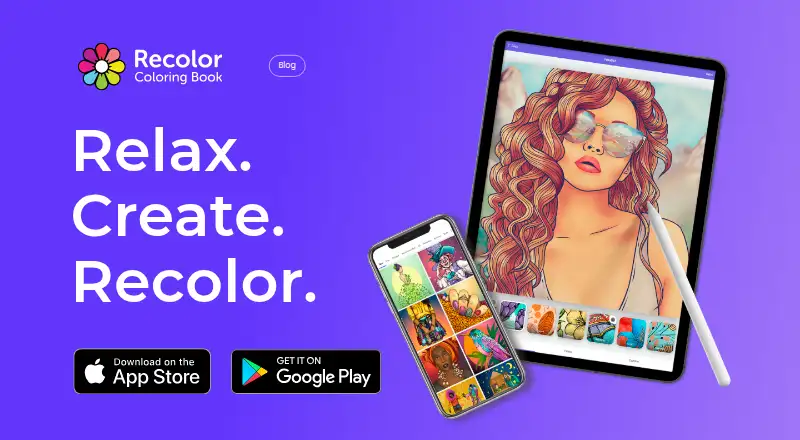
Recolor is a freemium mobile coloring app from Sumoing Ltd, designed for adults who want illustrated pages alongside the option to color personal photos and drawings. Its library covers categories including mandalas, animals, flowers, portraits, and fantasy. The free plan includes daily pages, while Premium adds access to premium coloring content and features. With freeform coloring modes and cross-platform availability on iOS and Android, Recolor suits users who want a substantial library rather than a narrowly focused collection.
The strongest part of Recolor is the range of ways to create and customize artwork. Tap-to-color and slide-to-color tools support library pages, while crayon and marker-style options add different coloring textures. Users can build custom palettes and work with solid colors or gradients, then apply effects, filters, and outlines. Personal photo and drawing imports broaden the app beyond fixed coloring books, making it useful for users who want to turn their own images into coloring projects. The published library counts include 4,000+ pages on the website and 5,000 pages in current app listings and FAQ content.
Community features add another layer through galleries, creator follows, likes, comments, and sharing. Recolor is therefore a good fit for people who enjoy browsing artwork and participating around their coloring projects, not only completing pages privately. The trade-off is its narrower creative scope: the feature set is centered on coloring, effects, and imported images rather than brush-based painting. Users seeking a dedicated drawing application with brush tools should choose a different type of creative app. Recolor fits best when a large page library, freeform color control, and photo imports matter most.
Questions about Recolor
Is there a free trial of Recolor? Yes: a 7-day free trial.
What does Recolor run on? iOS and Android. It runs as a mobile app.
Who is Recolor built for? Solo users and small businesses (our editorial estimate).
Your product? Our editors can test Recolor in depth and publish a review, labelled as paid · from $149/mo →
Recolor pricing
All 1 Recolor plans and prices →
Recolor fact sheet
| Free plan | Yes |
|---|---|
| Paid from | Not verified |
| Coloring modes | Freeform |
| Offline access | Not verified |
| Import own images | Yes |
| Brush tools | No |
| Page library size | Not verified |
| Supported platforms | Cross_platform |
| Free trial | 7 days |
| Deployment | Mobile |
| Platforms | iOS, Android |
| Support | Email, Docs |
| Built for | Solo, Small business (editorial estimate) |
| Pricing | Free plan · 7-day trial (source) |
| Website | recolor.com |
| Facts checked | 21 Sep 2026 |
Alternatives to Recolor
- ColorfyA flexible mobile coloring app with a broad library, imports, brushes, and community features.9.2
- ChromaA broad coloring app for creative users who want more than basic page filling.9.1
- LakeA flexible iOS coloring app with free content, imports, layers, and offline access.8.8


See all Recolor alternatives →
Recolor vs the competition
- Recolor vs Colorfy
- Recolor vs Chroma
- Recolor vs Lake
- Recolor vs InColor
- Recolor vs pau.
- Recolor vs Paint by Number


Compare Recolor with any tool side by side →
Used Recolor? Be the first to review it
The editor score above is our own research. What this page doesn't have yet is a reader's view — what you used Recolor for, what worked and what didn't. No stars are seeded and no review is paid for; an editor reads every one before it appears.
Write a reviewTwo minutes · verified accounts only · read by an editor before it appears
Featured on iTechGuides

Recolor is listed in our Coloring Apps directory. Add the badge to your site — it links back to this page.
<a href="https://www.itechguides.com/products/recolor/"><img src="https://www.itechguides.com/best/badge/recolor.svg" alt="Featured on iTechGuides" width="230" height="46"></a>
Reviewed by iTechGuides Editors · Editorial team · Updated Nov 2026
Advertiser disclosure: iTechGuides is reader-supported. Vendors can pay for top positions in our rankings and for a place on other products' pages, and we may earn a commission when you click some links. Bought places stand at the number bought; this page and our disclosure say so. Paying vendors may get a fuller, more detailed review from our editors, and that review can change their score. How we rank.
Last updated · How we research and update