QuiQui
QuiQui: A focused, self-hosted quiz tool for developers running live audience sessions. Ranked #106 of 118 in Audience Response Systems by our editors (6.0/10); pricing: Free plan; best for developers wanting self-hosted live quizzes.
At a glance
- Editor score6.0 / 10
- PricingFree plan
- Best forDevelopers wanting self-hosted live quizzes
- Free planYes
- Paid fromFree
- Live pollingYes
- Facts checked22 Sep 2026
Where it wins
- Live host-paced questions with real-time response charts
- QR-code joining without accounts, installs, or email addresses
- YAML, GitHub, Markdown, LaTeX, code, and image support
Where it doesn't
- Focused on quizzes rather than broader audience-response formats
- The listed integration is GitHub
- In-memory sessions do not provide persistent database storage
Our verdict on QuiQui
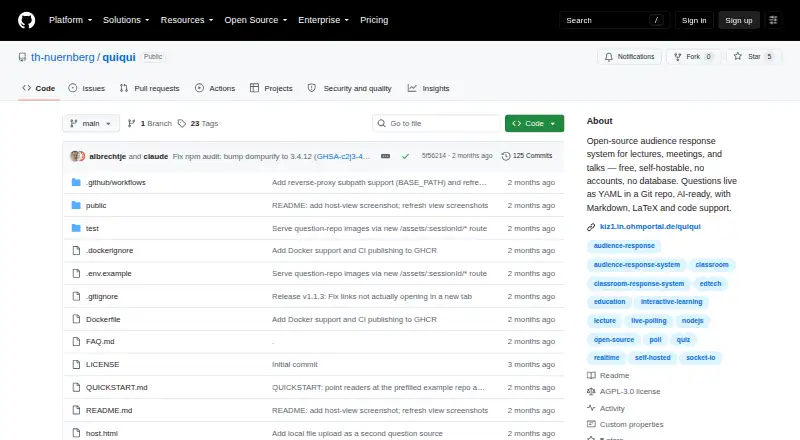
QuiQui is an open-source audience response system for lectures, meetings, and talks. It is designed for developers and technical teams that want to run live, host-paced quizzes through a browser, either with a hosted instance or through an independent Node.js or Docker deployment. Participants join with a QR code or short URL and do not need accounts, application installs, or email addresses. The product supports single-choice and multiple-choice questions, anonymous responses, live charts, answer-reveal controls, and a projector view showing a QR code and live results.
Authoring is a notable part of QuiQui’s workflow. Hosts load questions from YAML files or public GitHub repositories, while question content can include Markdown, LaTeX, code blocks, and images. That approach suits teams already comfortable managing content in files or repositories, and GitHub provides the listed integration. Docker deployment also supports self-hosting, while sessions are held in memory without accounts or a database. The free, open-source model keeps the product straightforward for independent deployments, classrooms, meetings, and talks that do not require persistent session storage.
QuiQui’s narrow focus is both its clearest strength and its main boundary. It covers live quiz delivery well, including joining, pacing, response visualization, and correct-answer reveals, but it is not positioned as a broad audience-response suite. Verified Q&A and wider integrations are not part of its described feature set. Teams seeking a developer-oriented, self-hosted quiz experience should find the scope a good fit; teams needing broader interaction formats, extensive ecosystem connections, or persistent data should choose a more expansive audience-response platform.
Your product? Our editors can test QuiQui in depth and publish a review, labelled as paid · from $149/mo →
QuiQui pricing
QuiQui fact sheet
| Free plan | Yes |
|---|---|
| Paid from | Free |
| Live polling | Yes |
| Live Q&A | Not verified |
| Quiz mode | Yes |
| Audience limit | Not verified |
| Anonymous responses | Yes |
| Slide integrations | Not verified |
| Deployment | Cloud, Self-hosted |
| Platforms | Web |
| Support | Docs |
| Built for | Solo, Small business (editorial estimate) |
| Integrations | 1 integrations: GitHub |
| Pricing | Free plan |
| Website | github.com |
| Facts checked | 22 Sep 2026 |
QuiQui integrations
QuiQui lists 1 integrations on its own site.
- GitHub
Alternatives to QuiQui
- Poll EverywhereA broad audience engagement platform with polling, Q&A, quizzes, surveys, AI, and integrations.9.4
- MentimeterA presentation-led engagement tool with broad response types and collaboration tiers.9.2
- SlidoA capable audience response platform with broad presentation and event integrations.9.1



Used QuiQui? Be the first to review it
The editor score above is our own research. What this page doesn't have yet is a reader's view — what you used QuiQui for, what worked and what didn't. No stars are seeded and no review is paid for; an editor reads every one before it appears.
Write a reviewTwo minutes · verified accounts only · read by an editor before it appears
Featured on iTechGuides

QuiQui is listed in our Audience Response Systems directory. Add the badge to your site — it links back to this page.
<a href="https://www.itechguides.com/products/quiqui/"><img src="https://www.itechguides.com/best/badge/quiqui.svg" alt="Featured on iTechGuides" width="230" height="46"></a>
Reviewed by iTechGuides Editors · Editorial team · Updated Oct 2026
Advertiser disclosure: iTechGuides is reader-supported. Vendors can pay for top positions in our rankings and for a place on other products' pages, and we may earn a commission when you click some links. Bought places stand at the number bought; this page and our disclosure say so. Paying vendors may get a fuller, more detailed review from our editors, and that review can change their score. How we rank.
Last updated · How we research and update