
Quick Reads
Quick Reads: A low-cost, searchable reading library with strong feeds, exports, and automation. Ranked #11 of 28 in Read-It-Later Apps by our editors (8.0/10); pricing: 7-day trial; best for budget-conscious readers needing feeds and automation.
At a glance
- Editor score8.0 / 10
- Pricing7-day trial
- Best forBudget-conscious readers needing feeds and automation
- Free planNo
- Paid from$3.99/mo
- Offline accessYes
- Facts checked22 Sep 2026
Where it wins
- Full-text search, highlights, tags, and automatic tagging rules
- Offline reading on native iPhone and iPad apps
- REST API, MCP access, RSS, and Obsidian export
Where it doesn't
- There is no public $0 plan
- Email newsletters, text-to-speech, and webhooks require Pro
- Pro text-to-speech is limited to 3 hours per month
Our verdict on Quick Reads
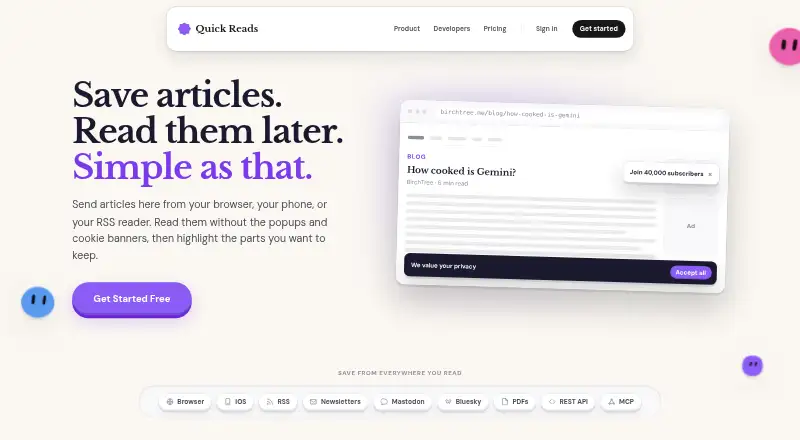
Quick Reads is a read-it-later service for individual readers who want a searchable, portable library for articles, PDFs, videos, social threads, newsletters, and RSS content. It parses saved material into a distraction-free queue, supports highlighting and tags, and provides full-text search across saved article titles and content. Reading is available on the web and native iPhone and iPad apps, with offline access on iOS. Browser extensions support Chrome, Safari, and Firefox.
Pricing is straightforward but entirely paid. Basic costs $3.99 per month and includes unlimited saved articles, unlimited highlights, tags and automatic tagging rules, distraction-free reading, full API and MCP access, and RSS feeds. Pro Monthly costs $5.99 per month, while Pro Yearly costs $59.99 per year; both add email newsletters, three hours of text-to-speech per month, and outbound webhooks. A seven-day trial is available. Readers who only need saving, highlighting, search, RSS, and automation can stay with Basic, while newsletter intake and webhooks make Pro more relevant for broader capture workflows.
Quick Reads fits readers who want more than a basic bookmarking queue. Its RSS feeds, podcast playback with chapters, newsletter inbox, Obsidian export, and connections with Mastodon, Bluesky, Claude, and Cursor extend the service across reading and automation workflows. The API and MCP server are notable for users who want to connect their library to other tools. It is less suitable for readers seeking a free starting point or a lower-cost way to access text-to-speech beyond the included Pro allowance. Choose it for structured, searchable reading and automation; consider an alternative if a public free plan is essential.
Your product? Our editors can test Quick Reads in depth and publish a review, labelled as paid · from $149/mo →
Quick Reads pricing
All 3 Quick Reads plans and prices →
Quick Reads fact sheet
| Free plan | No |
|---|---|
| Paid from | $3.99/mo |
| Offline access | Yes |
| Highlighting | Yes |
| Full-text search | Yes |
| Browser extension | Yes |
| Mobile apps | Yes |
| Highlight export | Yes |
| Saved-item limit | Not verified |
| Free trial | 7 days |
| Deployment | Cloud, Mobile, Browser extension |
| Platforms | Web, iOS, Chrome extension |
| Built for | Solo, Small business (editorial estimate) |
| Integrations | 6 integrations: RSS, Obsidian, Mastodon, Bluesky, Claude, Cursor |
| Pricing | 7-day trial (source) |
| Website | quickreads.app |
| Facts checked | 22 Sep 2026 |
Quick Reads integrations
Quick Reads lists 6 integrations on its own site.
- RSS
- Obsidian
- Mastodon
- Bluesky
- Claude
- Cursor
Alternatives to Quick Reads
- InstapaperA mature read-later app with broad saving, reading, search, and annotation tools.9.4
- MatterA versatile read-later library for mixed media, newsletters, and knowledge exports.9.2
- OmnivoreA broad, ownership-focused reader for people comfortable running their own service.9.0


See all Quick Reads alternatives →
Used Quick Reads? Be the first to review it
The editor score above is our own research. What this page doesn't have yet is a reader's view — what you used Quick Reads for, what worked and what didn't. No stars are seeded and no review is paid for; an editor reads every one before it appears.
Write a reviewTwo minutes · verified accounts only · read by an editor before it appears
Featured on iTechGuides

Quick Reads is listed in our Read-It-Later Apps directory. Add the badge to your site — it links back to this page.
<a href="https://www.itechguides.com/products/quick-reads/"><img src="https://www.itechguides.com/best/badge/quick-reads.svg" alt="Featured on iTechGuides" width="230" height="46"></a>
Reviewed by iTechGuides Editors · Editorial team · Updated Oct 2026
Advertiser disclosure: iTechGuides is reader-supported. Vendors can pay for top positions in our rankings and for a place on other products' pages, and we may earn a commission when you click some links. Bought places stand at the number bought; this page and our disclosure say so. Paying vendors may get a fuller, more detailed review from our editors, and that review can change their score. How we rank.
Last updated · How we research and update