QualityScaler
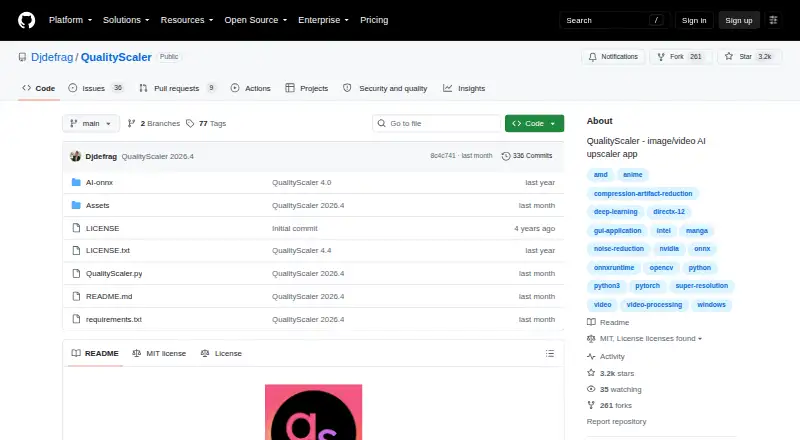
QualityScaler: A local Windows upscaler with AI enhancement, batch queues, and resumable video jobs. Ranked #25 of 40 in Video Upscaling Software by our editors (6.3/10); pricing: Open source; best for windows users wanting free queue-based processing.
At a glance
- Editor score6.3 / 10
- PricingOpen source
- Best forWindows users wanting free queue-based processing
- Paid fromFree
- Facts checked20 Sep 2026
Where it wins
- AI upscaling and denoising for both photos and videos
- Batch queues with video stop-and-resume processing
- DirectML acceleration, multiple GPUs, and automatic VRAM tiling
Where it doesn't
- Runs only on Windows
- Processing is tied to the user's local PC
- Desktop processing is not designed for browser-based workflows
Our verdict on QualityScaler
QualityScaler is an open-source Windows desktop application for enhancing, upscaling, sharpening, and denoising photographs and videos. It is aimed at individuals and small teams that want local media processing without an internet connection. Support for common image and video formats, resizing before upscaling, and AI-based enhancement make it relevant for restoring or enlarging existing media rather than managing a broader production workflow.
Its strongest advantage is the combination of enhancement depth and processing control. QualityScaler supports AI image and video upscaling, photo and video denoising, and automatic image tiling for systems with limited GPU VRAM. GPU acceleration is provided through DirectML, while multiple-GPU support can suit machines with more than one compatible graphics processor. For longer video jobs, stop-and-resume processing reduces the need to restart from the beginning after an interruption. Hardware-accelerated video encoding also supports a more complete local processing path.
Queue-based work is another clear fit: the batch processing queue lets users organize multiple jobs instead of handling each file separately. That makes QualityScaler a practical choice for Windows users who prioritize offline processing, repeatable queues, and control over local media files. The trade-off is its narrow platform and desktop focus. It runs on Windows, and processing stays on the user's PC, so it is less suitable for teams seeking a browser-based or broadly cross-platform workflow. Choose QualityScaler for local Windows enhancement and queued processing; choose an alternative when platform breadth or shared online access matters more.
Your product? Our editors can test QualityScaler in depth and publish a review, labelled as paid · from $149/mo →
QualityScaler pricing
QualityScaler fact sheet
| Free plan | Not verified |
|---|---|
| Paid from | Free |
| Max output resolution | Not verified |
| Max upscale factor | Not verified |
| AI enhancement | Yes |
| Frame interpolation | Not verified |
| Batch processing | Yes |
| Processing mode | Desktop |
| Supported platforms | windows |
| Deployment | Desktop |
| Platforms | Windows |
| Built for | Solo, Small business (editorial estimate) |
| Pricing | Open source |
| Website | github.com |
| Facts checked | 20 Sep 2026 |
Alternatives to QualityScaler
- Topaz VideoA broad AI toolkit for editors working with low-quality, legacy, or demanding video.8.9
- HitPaw VikPeaA broad AI video toolkit with 8K output and a free preview, but a high monthly entry price.8.8
- AVCLabs Video Enhancer AIA capable local video restoration suite for Windows and macOS, without a free plan.8.6


See all QualityScaler alternatives →
Also Ranked In
QualityScaler is ranked in 3 of our directories.
Used QualityScaler? Be the first to review it
The editor score above is our own research. What this page doesn't have yet is a reader's view — what you used QualityScaler for, what worked and what didn't. No stars are seeded and no review is paid for; an editor reads every one before it appears.
Write a reviewTwo minutes · verified accounts only · read by an editor before it appears
Featured on iTechGuides

QualityScaler is listed in our Video Upscaling Software directory. Add the badge to your site — it links back to this page.
<a href="https://www.itechguides.com/products/qualityscaler/"><img src="https://www.itechguides.com/best/badge/qualityscaler.svg" alt="Featured on iTechGuides" width="230" height="46"></a>
Reviewed by iTechGuides Editors · Editorial team · Updated Oct 2026
Advertiser disclosure: iTechGuides is reader-supported. Vendors can pay for top positions in our rankings and for a place on other products' pages, and we may earn a commission when you click some links. Bought places stand at the number bought; this page and our disclosure say so. Paying vendors may get a fuller, more detailed review from our editors, and that review can change their score. How we rank.
Last updated · How we research and update