
QRoll
QRoll: A free, web-based QR attendance tool for lightweight university course tracking. Ranked #21 of 27 in Student Attendance Software by our editors (6.9/10); pricing: Free plan; best for free QR attendance for lightweight course tracking.
At a glance
- Editor score6.9 / 10
- PricingFree plan
- Best forFree QR attendance for lightweight course tracking
- Free planYes
- Paid fromFree
- Attendance captureQr_code
- Founded2026
- Facts checked20 Sep 2026
Where it wins
- Rotating QR codes change every 30 seconds for check-in control
- Location verification supports a configurable course radius
- Live dashboards, trend flags, and Excel or CSV exports
Where it doesn't
- Access is invite-only and granted at the operator’s discretion
- Web-only access means there is no mobile app
- There is no paid tier for expanded capabilities
Our verdict on QRoll
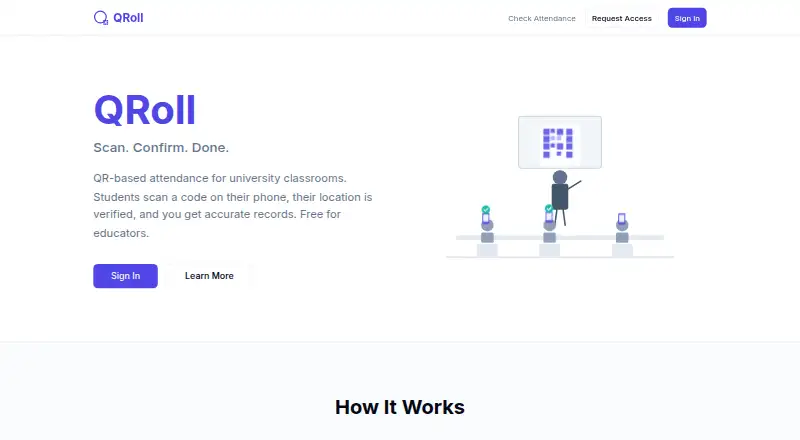
QRoll is a browser-based attendance tracking tool for university classrooms. Professors can create courses, upload and manage rosters, generate rotating QR codes, and monitor check-ins through a live dashboard. Students scan codes with their phones without installing an app. Location verification supports a configurable course radius, while course groups, teaching-assistant access, and student self-lookup extend the basic attendance workflow. It is suited to academic users who need focused attendance capture for in-person or remote sessions without adding a paid system to their stack.
The product has one free plan with QR-based attendance, location verification, a live dashboard, and attendance exports. The feature set also includes CSV roster upload and management, Excel and CSV record exports, and automatic attendance trend flags at 75% or 50%. Access is invite-only and available at no monetary charge to approved academic users, so adoption depends on receiving access rather than selecting a public subscription. The web-only format keeps the workflow centered on a browser, with students using their phones to scan classroom codes.
QRoll’s strongest fit is lightweight course tracking where rotating codes, location checks, and straightforward reporting cover the core requirement. The 30-second code rotation adds a defined check-in control, and self-lookup gives students a way to view their own attendance. However, its scope is narrower than a broader student information or campus administration platform: it focuses on attendance rather than a wider academic workflow. Institutions that need a mobile app, multiple service tiers, or a more mature platform should consider alternatives. QRoll is a practical choice for approved academic users seeking focused QR attendance and basic roster, alert, and export functions.
Your product? Our editors can test QRoll in depth and publish a review, labelled as paid · from $149/mo →
QRoll pricing
All 1 QRoll plans and prices →
QRoll fact sheet
| Free plan | Yes |
|---|---|
| Paid from | Free |
| Attendance capture | Qr_code |
| Student limit | Not verified |
| Absence tracking | Yes |
| Tardy tracking | Not verified |
| Automated alerts | Yes |
| Family notifications | Not verified |
| Mobile app | No |
| Deployment | Cloud |
| Platforms | Web |
| Support | |
| Built for | Mid-market, Enterprise (editorial estimate) |
| Pricing | Free plan (source) |
| Website | qroll.org |
| Facts checked | 20 Sep 2026 |
Alternatives to QRoll
- EdusignA broad attendance and administration platform for institutions with varied learning formats.9.4
- EduAttendanceAttendance tracking with device support, parent alerts, and school-ready reporting.9.2
- AttendancesA flexible school attendance system for mixed capture methods and family notifications.9.1


Used QRoll? Be the first to review it
The editor score above is our own research. What this page doesn't have yet is a reader's view — what you used QRoll for, what worked and what didn't. No stars are seeded and no review is paid for; an editor reads every one before it appears.
Write a reviewTwo minutes · verified accounts only · read by an editor before it appears
Featured on iTechGuides

QRoll is listed in our Student Attendance Software directory. Add the badge to your site — it links back to this page.
<a href="https://www.itechguides.com/products/qroll/"><img src="https://www.itechguides.com/best/badge/qroll.svg" alt="Featured on iTechGuides" width="230" height="46"></a>
Reviewed by iTechGuides Editors · Editorial team · Updated Oct 2026
Advertiser disclosure: iTechGuides is reader-supported. Vendors can pay for top positions in our rankings and for a place on other products' pages, and we may earn a commission when you click some links. Bought places stand at the number bought; this page and our disclosure say so. Paying vendors may get a fuller, more detailed review from our editors, and that review can change their score. How we rank.
Last updated · How we research and update