Punch
Punch: A focused time clock for iOS-led field teams that need payroll-ready records. Ranked #25 of 28 in Time Clock Software by our editors (6.5/10); pricing: 14-day trial; best for iPhone-first teams using shared jobsite kiosks.
At a glance
- Editor score6.5 / 10
- Pricing14-day trial
- Best foriPhone-first teams using shared jobsite kiosks
- Free planNo
- Paid from$44.99/mo
- Mobile clock-inYes
- Facts checked22 Sep 2026
Where it wins
- GPS-verified punches help track attendance by job site.
- Offline break recording syncs when employees reconnect.
- Payroll-ready exports support Excel, QuickBooks Online, and Square.
Where it doesn't
- There is no free plan.
- The product supports only iOS and web.
- Most tiers do not show a directly verifiable price.
Our verdict on Punch
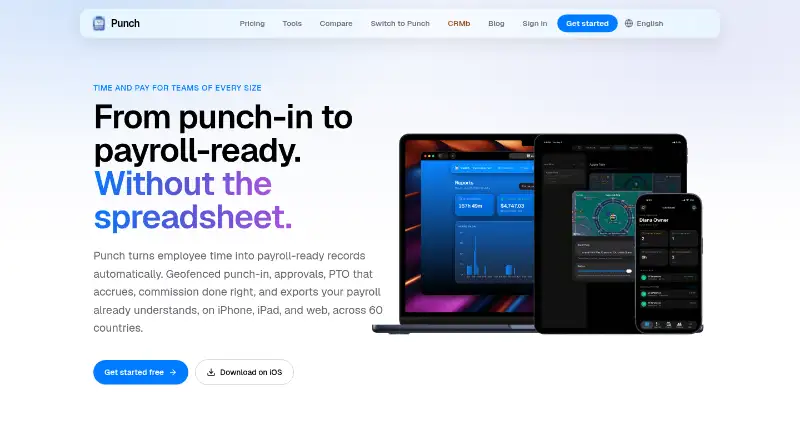
Punch is an employee time clock for small field teams and hourly workforces. Employees can clock in and out from iPhone, iPad, or a web browser, while managers can use a shared iPad kiosk with names and PINs. Its workflow covers geofenced jobsite punches, lunch and break recording, weekly or bi-weekly timesheets, shift approvals, overtime calculation, paid-time-off tracking, and attendance reports. That makes it a practical fit for teams that need more than basic clock-in records, particularly when work happens across defined job sites.
The published plans are organization-priced rather than per-user. Solo supports 1 member, Startup supports up to 3 members, Crew supports up to 5 members, Team supports up to 10 people and includes every feature, Company supports up to 20 members, Premier supports up to 50 members, and Scale supports up to 100 members. The Team plan is shown at $44.99 per organization per month with monthly billing. A 14-day free trial is available, but Punch does not offer a free plan. Buyers should compare the organization limits with their workforce size before choosing a tier.
Punch’s strongest area is the path from attendance capture to payroll preparation. Managers can approve or reject shifts with reasons, review reports, export to Excel and PowerPoint, and prepare payroll data for Excel, QuickBooks Online, or Square. The product also lists CRMb among its integrations. Its main constraint is platform coverage: clocking is centered on iPhone, iPad, shared iPad kiosks, and the web, with no listed Android option. Teams that want geofencing, offline break synchronization, and kiosk support within that platform mix should consider Punch; organizations needing broader mobile coverage should choose an alternative.
Your product? Our editors can test Punch in depth and publish a review, labelled as paid · from $149/mo →
Punch pricing
All 1 Punch plans and prices →
Punch fact sheet
| Free plan | No |
|---|---|
| Paid from | $44.99/mo |
| Mobile clock-in | Yes |
| Geofencing | Yes |
| Break tracking | Yes |
| Attendance reports | Yes |
| Timesheet approvals | Yes |
| Clock-in methods | iPhone, iPad, web, shared iPad kiosk with name and PIN |
| Free trial | 14 days |
| Deployment | Cloud, Mobile |
| Platforms | Web, iOS |
| Support | |
| Built for | Solo, Small business (editorial estimate) |
| Integrations | 2 integrations: QuickBooks Online, Square |
| Pricing | 14-day trial (source) |
| Website | punchapp.io |
| Facts checked | 22 Sep 2026 |
Punch integrations
Punch lists 2 integrations on its own site.
- QuickBooks Online
- Square
Alternatives to Punch
- QuickBooks TimeA QuickBooks-centered time clock for jobs, projects, approvals, and payroll workflows.9.2
- JibbleA broad time clock platform with a permanent free plan and strong workforce controls.8.9
- SynerionA mature, low-cost attendance platform with broad clocking and payroll options.8.8


Used Punch? Be the first to review it
The editor score above is our own research. What this page doesn't have yet is a reader's view — what you used Punch for, what worked and what didn't. No stars are seeded and no review is paid for; an editor reads every one before it appears.
Write a reviewTwo minutes · verified accounts only · read by an editor before it appears
Featured on iTechGuides

Punch is listed in our Time Clock Software directory. Add the badge to your site — it links back to this page.
<a href="https://www.itechguides.com/products/punch/"><img src="https://www.itechguides.com/best/badge/punch.svg" alt="Featured on iTechGuides" width="230" height="46"></a>
Reviewed by iTechGuides Editors · Editorial team · Updated Oct 2026
Advertiser disclosure: iTechGuides is reader-supported. Vendors can pay for top positions in our rankings and for a place on other products' pages, and we may earn a commission when you click some links. Bought places stand at the number bought; this page and our disclosure say so. Paying vendors may get a fuller, more detailed review from our editors, and that review can change their score. How we rank.
Last updated · How we research and update