
PSCAD
PSCAD: A focused Windows tool for free electromagnetic-transient power-system studies. Ranked #22 of 41 in Electrical Design Software by our editors (6.7/10); pricing: Free plan; best for free electromagnetic-transient studies.
At a glance
- Editor score6.7 / 10
- PricingFree plan
- Best forFree electromagnetic-transient studies
- Free planYes
- Schematic captureYes
- Facts checked21 Sep 2026
Where it wins
- Free Edition includes schematic construction and EMTDC simulation
- Supports Python automation and MATLAB/Simulink connectivity
- Custom models, batch runs, plotting, controls, and meters included
Where it doesn't
- Free Edition has network-size and other limitations
- Desktop deployment is focused on Windows 10 or Windows 11 64-bit
- Specialized transient scope is narrower than broad electrical-design suites
Our verdict on PSCAD
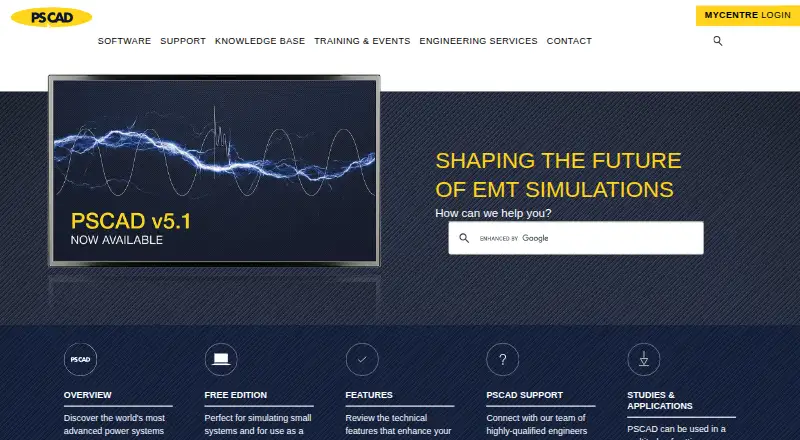
PSCAD is a Windows desktop application for constructing, simulating, and analyzing electrical power-system models with the EMTDC electromagnetic transient engine. It is suited to commercial power-sector organizations and educational facilities studying machines, transmission lines, cables, HVDC, FACTS controllers, protection, renewable generation, and other network components. Graphical schematic construction, pre-programmed master-library models, online plotting, controls, and meters support model development and analysis in one desktop environment.
The Free Edition is designed for simulating small systems and is described as fully featured within network-size and other limitations. It includes schematic construction, EMTDC simulation, custom model and module construction, parallel and batch simulation runs, a Python automation library, and a MATLAB/Simulink interface. A MyCentre account is required. Professional Edition is fully featured and available to commercial users for purchase or lease, while Educational Edition is intended for educational facilities and provides the same features as Professional with limitations. Commercial editions use vendor-quoted pricing.
PSCAD’s strongest fit is focused electromagnetic-transient work rather than general-purpose electrical design. Its integration set includes Python, MATLAB/Simulink, PSS/E, and PowerFactory, giving teams options for automation and connections with other power-system tools. The published setup requirements specify Windows 10 or Windows 11 64-bit, and the product is positioned as a desktop application. Choose PSCAD when EMTDC studies, custom modeling, batch simulation, and transient analysis are central requirements, especially when a Free Edition can cover small systems. Consider another tool when broader electrical-design coverage or a platform beyond its Windows desktop focus is the priority.
Your product? Our editors can test PSCAD in depth and publish a review, labelled as paid · from $149/mo →
PSCAD pricing
All 3 PSCAD plans and prices →
PSCAD fact sheet
| Free plan | Yes |
|---|---|
| Paid from | Not verified |
| Schematic capture | Yes |
| Panel design | Not verified |
| Electrical simulation | Advanced |
| Standards libraries | Yes |
| MCAD integration | Not verified |
| Deployment | Desktop |
| Deployment | Desktop |
| Platforms | Windows |
| Support | Email, Phone, Tickets, Community, Docs |
| Built for | Mid-market, Enterprise (editorial estimate) |
| Integrations | 4 integrations: Python, MATLAB/Simulink, PSS/E, PowerFactory |
| Pricing | Free plan (source) |
| Website | pscad.com |
| Facts checked | 21 Sep 2026 |
PSCAD integrations
PSCAD lists 4 integrations on its own site.
- Python
- MATLAB/Simulink
- PSS/E
- PowerFactory
Alternatives to PSCAD
- ETAPA broad electrical engineering platform for modeling, analysis, field workflows, and automation.8.9
- Trimble Electrical DesignerA standards-focused suite for calculating, validating and reporting electrical system designs.8.8
- EPLAN Electric P8A broad ECAD tool for structured electrical documentation and production workflows.8.7


Used PSCAD? Be the first to review it
The editor score above is our own research. What this page doesn't have yet is a reader's view — what you used PSCAD for, what worked and what didn't. No stars are seeded and no review is paid for; an editor reads every one before it appears.
Write a reviewTwo minutes · verified accounts only · read by an editor before it appears
Featured on iTechGuides

PSCAD is listed in our Electrical Design Software directory. Add the badge to your site — it links back to this page.
<a href="https://www.itechguides.com/products/pscad/"><img src="https://www.itechguides.com/best/badge/pscad.svg" alt="Featured on iTechGuides" width="230" height="46"></a>
Reviewed by iTechGuides Editors · Editorial team · Updated Oct 2026
Advertiser disclosure: iTechGuides is reader-supported. Vendors can pay for top positions in our rankings and for a place on other products' pages, and we may earn a commission when you click some links. Bought places stand at the number bought; this page and our disclosure say so. Paying vendors may get a fuller, more detailed review from our editors, and that review can change their score. How we rank.
Last updated · How we research and update