
Proteus PCB Design
Proteus PCB Design: A Windows desktop suite for tiered PCB teams needing design-to-manufacturing outputs. Ranked #27 of 41 in Electrical Design Software by our editors (6.2/10); pricing: Paid; best for tiered PCB design teams.
At a glance
- Editor score6.2 / 10
- PricingPaid
- Best forTiered PCB design teams
- Free planNo
- Schematic captureYes
- Founded1988 · Skipton, North Yorkshire, England
- Facts checked22 Sep 2026
Where it wins
- Schematic capture, PCB layout, routing and manufacturing outputs
- Integrated library access with over 15 million parts
- 3D visualization, MCAD export and basic SPICE simulation
Where it doesn't
- Windows-only desktop deployment
- No free plan is offered
- Advanced routing features require higher-level packages
Our verdict on Proteus PCB Design
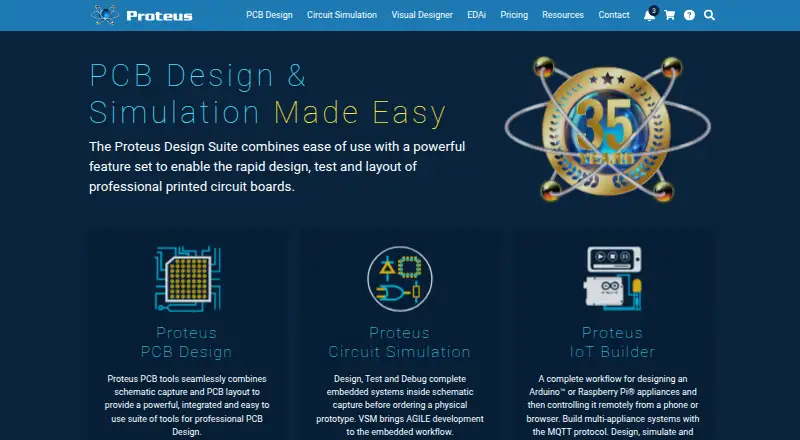
Proteus PCB Design is a Windows desktop electronic design automation suite for creating schematics, laying out printed circuit boards, simulating circuits and preparing manufacturing outputs. It is aimed at professional PCB design, rapid prototyping, education and research teams that need schematic capture, board layout, BOM generation and 3D visualization in one application. Hierarchical design, assembly variants, design rules and layer-stack management support projects that go beyond simple board drafting.
The paid plans are organized around netlist capacity and feature depth. PCB Starter Kit supports a 500-pin netlist. PCB Design Level 1 and Level 1+ provide the Standard PCB feature set with 1000-pin and 2000-pin capacities. PCB Design Level 2 and Level 2+ add the Professional PCB feature set at those same capacities. PCB Design Level 3 provides the Advanced PCB feature set with unlimited netlist capacity. Higher tiers also add differential-pair routing and length matching, making the structure relevant for teams whose boards grow in size or signal complexity.
Its strongest workflow advantage is the connection between design, analysis and production files. Push-and-shove routing, shape-based autorouting, configurable reporting and BOM generation cover core board-development tasks, while Gerber, ODB++, IDF, STEP and IGES outputs support manufacturing and mechanical workflows. The integrated library includes over 15 million parts, and basic SPICE simulation is included with PCB products. AI-assisted design features are available in Proteus 9.2. Teams needing a Windows-based, tiered PCB environment with manufacturing exports should consider it; teams requiring a free plan, non-Windows deployment or deeper-than-basic simulation should choose an alternative.
Your product? Our editors can test Proteus PCB Design in depth and publish a review, labelled as paid · from $149/mo →
Proteus PCB Design pricing
All 6 Proteus PCB Design plans and prices →
Proteus PCB Design fact sheet
| Free plan | No |
|---|---|
| Paid from | Not verified |
| Schematic capture | Yes |
| Panel design | Not verified |
| Electrical simulation | Basic |
| Standards libraries | Yes |
| MCAD integration | Yes |
| Deployment | Desktop |
| Deployment | Desktop |
| Platforms | Windows |
| Support | Email, Phone, Community, Docs |
| Built for | Small business, Mid-market, Enterprise (editorial estimate) |
| Pricing | Paid (source) |
| Website | labcenter.com |
| Facts checked | 22 Sep 2026 |
Alternatives to Proteus PCB Design
- ETAPA broad electrical engineering platform for modeling, analysis, field workflows, and automation.8.9
- Trimble Electrical DesignerA standards-focused suite for calculating, validating and reporting electrical system designs.8.8
- EPLAN Electric P8A broad ECAD tool for structured electrical documentation and production workflows.8.7


See all Proteus PCB Design alternatives →
Used Proteus PCB Design? Be the first to review it
The editor score above is our own research. What this page doesn't have yet is a reader's view — what you used Proteus PCB Design for, what worked and what didn't. No stars are seeded and no review is paid for; an editor reads every one before it appears.
Write a reviewTwo minutes · verified accounts only · read by an editor before it appears
Featured on iTechGuides

Proteus PCB Design is listed in our Electrical Design Software directory. Add the badge to your site — it links back to this page.
<a href="https://www.itechguides.com/products/proteus-pcb-design/"><img src="https://www.itechguides.com/best/badge/proteus-pcb-design.svg" alt="Featured on iTechGuides" width="230" height="46"></a>
Reviewed by iTechGuides Editors · Editorial team · Updated Oct 2026
Advertiser disclosure: iTechGuides is reader-supported. Vendors can pay for top positions in our rankings and for a place on other products' pages, and we may earn a commission when you click some links. Bought places stand at the number bought; this page and our disclosure say so. Paying vendors may get a fuller, more detailed review from our editors, and that review can change their score. How we rank.
Last updated · How we research and update