POP Peeper
POP Peeper: A capable Windows notifier for unlimited accounts, but not a full modern email workspace. Ranked #70 of 142 in Email Clients by our editors (3.0/10); pricing: Free plan · 30-day trial; best for windows users managing many email accounts.
At a glance
- Editor score3.0 / 10
- PricingFree plan · 30-day trial
- Best forWindows users managing many email accounts
- Free planYes
- App coverageDesktop
- Facts checked22 Sep 2026
Where it wins
- Unlimited accounts with POP3, IMAP, SMTP, SSL/TLS and OAuth2
- Search, AntiJunk filtering, rules and spell checking in Pro
- Portable operation, password protection and multiple notification modes
Where it doesn't
- Windows-only desktop coverage
- No unified inbox, offline access or scheduled sending
- Gmail OAuth access may require a separate subscription
Our verdict on POP Peeper
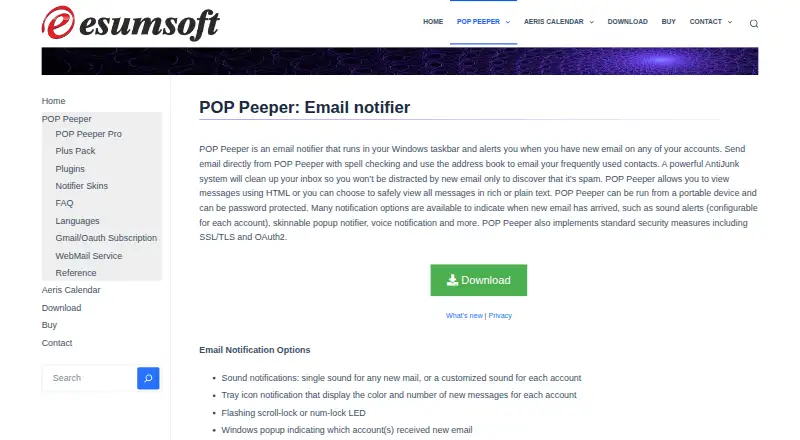
POP Peeper is a Windows desktop email notifier for people managing multiple email accounts from one application. It supports unlimited accounts, retrieves messages through POP3 and IMAP, sends through SMTP, and provides desktop sound, tray, popup and voice notifications. Users can view, delete, print, compose and send messages, while IMAP push notifications help surface new mail as it arrives. Portable operation and password protection add flexibility for users who want a lightweight desktop tool rather than a broader cross-platform email suite.
Its plan structure separates core email handling from advanced organization features. The Free plan includes unlimited accounts, POP3 and IMAP support, SMTP sending, SSL/TLS and OAuth2, message viewing and composition, and desktop notifications. POP Peeper Pro adds message searching, AntiJunk filtering, the Rule Wizard, spell checking, themes and IMAP message management. The Plus Pack adds voice notifications, RSS support, Sent Mail Viewer, remote-folder access, backup and restore, and auto-update. The product is freemium, and a 30-day free trial is available.
Protocol coverage is a clear strength for Windows users working across several accounts, with POP3, IMAP, SMTP, RSS and OAuth2 support. However, its scope is deliberately desktop-focused: it runs on Windows and does not provide a unified inbox, offline access or scheduled sending. Gmail OAuth access may also require a separate subscription according to the vendor’s v6 information. Choose POP Peeper for account monitoring, notifications and configurable message handling on Windows; choose an alternative if you need broader platform coverage or more advanced workflow features.
Your product? Our editors can test POP Peeper in depth and publish a review, labelled as paid · from $149/mo →
POP Peeper pricing
All 3 POP Peeper plans and prices →
POP Peeper fact sheet
| Free plan | Yes |
|---|---|
| Paid from | Not verified |
| App coverage | Desktop |
| Account limit | Not verified |
| Unified inbox | Not verified |
| Offline access | Not verified |
| Scheduled sending | Not verified |
| Calendar tools | Not verified |
| Free trial | 30 days |
| Deployment | Desktop |
| Platforms | Windows |
| Support | Tickets, Community, Docs |
| Built for | Solo, Small business (editorial estimate) |
| Integrations | 5 integrations: POP3, IMAP, SMTP, RSS, OAuth2 |
| Pricing | Free plan · 30-day trial (source) |
| Website | esumsoft.com |
| Facts checked | 22 Sep 2026 |
POP Peeper integrations
POP Peeper lists 5 integrations on its own site.
- POP3
- IMAP
- SMTP
- RSS
- OAuth2
Alternatives to POP Peeper
- Mozilla ThunderbirdA capable free client for multi-account email, offline access, and desktop productivity tools.9.4
- Zoho MailA flexible hosted email service with free access, migration tools, and Zoho collaboration options.9.2
- Apple MailA capable Apple-focused email client with unified inboxes, scheduling, privacy controls, and AI assistance.9.1



See all POP Peeper alternatives →
Used POP Peeper? Be the first to review it
The editor score above is our own research. What this page doesn't have yet is a reader's view — what you used POP Peeper for, what worked and what didn't. No stars are seeded and no review is paid for; an editor reads every one before it appears.
Write a reviewTwo minutes · verified accounts only · read by an editor before it appears
Featured on iTechGuides

POP Peeper is listed in our Email Clients directory. Add the badge to your site — it links back to this page.
<a href="https://www.itechguides.com/products/pop-peeper/"><img src="https://www.itechguides.com/best/badge/pop-peeper.svg" alt="Featured on iTechGuides" width="230" height="46"></a>
Reviewed by iTechGuides Editors · Editorial team · Updated Oct 2026
Advertiser disclosure: iTechGuides is reader-supported. Vendors can pay for top positions in our rankings and for a place on other products' pages, and we may earn a commission when you click some links. Bought places stand at the number bought; this page and our disclosure say so. Paying vendors may get a fuller, more detailed review from our editors, and that review can change their score. How we rank.
Last updated · How we research and update