Pixiple
Pixiple: A focused, free Windows utility for duplicate and related-image detection. Ranked #34 of 37 in Photo Management Software by our editors (6.1/10); pricing: Free plan; best for windows users focused on duplicate detection.
At a glance
- Editor score6.1 / 10
- PricingFree plan
- Best forWindows users focused on duplicate detection
- Free planYes
- Paid fromFree
- Face recognitionNo
- Facts checked22 Sep 2026
Where it wins
- Detects duplicates and transformed images, including resized and rotated copies
- Compares image pairs with synchronized zooming and panning
- Free, open source, portable, and distributed as one executable
Where it doesn't
- Windows-only availability limits cross-platform use
- Does not support RAW files
- No face recognition, AI search, or cloud synchronization
Our verdict on Pixiple
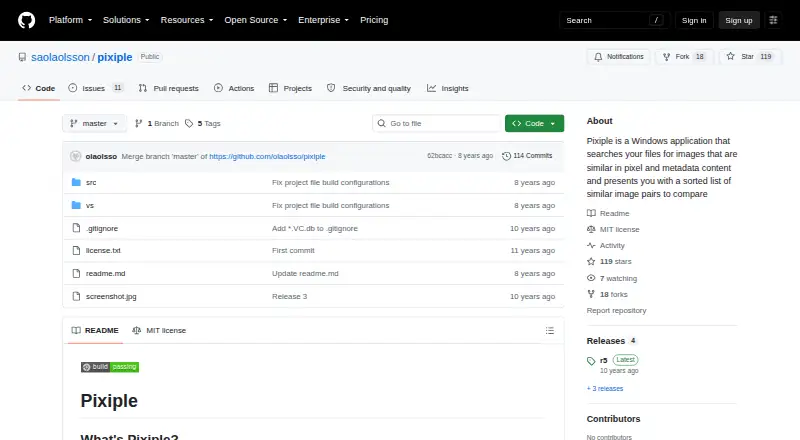
Pixiple is a free, open-source Windows application for finding images that are similar in pixel and metadata content. It scans local files and presents sorted image pairs for comparison, making it suited to photographers, archivists, and other Windows users who need to identify duplicate or related images. Supported formats include PNG, JPEG, GIF, TIFF, and BMP through Windows Imaging Component. Its purpose is focused: image comparison and duplicate discovery rather than full library management.
The standout capability is its handling of transformed and near-duplicate images. Pixiple can detect resized, rotated, flipped, and single-edge-cropped versions, as well as images with minor pixel differences. It also searches using pixel and metadata content, then supports synchronized zooming and panning when comparing image pairs. Multi-threaded image processing is included, and the interface is resizable, localized, and DPI-aware. These features make it a practical fit for reviewing collections where filenames alone do not reveal relationships between files.
Pixiple is available as a portable single-file application, so it requires no installation, and it includes a rudimentary command-line interface. Its scope is narrower than a broader photo management suite: it does not support RAW files, face recognition, AI search, or cloud synchronization. Users who want a focused Windows utility for finding duplicates and visually related images should consider Pixiple. Those who need cross-platform access, RAW workflows, cloud-connected libraries, or AI-assisted organization should choose a product built around those functions instead.
Your product? Our editors can test Pixiple in depth and publish a review, labelled as paid · from $149/mo →
Pixiple pricing
Pixiple fact sheet
| Free plan | Yes |
|---|---|
| Paid from | Free |
| Primary platform | Desktop |
| RAW photo support | No |
| Face recognition | No |
| AI-powered search | No |
| Metadata tools | Yes |
| Cloud sync | No |
| Included storage | Not verified |
| Deployment | Desktop |
| Platforms | Windows |
| Built for | Solo, Small business (editorial estimate) |
| Pricing | Free plan |
| Website | github.com |
| Facts checked | 22 Sep 2026 |
Alternatives to Pixiple
- Google PhotosA capable photo library for automatic backup, smart search, editing, and sharing.9.4
- Apple PhotosA capable Apple-centered photo library with flexible storage and family sharing.9.3
- Amazon PhotosA capable photo library for Prime members who want full-resolution storage and broad device access.9.2



See all Pixiple alternatives →
Used Pixiple? Be the first to review it
The editor score above is our own research. What this page doesn't have yet is a reader's view — what you used Pixiple for, what worked and what didn't. No stars are seeded and no review is paid for; an editor reads every one before it appears.
Write a reviewTwo minutes · verified accounts only · read by an editor before it appears
Featured on iTechGuides

Pixiple is listed in our Photo Management Software directory. Add the badge to your site — it links back to this page.
<a href="https://www.itechguides.com/products/pixiple/"><img src="https://www.itechguides.com/best/badge/pixiple.svg" alt="Featured on iTechGuides" width="230" height="46"></a>
Reviewed by iTechGuides Editors · Editorial team · Updated Oct 2026
Advertiser disclosure: iTechGuides is reader-supported. Vendors can pay for top positions in our rankings and for a place on other products' pages, and we may earn a commission when you click some links. Bought places stand at the number bought; this page and our disclosure say so. Paying vendors may get a fuller, more detailed review from our editors, and that review can change their score. How we rank.
Last updated · How we research and update