
Pivot Animator
Pivot Animator: A focused, free rigged-animation tool for Windows-based figure and sprite work. Ranked #37 of 48 in 2D Character Animation Software by our editors (5.4/10); pricing: Free plan; best for free simple rigged figure animation.
At a glance
- Editor score5.4 / 10
- PricingFree plan
- Best forFree simple rigged figure animation
- Free planYes
- Paid fromFree
- Animation workflowRigged
- Founded2004
- Facts checked20 Sep 2026
Where it wins
- Free for personal and commercial use
- Automatic inbetweening between timeline key frames
- Exports animated images, video, and separate image files
Where it doesn't
- Windows-only in its current version
- Narrower scope than full 2D character-animation suites
- No AI animation features
Our verdict on Pivot Animator
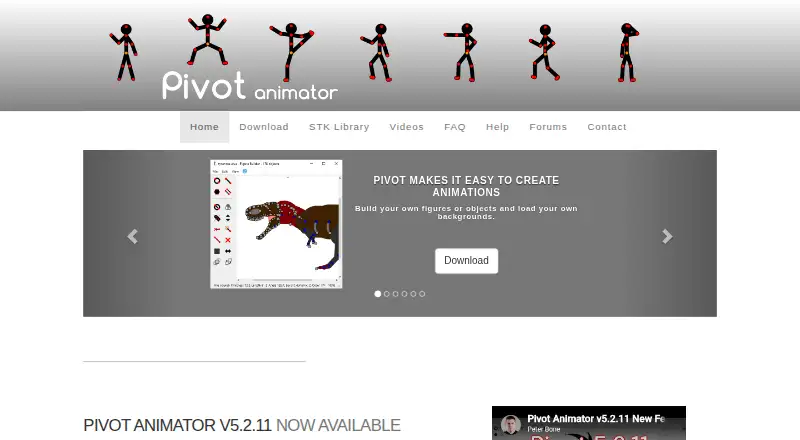
Pivot Animator is desktop software for creating 2D stick-man and sprite animations on Windows. It is aimed at individual animators, students, hobbyists, and other users who want a lightweight tool for building figure- or object-based sequences. The workflow centers on positioning figure parts and objects with handles, then arranging key frames on a timeline. Users can create custom figures and objects, add image-based sprites, place backgrounds, and apply virtual-camera movement effects.
Its strongest fit is a straightforward rigged-animation workflow. Automatic inbetweening fills motion between key frames, while custom figure creation and sprite support extend the tool beyond its default stick-man approach. The published export options cover animated GIF and PNG output, video, and separate image files; supported formats include GIF, APNG, WMV, WEBM, MP4, FFV1, AVI, PNG, JPEG, and SVG. That range gives users flexibility when moving finished animations into different sharing or production workflows.
Pivot Animator is free for personal and commercial use, making it a practical choice when cost and a focused workflow matter more than a broad feature set. Its current version runs on Windows, while Mac and Linux use requires workarounds such as Boot Camp, a virtual machine, or WINE. The product should suit users who want handle-based figure animation, timeline key frames, automatic inbetweening, and varied export formats without adopting a larger suite. Those seeking a wider 2D character-animation environment should consider a broader alternative instead.
Your product? Our editors can test Pivot Animator in depth and publish a review, labelled as paid · from $149/mo →
Pivot Animator pricing
Pivot Animator fact sheet
| Free plan | Yes |
|---|---|
| Paid from | Free |
| Animation workflow | Rigged |
| Bone rigging | Not verified |
| Mesh deformation | Not verified |
| Lip sync | Not verified |
| Supported platforms | windows |
| Export formats | GIF, APNG, WMV, WEBM, MP4, FFV1, AVI, PNG, JPEG, SVG |
| Deployment | Desktop |
| Platforms | Windows |
| Support | Email, Community, Docs |
| Built for | Solo, Small business (editorial estimate) |
| Pricing | Free plan |
| Website | pivotanimator.net |
| Facts checked | 20 Sep 2026 |
Alternatives to Pivot Animator
- Toon Boom HarmonyA broad desktop suite for teams that need both drawn and rigged 2D production.9.4
- OpenToonzA free, full-featured 2D animation suite for artists who can manage a technical workflow.9.2
- Adobe AnimateA capable desktop animator for vector workflows, web publishing, and Adobe users.9.0



See all Pivot Animator alternatives →
Also Ranked In
Pivot Animator is ranked in 3 of our directories.
Used Pivot Animator? Be the first to review it
The editor score above is our own research. What this page doesn't have yet is a reader's view — what you used Pivot Animator for, what worked and what didn't. No stars are seeded and no review is paid for; an editor reads every one before it appears.
Write a reviewTwo minutes · verified accounts only · read by an editor before it appears
Featured on iTechGuides

Pivot Animator is listed in our 2D Character Animation Software directory. Add the badge to your site — it links back to this page.
<a href="https://www.itechguides.com/products/pivot-animator/"><img src="https://www.itechguides.com/best/badge/pivot-animator.svg" alt="Featured on iTechGuides" width="230" height="46"></a>
Reviewed by iTechGuides Editors · Editorial team · Updated Oct 2026
Advertiser disclosure: iTechGuides is reader-supported. Vendors can pay for top positions in our rankings and for a place on other products' pages, and we may earn a commission when you click some links. Bought places stand at the number bought; this page and our disclosure say so. Paying vendors may get a fuller, more detailed review from our editors, and that review can change their score. How we rank.
Last updated · How we research and update