Pingo
Pingo: A free Windows batch optimizer for PNG, JPEG, WebP, and APNG files. Ranked #63 of 85 in Image Compression Software by our editors (3.1/10); pricing: Free plan; best for free Windows PNG, JPEG, and WebP batches.
At a glance
- Editor score3.1 / 10
- PricingFree plan
- Best forFree Windows PNG, JPEG, and WebP batches
- Free planYes
- Paid fromFree
- Compression modesBoth
- Facts checked20 Sep 2026
Where it wins
- Supports lossless and lossy optimization across four image formats
- Processes folders and wildcard-selected files in batches
- Offers quality, optimization, WebP output, and metadata controls
Where it doesn't
- Windows-only platform support
- Command-line workflow may not suit visual editing needs
- Free use is limited to exclusive private usage under its license
Our verdict on Pingo
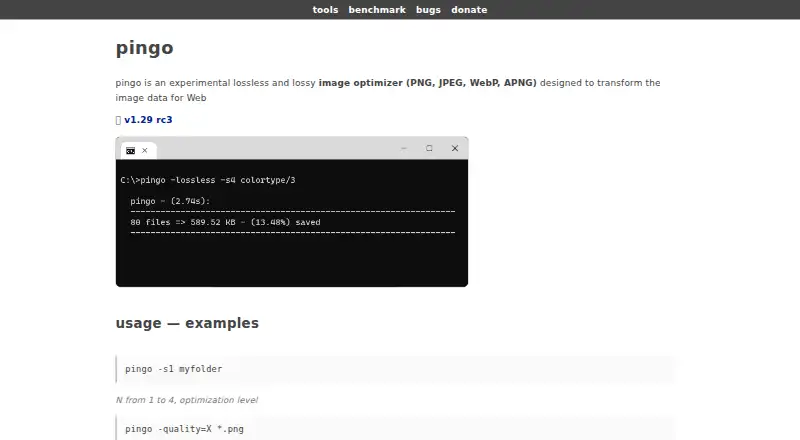
Pingo is a Windows command-line optimizer for web images, designed for people who need to process image files in batches rather than edit them visually. It supports PNG, JPEG, WebP, and APNG, making it suitable for web asset workflows that include several common formats. The tool provides both lossless and lossy processing, along with configurable optimization and quality levels. Its free pricing model applies to exclusive private use under its stated license.
For batch work, Pingo focuses on practical controls rather than a broad editing environment. Folder and wildcard processing let users select groups of files, while WebP output generation supports workflows that want to create WebP assets from source images. JPEG processing is included alongside PNG, WebP, and APNG support, so the tool can cover a mixed asset collection. Metadata handling and preservation controls add a choice over how image metadata is treated during optimization.
Pingo is a strong fit for Windows users who are comfortable with command-line tools and want free batch optimization with both lossless and lossy modes. It is also a focused option when configurable quality and optimization levels matter more than a graphical interface. The main boundaries are its Windows-only availability and its license terms: free distribution is limited to exclusive private usage, with repackaging, redistribution, reselling, and reuse through another service prohibited. Users needing a visual workflow, broader platform support, or service-based reuse should choose an alternative instead.
Your product? Our editors can test Pingo in depth and publish a review, labelled as paid · from $149/mo →
Pingo pricing
Pingo fact sheet
| Free plan | Yes |
|---|---|
| Paid from | Free |
| Compression modes | Both |
| Batch processing | Yes |
| API access | Not verified |
| Max upload size | Not verified |
| Image resizing | Not verified |
| Supported formats | PNG, JPEG, WebP, APNG |
| Metadata controls | Yes |
| Deployment | Desktop |
| Platforms | Windows |
| Built for | Solo, Small business (editorial estimate) |
| Pricing | Free plan |
| Website | css-ig.net |
| Facts checked | 20 Sep 2026 |
Alternatives to Pingo
- TinyPNGA flexible compressor for web workflows, batch processing, and automated image pipelines.9.3
- OptimoleA strong WordPress-focused optimizer for responsive images, modern formats, and CDN delivery.9.2
- ThumborA self-hosted image service with URL transformations, smart cropping, and format selection.9.1


Used Pingo? Be the first to review it
The editor score above is our own research. What this page doesn't have yet is a reader's view — what you used Pingo for, what worked and what didn't. No stars are seeded and no review is paid for; an editor reads every one before it appears.
Write a reviewTwo minutes · verified accounts only · read by an editor before it appears
Featured on iTechGuides

Pingo is listed in our Image Compression Software directory. Add the badge to your site — it links back to this page.
<a href="https://www.itechguides.com/products/pingo-image-compressor/"><img src="https://www.itechguides.com/best/badge/pingo-image-compressor.svg" alt="Featured on iTechGuides" width="230" height="46"></a>
Reviewed by iTechGuides Editors · Editorial team · Updated Oct 2026
Advertiser disclosure: iTechGuides is reader-supported. Vendors can pay for top positions in our rankings and for a place on other products' pages, and we may earn a commission when you click some links. Bought places stand at the number bought; this page and our disclosure say so. Paying vendors may get a fuller, more detailed review from our editors, and that review can change their score. How we rank.
Last updated · How we research and update