
Pic Scanner Gold
Pic Scanner Gold: A one-time iOS app for multi-photo scanning, editing, albums, and flexible backups. Ranked #5 of 30 in Photo Scanning Software by our editors (8.7/10); pricing: Paid; best for budget-conscious iPhone users.
At a glance
- Editor score8.7 / 10
- PricingPaid
- Best forBudget-conscious iPhone users
- Free planNo
- Paid from$9.99 one-time
- Photo organizationYes
- Facts checked20 Sep 2026
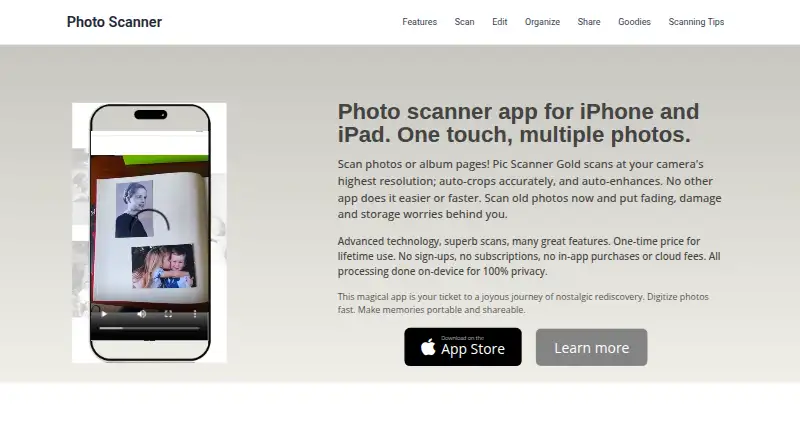
Where it wins
- Scans up to four photos at once with automatic cropping and enhancement
- One-time $9.99 purchase includes unlimited scanning and lifetime use
- Backs up through iCloud, Dropbox, Google Drive, AirDrop, and Files
Where it doesn't
- Available only on iOS
- Exports scans in JPG format
- No OCR support for turning image text into searchable text
Our verdict on Pic Scanner Gold
Pic Scanner Gold is an iPhone and iPad app for digitizing printed photographs and album pages. It is aimed at individuals and families preserving personal photo collections, especially users who want to scan several pictures in one session rather than capture each image separately. The app can scan up to four photos at a time, then automatically crop, enhance, straighten, and correct perspective. Captions and EXIF metadata support dates and descriptions, while digital albums provide drag-and-drop rearrangement.
Pricing is straightforward: Pic Scanner Gold costs $9.99 as a one-time purchase. The published plan includes unlimited scanning, lifetime use, no subscription, and no in-app purchases. That makes it a practical fit for buyers who prefer a single upfront payment. The app also includes tools for lighting, color, sharpening, blemish removal, and filters, along with slideshows, greeting cards, and other photo crafts. Processing happens on-device without server uploads, which suits users who want scans handled locally.
Backup and sharing options are a major part of the app’s value. Export and backup support includes iCloud, Dropbox, Google Drive, AirDrop, and Files, while the listed integrations also include Google Photos, OneDrive, and Apple Photos. The trade-off is a narrow platform and format profile: Pic Scanner Gold is iOS-only and exports in JPG, with no OCR support. Choose it if you want an affordable mobile workflow for scanning, correcting, editing, and organizing personal prints. Consider another option if you need Android or broader platform coverage, searchable text extraction, or an export format beyond JPG.
Your product? Our editors can test Pic Scanner Gold in depth and publish a review, labelled as paid · from $149/mo →
Pic Scanner Gold pricing
All 1 Pic Scanner Gold plans and prices →
Pic Scanner Gold fact sheet
| Free plan | No |
|---|---|
| Paid from | $9.99 one-time |
| Auto-crop | Yes |
| Deskew correction | Yes |
| Auto enhancement | Yes |
| Photo organization | Yes |
| OCR support | No |
| Export formats | JPG |
| Supported platforms | iOS |
| Deployment | Mobile |
| Platforms | iOS |
| Support | Email, Docs |
| Built for | Solo, Small business (editorial estimate) |
| Integrations | 7 integrations: iCloud, Dropbox, Google Drive, Google Photos, OneDrive, AirDrop … |
| Pricing | Paid (source) |
| Website | picscannergold.com |
| Facts checked | 20 Sep 2026 |
Pic Scanner Gold integrations
Pic Scanner Gold lists 7 integrations on its own site.
- iCloud
- Dropbox
- Google Drive
- Google Photos
- OneDrive
- AirDrop
- Apple Photos
Alternatives to Pic Scanner Gold
- Epson FastFotoA capable batch-scanning bundle for large home photo archives, with a high upfront cost.9.4
- Photo Scan by PhotomyneA capable phone-based scanner for turning printed photos into organized digital albums.9.2
- NostalgiaA family-photo archive with phone scanning, AI restoration, and genealogy integrations.9.0


See all Pic Scanner Gold alternatives →
Pic Scanner Gold vs the competition
- Pic Scanner Gold vs Epson FastFoto
- Pic Scanner Gold vs Photo Scan by Photomyne
- Pic Scanner Gold vs Nostalgia
- Pic Scanner Gold vs PhotoScanner
- Pic Scanner Gold vs ScanSpeeder
- Pic Scanner Gold vs Reimagine by MyHeritage


Compare Pic Scanner Gold with any tool side by side →
Used Pic Scanner Gold? Be the first to review it
The editor score above is our own research. What this page doesn't have yet is a reader's view — what you used Pic Scanner Gold for, what worked and what didn't. No stars are seeded and no review is paid for; an editor reads every one before it appears.
Write a reviewTwo minutes · verified accounts only · read by an editor before it appears
Featured on iTechGuides

Pic Scanner Gold is listed in our Photo Scanning Software directory. Add the badge to your site — it links back to this page.
<a href="https://www.itechguides.com/products/pic-scanner-gold/"><img src="https://www.itechguides.com/best/badge/pic-scanner-gold.svg" alt="Featured on iTechGuides" width="230" height="46"></a>
Reviewed by iTechGuides Editors · Editorial team · Updated Oct 2026
Advertiser disclosure: iTechGuides is reader-supported. Vendors can pay for top positions in our rankings and for a place on other products' pages, and we may earn a commission when you click some links. Bought places stand at the number bought; this page and our disclosure say so. Paying vendors may get a fuller, more detailed review from our editors, and that review can change their score. How we rank.
Last updated · How we research and update