
PhotoZoom Pro
PhotoZoom Pro: A capable desktop upscaler for large images, batch work, and Adobe or Corel workflows. Ranked #43 of 99 in Image Upscaling Software by our editors (6.0/10); pricing: Paid; best for large-format desktop enlargement.
At a glance
- Editor score6.0 / 10
- PricingPaid
- Best forLarge-format desktop enlargement
- Free planNo
- Paid from€79 one-time
- Upscaling methodBoth
- Facts checked20 Sep 2026
Where it wins
- Enlarges images up to 1 million by 1 million pixels
- Batch processing with custom presets and resize profiles
- Plugins for Photoshop, Corel applications, and Lightroom Classic
Where it doesn't
- No free plan is offered
- The demo saves watermarked images until unlocked
- Desktop software is limited to Windows and macOS
Our verdict on PhotoZoom Pro
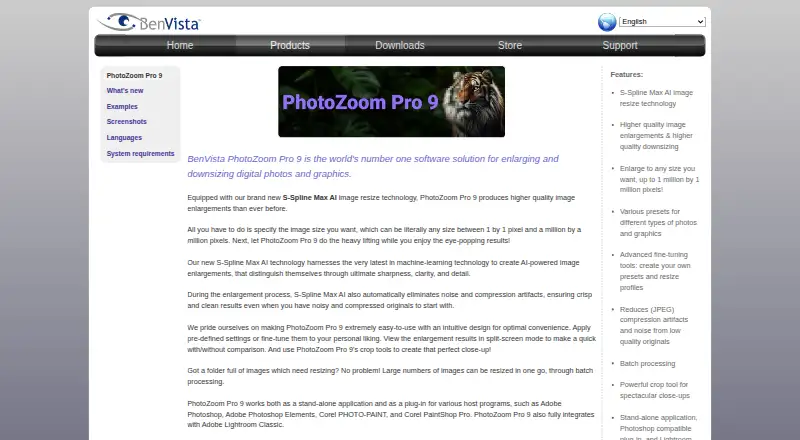
PhotoZoom Pro is desktop image-enlargement software from BenVista Ltd. for professional imaging users and photographers who need to enlarge or downsize photos and graphics. Its S-Spline Max AI technology supports resizing, while JPEG artifact and noise reduction can address common image-quality concerns. The software is available as a standalone application for Windows and macOS, with crop tools, split-screen previewing, custom presets, and resize profiles for more controlled image work. It also accepts Raw, PSD, EXR, and WebP files.
The published plan is PhotoZoom Pro 9, priced at 79 EUR as a one-time purchase according to the vendor's store. It includes S-Spline Max AI image enlargement, batch processing, the standalone application, Photoshop-compatible plug-ins, and Lightroom Classic integration. The official store displays EUR pricing, and the downloadable demo saves watermarked images until the product is unlocked. This makes the product a straightforward fit for buyers who prefer desktop software with a one-time price rather than a free-plan or subscription-led model.
Its strongest distinction is scale and workflow flexibility: images can be resized up to 1 million by 1 million pixels, and multiple images can be processed in batches. The ecosystem also suits established photo workflows, with integrations for Adobe Photoshop, Adobe Photoshop Elements, Corel PaintShop Pro, Corel PHOTO-PAINT, and Adobe Lightroom Classic. PhotoZoom Pro is a good choice for large-format enlargement, repeatable resize profiles, and desktop processing. Buyers seeking a free plan, browser-based work, or platforms beyond Windows and macOS should choose an alternative instead.
Your product? Our editors can test PhotoZoom Pro in depth and publish a review, labelled as paid · from $149/mo →
PhotoZoom Pro pricing
All 1 PhotoZoom Pro plans and prices →
PhotoZoom Pro fact sheet
| Free plan | No |
|---|---|
| Paid from | €79 one-time |
| Upscaling method | Both |
| Maximum scale | Custom |
| Batch processing | Yes |
| API access | Not verified |
| Desktop app | Yes |
| Input formats | Raw, PSD, EXR, WebP |
| Deployment | Desktop |
| Platforms | Windows, macOS |
| Support | Email, Tickets, Docs |
| Built for | Solo, Small business (editorial estimate) |
| Integrations | 5 integrations: Adobe Photoshop, Adobe Photoshop Elements, Corel PaintShop Pro, Corel PHOTO-PAINT, Adobe Lightroom Classic |
| Pricing | Paid (source) |
| Website | benvista.com |
| Facts checked | 20 Sep 2026 |
PhotoZoom Pro integrations
PhotoZoom Pro lists 5 integrations on its own site.
- Adobe Photoshop
- Adobe Photoshop Elements
- Corel PaintShop Pro
- Corel PHOTO-PAINT
- Adobe Lightroom Classic
Alternatives to PhotoZoom Pro
- Real-ESRGANA flexible open-source upscaler for local image, anime, and video workflows.9.4
- NextGenUpA capable local upscaler with broad enhancement tools and no subscription.9.3
- UpscaylA flexible upscaler with free local processing and credit-based cloud plans.9.1


See all PhotoZoom Pro alternatives →
Also Ranked In
PhotoZoom Pro is ranked in 2 of our directories.
Used PhotoZoom Pro? Be the first to review it
The editor score above is our own research. What this page doesn't have yet is a reader's view — what you used PhotoZoom Pro for, what worked and what didn't. No stars are seeded and no review is paid for; an editor reads every one before it appears.
Write a reviewTwo minutes · verified accounts only · read by an editor before it appears
Featured on iTechGuides

PhotoZoom Pro is listed in our Image Upscaling Software directory. Add the badge to your site — it links back to this page.
<a href="https://www.itechguides.com/products/photozoom-pro/"><img src="https://www.itechguides.com/best/badge/photozoom-pro.svg" alt="Featured on iTechGuides" width="230" height="46"></a>
Reviewed by iTechGuides Editors · Editorial team · Updated Oct 2026
Advertiser disclosure: iTechGuides is reader-supported. Vendors can pay for top positions in our rankings and for a place on other products' pages, and we may earn a commission when you click some links. Bought places stand at the number bought; this page and our disclosure say so. Paying vendors may get a fuller, more detailed review from our editors, and that review can change their score. How we rank.
Last updated · How we research and update