
Photobox
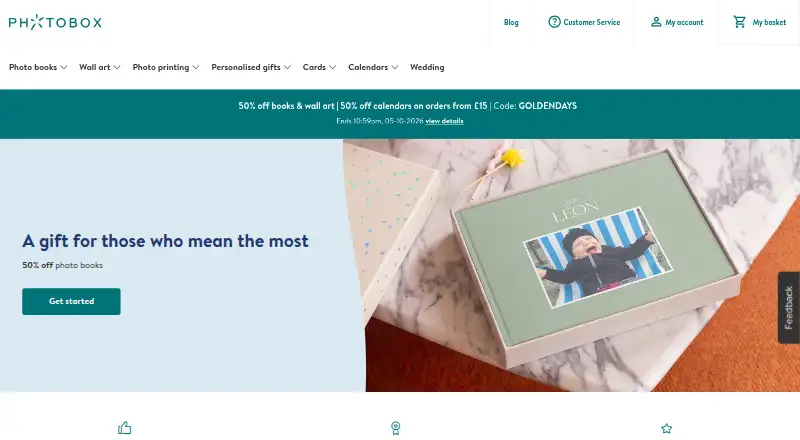
Photobox: A cross-device photo-book maker with automated layouts and printed-book ordering. Ranked #11 of 32 in Photo Book Software by our editors (8.1/10); pricing: Paid; best for cross-device automated photo books.
At a glance
- Editor score8.1 / 10
- PricingPaid
- Best forCross-device automated photo books
- Free planNo
- Paid from£12.99 one-time
- Print orderingYes
- Founded2000 · London, United Kingdom
- Facts checked20 Sep 2026
Where it wins
- Smart Assistant selects and arranges photos automatically
- Editors are available on web, Windows, Mac, iOS and Android
- Syncs projects across web and mobile, with four photo integrations
Where it doesn't
- The published page limit is 60
- There is no free plan
- The listed starting product is a small softcover square book
Our verdict on Photobox
Photobox is a photo-book creation and ordering service for individuals who want to turn personal photos into printed books. Projects can be created in a web editor, Windows or Mac desktop apps, or iOS and Android mobile apps. The product combines themed and pre-designed books with blank-book editing, custom layouts, text, stickers and backgrounds, then supports printing and delivery in multiple sizes, formats, cover types and page ranges.
Its main strength is cross-device flexibility. Windows and Mac desktop editors support offline editing, while automatic project synchronisation connects web and mobile work. Smart Assistant can select and arrange photos automatically, giving users a faster starting point than building every page manually. Google Photos, Facebook, Instagram and Dropbox integrations provide several ways to bring personal images into a project. This makes Photobox a good fit for users who move between devices or want automated help without giving up custom layouts and decorative controls.
Pricing is presented around printed products rather than subscription software plans. According to the published product pricing, the Small Softcover Square Photo Book starts at £12.99 one-time and includes a 10 x 10 cm format, softcover construction, and printing and delivery after ordering. The published page limit is 60, which may matter for users planning longer books. Choose Photobox if cross-device access, automatic arrangement and direct printed-book ordering are priorities. Users who need a free plan or a workflow centred on a different output format should look elsewhere.
Your product? Our editors can test Photobox in depth and publish a review, labelled as paid · from $149/mo →
Photobox pricing
All 1 Photobox plans and prices →
Photobox fact sheet
| Free plan | No |
|---|---|
| Paid from | £12.99 one-time |
| Print ordering | Yes |
| PDF export | Not verified |
| Automatic layouts | Yes |
| Web app | Yes |
| Mobile app | Yes |
| Desktop app | Yes |
| Maximum book pages | 60 pages |
| Deployment | Cloud, Desktop, Mobile |
| Platforms | Web, Windows, macOS, iOS, Android |
| Support | Email, Live chat, Phone |
| Built for | Solo, Small business (editorial estimate) |
| Integrations | 4 integrations: Google Photos, Facebook, Instagram, Dropbox |
| Pricing | Paid (source) |
| Website | photobox.co.uk |
| Facts checked | 20 Sep 2026 |
Photobox integrations
Photobox lists 4 integrations on its own site.
- Google Photos
- Dropbox
Alternatives to Photobox
- CEWEA flexible photo-book editor with free design tools and printed books from £8.99.9.3
- PixumA broad photo-book editor with automatic layouts, maps and print ordering across six platforms.9.1
- HofmannA mature, affordable photo-book platform with flexible creation tools and print ordering.8.9


See all Photobox alternatives →
Also Ranked In
Photobox is ranked in 3 of our directories.
Used Photobox? Be the first to review it
The editor score above is our own research. What this page doesn't have yet is a reader's view — what you used Photobox for, what worked and what didn't. No stars are seeded and no review is paid for; an editor reads every one before it appears.
Write a reviewTwo minutes · verified accounts only · read by an editor before it appears
Featured on iTechGuides

Photobox is listed in our Photo Book Software directory. Add the badge to your site — it links back to this page.
<a href="https://www.itechguides.com/products/photobox/"><img src="https://www.itechguides.com/best/badge/photobox.svg" alt="Featured on iTechGuides" width="230" height="46"></a>
Reviewed by iTechGuides Editors · Editorial team · Updated Oct 2026
Advertiser disclosure: iTechGuides is reader-supported. Vendors can pay for top positions in our rankings and for a place on other products' pages, and we may earn a commission when you click some links. Bought places stand at the number bought; this page and our disclosure say so. Paying vendors may get a fuller, more detailed review from our editors, and that review can change their score. How we rank.
Last updated · How we research and update