PhotoAcute Studio
PhotoAcute Studio: A broad, cross-platform stacker for photographers who need more than depth-of-field extension. Ranked #13 of 24 in Focus Stacking Software by our editors (7.6/10); pricing: Paid; best for users needing stacking plus multi-image enhancement.
At a glance
- Editor score7.6 / 10
- PricingPaid
- Best forUsers needing stacking plus multi-image enhancement
- Free planNo
- RAW file supportYes
- Facts checked20 Sep 2026
Where it wins
- Focus stacking with automatic spatial and radiometric alignment
- RAW-in-RAW-out workflows with RAW, JPEG, TIFF, and OpenEXR output
- Adds super-resolution, noise reduction, HDR, and batch processing
Where it doesn't
- Paid product with no free plan
- No manual retouching tools
- Documentation references versions from 2011–2013
Our verdict on PhotoAcute Studio
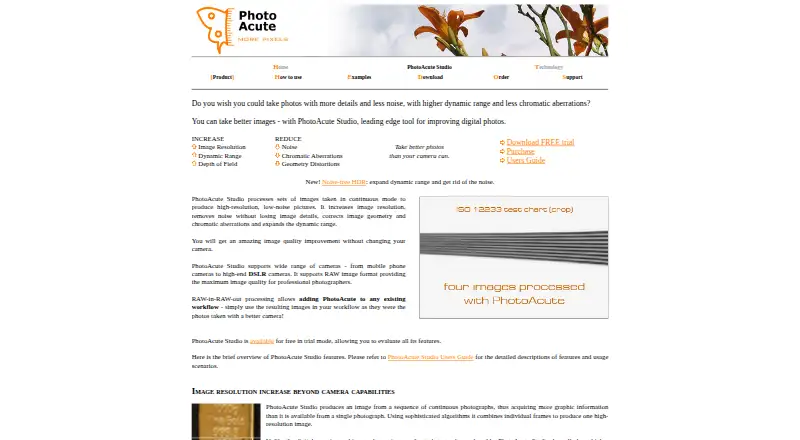
PhotoAcute Studio combines multiple photographs to extend depth of field, increase resolution, reduce noise, expand dynamic range, and correct geometry and chromatic aberrations. It is aimed at photographers working with image sequences, including macro and microphotography users, as well as DSLR and mobile-camera workflows. The central use case is focus stacking, but the application also covers several other forms of multi-image enhancement rather than concentrating only on depth-of-field extension.
Its strongest fit is for photographers who want a single desktop application for stacking and related computational image processing. Automatic image alignment includes spatial and radiometric options, while batch processing handles multiple image sets. RAW-in-RAW-out processing supports a workflow that keeps source files in RAW form, and output options include RAW, JPEG, TIFF, and OpenEXR. Super-resolution, multi-image noise reduction, HDR blending, dynamic-range expansion, geometry correction, and chromatic-aberration correction give the product a wider scope than a dedicated focus-stacking tool.
The trade-off is control. PhotoAcute Studio does not provide manual retouching, so photographers who need detailed hand corrections after automated combining should look for a tool with that capability. It is a paid product with no free plan, and its documentation references versions from 2011–2013. The application supports Windows and macOS, with Linux support through Wine. Choose it when stacking, alignment, batch work, RAW handling, and enhancement features belong in the same workflow; choose an alternative when manual retouching or a more current documentation experience matters more than broad multi-image processing.
Your product? Our editors can test PhotoAcute Studio in depth and publish a review, labelled as paid · from $149/mo →
PhotoAcute Studio pricing
PhotoAcute Studio fact sheet
| Free plan | No |
|---|---|
| Paid from | Not verified |
| RAW file support | Yes |
| Automatic alignment | Yes |
| Batch processing | Yes |
| Manual retouching | No |
| Supported platforms | Not verified |
| Output formats | RAW, JPEG, TIFF, OpenEXR |
| Deployment | Desktop |
| Platforms | Windows, macOS, Linux |
| Support | |
| Built for | Solo, Small business (editorial estimate) |
| Pricing | Paid |
| Website | photoacute.com |
| Facts checked | 20 Sep 2026 |
Alternatives to PhotoAcute Studio
- PlaneFuseA flexible local stacker for advanced photographers working across RAW and developed images.9.4
- ForgePixA free, open-source workstation for focus stacking, astrophotography, and related image workflows.9.3
- Shine StackerA capable free stacker with desktop controls, RAW support, and automation options.9.1

See all PhotoAcute Studio alternatives →
Used PhotoAcute Studio? Be the first to review it
The editor score above is our own research. What this page doesn't have yet is a reader's view — what you used PhotoAcute Studio for, what worked and what didn't. No stars are seeded and no review is paid for; an editor reads every one before it appears.
Write a reviewTwo minutes · verified accounts only · read by an editor before it appears
Featured on iTechGuides

PhotoAcute Studio is listed in our Focus Stacking Software directory. Add the badge to your site — it links back to this page.
<a href="https://www.itechguides.com/products/photoacute-studio/"><img src="https://www.itechguides.com/best/badge/photoacute-studio.svg" alt="Featured on iTechGuides" width="230" height="46"></a>
Reviewed by iTechGuides Editors · Editorial team · Updated Oct 2026
Advertiser disclosure: iTechGuides is reader-supported. Vendors can pay for top positions in our rankings and for a place on other products' pages, and we may earn a commission when you click some links. Bought places stand at the number bought; this page and our disclosure say so. Paying vendors may get a fuller, more detailed review from our editors, and that review can change their score. How we rank.
Last updated · How we research and update