Photo Curator
Photo Curator: A free local workflow for automated culling, burst grouping, deduplication, and ranking. Ranked #17 of 26 in Photo Culling Software by our editors (7.4/10); pricing: Free plan; best for free open-source automated culling.
At a glance
- Editor score7.4 / 10
- PricingFree plan
- Best forFree open-source automated culling
- Free planYes
- Paid fromFree
- AI-assisted cullingNo
- Facts checked20 Sep 2026
Where it wins
- Free and open source across web, Windows, macOS, and Linux
- Combines culling, deduplication, burst grouping, and ranking
- Supports RAW formats, RAW+JPG handling, and offline local processing
Where it doesn't
- No AI features for photographers seeking AI-based culling
- No listed integrations for extending the workflow
- No side-by-side comparison feature
Our verdict on Photo Curator
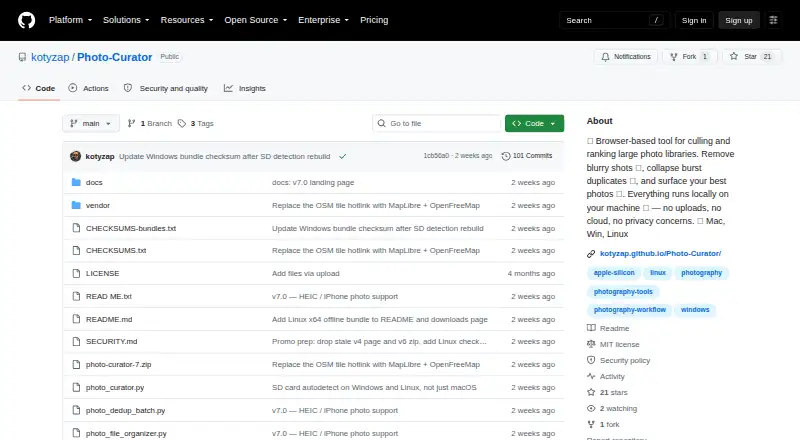
Photo Curator is a browser-based desktop tool for photographers reviewing large photo libraries locally. It runs on the user’s computer without uploading files and is available across web, Windows, macOS, and Linux, with offline packages for the desktop platforms and Python source available. The project is distributed under the MIT license. Its core workflow identifies soft or blurry images, groups burst sequences, ranks photographs, and handles duplicate review in one local application.
Its strongest advantage is the breadth of its analysis workflow. Contrast-normalized sharpness analysis classifies images as Sharp, Soft, or Blurry, while burst grouping combines perceptual hashing, EXIF capture time, and ORB feature matching. Ranking considers composition, lighting, focus, color, and contrast. God Mode combines culling, deduplication, and ranking, and exports originals while optionally moving rejected or selected images into subfolders. Support extends across JPEG, PNG, HEIC/HEIF/HIF, TIFF, BMP, WebP, and RAW formats supported by LibRaw. RAW files use embedded JPEG previews with a fallback RAW develop, and RAW+JPG pairs can be kept together or reduced to RAW or JPG.
Photo Curator fits photographers who want a free, local, open-source alternative to cloud-dependent review tools or separate applications for culling and ranking. Its offline operation, EXIF display, interactive map for geotagged photos, and broad file support suit photo libraries that include mixed formats and location metadata. The trade-off is a narrower ecosystem: AI culling and integrations are absent, and side-by-side comparison is not part of the workflow. Choose it for local automation and a combined cull-to-rank process; consider another tool if AI assistance, connected integrations, or comparison-focused review are central requirements.
Your product? Our editors can test Photo Curator in depth and publish a review, labelled as paid · from $149/mo →
Photo Curator pricing
Photo Curator fact sheet
| Free plan | Yes |
|---|---|
| Paid from | Free |
| AI-assisted culling | No |
| RAW preview | Yes |
| Side-by-side compare | Not verified |
| Batch culling actions | Yes |
| Lightroom integration | Not verified |
| Culling location | Local |
| Offline culling | Yes |
| Deployment | Self-hosted, Desktop |
| Platforms | Web, Windows, macOS, Linux |
| Support | Docs |
| Built for | Solo, Small business (editorial estimate) |
| Pricing | Free plan |
| Website | github.com |
| Facts checked | 20 Sep 2026 |
Alternatives to Photo Curator
- FilterPixelA capable cloud-based culling and editing desktop app with a useful free tier.9.4
- AftershootA desktop workflow for photographers combining AI culling, editing, retouching, and galleries.9.3
- Narrative SelectA local, offline culling workspace with strong Lightroom and editor integrations.9.0



See all Photo Curator alternatives →
Also Ranked In
Photo Curator is ranked in 2 of our directories.
Used Photo Curator? Be the first to review it
The editor score above is our own research. What this page doesn't have yet is a reader's view — what you used Photo Curator for, what worked and what didn't. No stars are seeded and no review is paid for; an editor reads every one before it appears.
Write a reviewTwo minutes · verified accounts only · read by an editor before it appears
Featured on iTechGuides

Photo Curator is listed in our Photo Culling Software directory. Add the badge to your site — it links back to this page.
<a href="https://www.itechguides.com/products/photo-curator/"><img src="https://www.itechguides.com/best/badge/photo-curator.svg" alt="Featured on iTechGuides" width="230" height="46"></a>
Reviewed by iTechGuides Editors · Editorial team · Updated Oct 2026
Advertiser disclosure: iTechGuides is reader-supported. Vendors can pay for top positions in our rankings and for a place on other products' pages, and we may earn a commission when you click some links. Bought places stand at the number bought; this page and our disclosure say so. Paying vendors may get a fuller, more detailed review from our editors, and that review can change their score. How we rank.
Last updated · How we research and update