
PenPoints
PenPoints: A free mobile spelling app that connects dictation, handwriting, and correction. Ranked #7 of 25 in Spelling Apps by our editors (7.1/10); pricing: Free plan; best for free family and classroom spelling practice.
At a glance
- Editor score7.1 / 10
- PricingFree plan
- Best forFree family and classroom spelling practice
- Free planYes
- Paid fromNone
- Offline accessNo
- Facts checked20 Sep 2026
Where it wins
- Photographed handwriting is assessed with OCR after dictation.
- Retry exercises turn spelling mistakes into corrective practice.
- Parents and teachers can review results and track progress.
Where it doesn't
- Available on iOS and Android rather than broader platforms.
- Offline access is not available.
- Its focus is spelling and handwriting, not a wider learning suite.
Our verdict on PenPoints
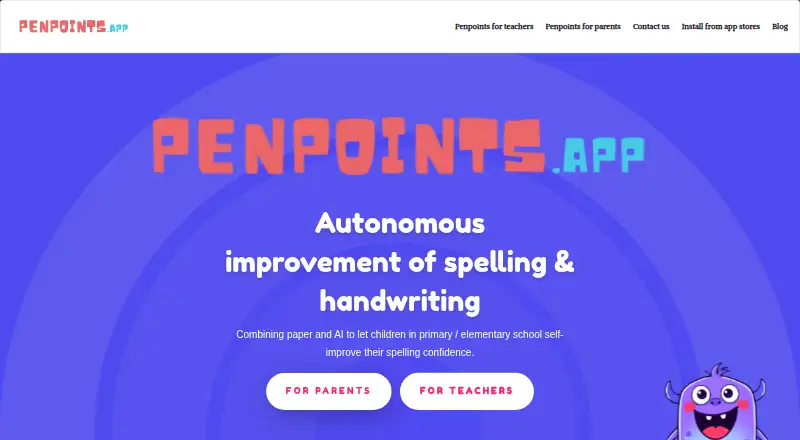
PenPoints is a free mobile spelling and handwriting app for primary and elementary-school children, roughly ages 6–12. It suits families, teachers, and learners who benefit from writing dictated words on paper rather than completing every exercise on screen. Adults can customize age-appropriate word lists, assign practice, review results, and support independent work. The app also includes phonics instruction, dictation practice, word-list import, and classroom activities such as SpellStation challenges.
Its standout feature is the handwriting workflow. PenPoints dictates a word, asks the child to write it on paper, and uses OCR to assess a photograph of the handwriting and spelling. Before receiving feedback, the child can self-assess, then retry exercises to correct mistakes. Definitions, synonyms, and antonyms add vocabulary context to dictated words, while corrective practice keeps the focus on learning from errors rather than only recording them. This combination gives the app a narrower but distinctive role for spelling and handwriting support.
PenPoints is currently free, which makes it practical for family practice and classroom use without a stated subscription cost. Parents can receive emailed results and photos, while teachers get progress tracking and class activities. The trade-off is a focused mobile experience: it is available on iOS and Android, with no offline access or platform integrations. Choose PenPoints if handwriting-based spelling, dictation, and adult progress visibility are priorities. Choose another tool if offline study, broader platform coverage, or a wider learning suite matters more.
PenPoints pricing
PenPoints fact sheet
| Free plan | Yes |
|---|---|
| Paid from | None |
| Phonics instruction | Yes |
| Dictation practice | Yes |
| Corrective practice | Yes |
| Teacher dashboard | Yes |
| Offline access | No |
| Word-list import | Yes |
| Deployment | Mobile |
| Platforms | iOS, Android |
| Compliance & security | GDPR |
| Support | |
| Built for | Solo, Small business, Mid-market (editorial estimate) |
| Pricing | Free plan |
| Website | penpoints.app |
| Facts checked | 20 Sep 2026 |
Alternatives to PenPoints
- Spelling.LiveA free, flexible spelling tool with adaptive practice, dictation and classroom reporting.9.0
- SpellMeA broad spelling platform combining phonics, adaptive practice, AI tools, and teacher dashboards.9.0
- Spelling ShedA curriculum-led spelling platform with strong diagnostics, reporting, and offline learning.8.4

See all PenPoints alternatives →
PenPoints vs the competition
- PenPoints vs Spelling.Live
- PenPoints vs SpellMe
- PenPoints vs Spelling Shed
- PenPoints vs DoodleSpell
- PenPoints vs Spelling Boost
- PenPoints vs Spello


Compare PenPoints with any tool side by side →
Used PenPoints? Be the first to review it
The editor score above is our own research. What this page doesn't have yet is a reader's view — what you used PenPoints for, what worked and what didn't. No stars are seeded and no review is paid for; an editor reads every one before it appears.
Write a reviewTwo minutes · verified accounts only · read by an editor before it appears
Featured on iTechGuides

PenPoints is listed in our Spelling Apps directory. Add the badge to your site — it links back to this page.
<a href="https://www.itechguides.com/products/penpoints/"><img src="https://www.itechguides.com/best/badge/penpoints.svg" alt="Featured on iTechGuides" width="230" height="46"></a>
Reviewed by iTechGuides Editors · Editorial team · Updated Sep 2026
Advertiser disclosure: iTechGuides is reader-supported. We may earn a commission when you click some links. How we rank.
Last updated · How we research and update