Pell
Pell: A focused, free editor for basic rich text in small web interfaces. Ranked #35 of 37 in Rich Text Editor Software by our editors (6.0/10); pricing: Free plan; best for minimal formatting in small web interfaces.
At a glance
- Editor score6.0 / 10
- PricingFree plan
- Best forMinimal formatting in small web interfaces
- Free planYes
- Paid fromFree
- DeploymentSelf_hosted
- Facts checked21 Sep 2026
Where it wins
- Free and open source with self-hosted web deployment
- Covers core formatting, lists, links, images, code, and quotations
- Customizable toolbar, styling, actions, commands, and HTML output
Where it doesn't
- Narrow scope without tables or structured content tools
- No collaboration features listed
- No broad integrations or AI features listed
Our verdict on Pell
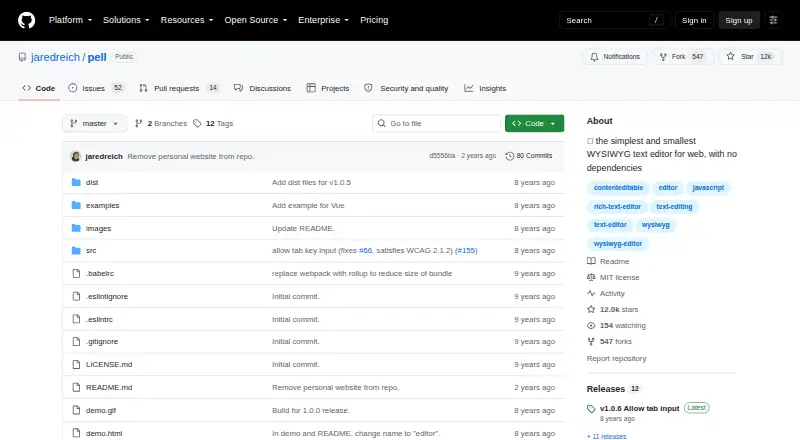
Pell is an open-source JavaScript WYSIWYG editor for developers adding rich-text editing to web applications. It runs in the browser without external dependencies and uses a contenteditable element, making it suited to small interfaces that need basic formatting rather than a full document platform. Its web-based scope and support for React and Vue make it relevant for applications where developers want to embed an editor and control how it looks and behaves.
The published feature set covers common editing actions: bold, italic, underline, strike-through, headings, paragraphs, quotations, code, horizontal rules, ordered and unordered lists, links, and image insertion. Developers can customize toolbar actions, add editor actions and document commands, style the editor with custom CSS and Sass, and receive HTML output through an onChange callback. Images are handled through image insertion and image URLs. This gives Pell a practical foundation for comments, descriptions, notes, and other compact web forms where HTML output and interface control matter.
Pell is free, open source, and designed for self-hosted deployment, so its model fits teams that prefer to integrate and maintain an editor inside their own web application. Its deliberately narrow scope is also the main trade-off: the listed capabilities do not include tables, structured content tools, collaboration, broad integrations, or AI features. Choose Pell when lightweight setup, customization, and core formatting are the priority. Choose an alternative when the product needs collaborative editing, richer document structures, a wider ecosystem, or advanced content workflows.
Your product? Our editors can test Pell in depth and publish a review, labelled as paid · from $149/mo →
Pell pricing
Pell fact sheet
| Free plan | Yes |
|---|---|
| Paid from | Free |
| Deployment | Self_hosted |
| Framework support | React, Vue |
| Structured content | Not verified |
| Real-time collaboration | Not verified |
| Table editing | Not verified |
| Media handling | Images via image insertion and image URLs |
| Deployment | Self-hosted |
| Platforms | Web |
| Built for | Solo, Small business (editorial estimate) |
| Pricing | Free plan |
| Website | github.com |
| Facts checked | 21 Sep 2026 |
Alternatives to Pell
- CKEditor 5A structured editor framework with collaboration, media, export, and flexible deployment.9.3
- TinyMCEA flexible editor with broad framework support, structured HTML, and multiple deployment options.8.8
- TiptapA flexible editor foundation for teams building structured, collaborative web applications.8.7


Used Pell? Be the first to review it
The editor score above is our own research. What this page doesn't have yet is a reader's view — what you used Pell for, what worked and what didn't. No stars are seeded and no review is paid for; an editor reads every one before it appears.
Write a reviewTwo minutes · verified accounts only · read by an editor before it appears
Featured on iTechGuides

Pell is listed in our Rich Text Editor Software directory. Add the badge to your site — it links back to this page.
<a href="https://www.itechguides.com/products/pell/"><img src="https://www.itechguides.com/best/badge/pell.svg" alt="Featured on iTechGuides" width="230" height="46"></a>
Reviewed by iTechGuides Editors · Editorial team · Updated Oct 2026
Advertiser disclosure: iTechGuides is reader-supported. Vendors can pay for top positions in our rankings and for a place on other products' pages, and we may earn a commission when you click some links. Bought places stand at the number bought; this page and our disclosure say so. Paying vendors may get a fuller, more detailed review from our editors, and that review can change their score. How we rank.
Last updated · How we research and update