PDF Arranger
PDF Arranger: A capable open-source desktop PDF organizer with visual page control. Ranked #12 of 36 in PDF Merger Software by our editors (8.2/10); pricing: Open source; best for open-source visual page management.
At a glance
- Editor score8.2 / 10
- PricingOpen source
- Best forOpen-source visual page management
- Paid fromFree
- Facts checked20 Sep 2026
Where it wins
- Drag-and-drop page reordering with selection and range controls
- Booklet generation, splitting, and selected-page PDF export
- Runs across Windows, macOS, and Linux
Where it doesn't
- Desktop workflow rather than browser-based editing
- Focused on PDF page operations rather than broader document authoring
- Open-source distribution instead of documented paid service tiers
Our verdict on PDF Arranger
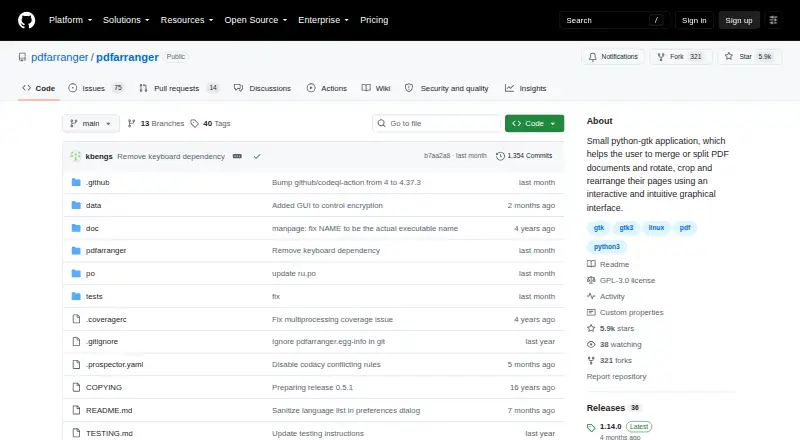
PDF Arranger is an open-source desktop application for organizing PDF documents across Windows, macOS, and Linux. It is aimed at people who need to combine multiple PDFs, split documents, select individual pages or ranges, and visually control the order of a finished file. The workflow also covers image import, page deletion, rotation, cropping, resizing, metadata editing, text search, and saving results as PDF files. Its positioning is strongest for users who want local, visual page management without a paid plan.
The standout feature is the breadth of page-level control in one desktop workflow. Drag-and-drop reordering makes document assembly more visual, while page selection and range controls support targeted exports instead of requiring every page to remain in the final file. Users can also generate and split booklets, which gives the tool a more specialized production capability than a basic merge utility. Adjusting page size, rotating pages, cropping content, and editing metadata add practical finishing steps for assembled documents.
PDF Arranger’s platform fit is a clear advantage for users working across major desktop operating systems, with documented installation paths also covering BSD and other Unix-like environments. Its open-source model suits people who prefer software they can obtain and run locally rather than a subscription-based service. The trade-off is a desktop-centered workflow: it is not positioned as a browser editor or a broader document-authoring suite. Choose PDF Arranger for visual PDF assembly, page selection, booklet work, and local editing; choose another category of tool if your priority is cloud collaboration or wider document creation features.
Your product? Our editors can test PDF Arranger in depth and publish a review, labelled as paid · from $149/mo →
PDF Arranger pricing
PDF Arranger fact sheet
| Free plan | Not verified |
|---|---|
| Paid from | Free |
| Batch merging | Not verified |
| Page selection | Yes |
| Files per merge | Not verified |
| Maximum file size | Not verified |
| Primary platform | Desktop |
| Cloud storage support | Not verified |
| Deployment | Desktop |
| Platforms | Windows, macOS, Linux |
| Support | Community, Docs |
| Built for | Solo, Small business, Mid-market, Enterprise (editorial estimate) |
| Pricing | Open source |
| Website | github.com |
| Facts checked | 20 Sep 2026 |
Alternatives to PDF Arranger
- PDFsam BasicA free, open-source PDF toolkit with detailed merging controls and offline processing.9.4
- PDF24 CreatorA mature free PDF toolkit that goes far beyond merging, but works only on Windows.9.3
- PDFtkA precise PDF toolkit for users who need page-level control and command-line processing.9.1


See all PDF Arranger alternatives →
Also Ranked In
PDF Arranger is ranked in 3 of our directories.
Used PDF Arranger? Be the first to review it
The editor score above is our own research. What this page doesn't have yet is a reader's view — what you used PDF Arranger for, what worked and what didn't. No stars are seeded and no review is paid for; an editor reads every one before it appears.
Write a reviewTwo minutes · verified accounts only · read by an editor before it appears
Featured on iTechGuides

PDF Arranger is listed in our PDF Merger Software directory. Add the badge to your site — it links back to this page.
<a href="https://www.itechguides.com/products/pdf-arranger/"><img src="https://www.itechguides.com/best/badge/pdf-arranger.svg" alt="Featured on iTechGuides" width="230" height="46"></a>
Reviewed by iTechGuides Editors · Editorial team · Updated Oct 2026
Advertiser disclosure: iTechGuides is reader-supported. Vendors can pay for top positions in our rankings and for a place on other products' pages, and we may earn a commission when you click some links. Bought places stand at the number bought; this page and our disclosure say so. Paying vendors may get a fuller, more detailed review from our editors, and that review can change their score. How we rank.
Last updated · How we research and update