
Passphoto Maker
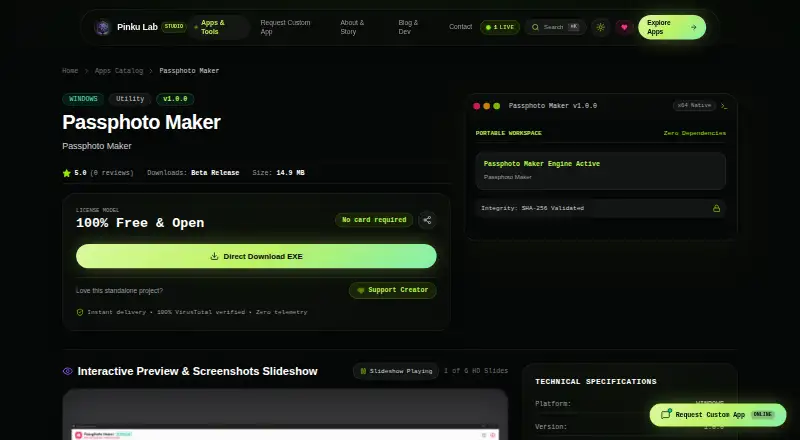
Passphoto Maker: A free Windows tool for privacy-focused photo preparation and print layouts. Ranked #10 of 29 in Passport Photo Maker Software by our editors (8.4/10); pricing: Free plan; best for windows users focused on printing privacy.
At a glance
- Editor score8.4 / 10
- PricingFree plan
- Best forWindows users focused on printing privacy
- Free planYes
- Paid fromFree
- Facts checked22 Sep 2026
Where it wins
- Calibrated passport, visa and ID photo dimensions
- Multi-photo layouts with direct Windows printing and cutting guides
- Local zero-telemetry processing with vector PDF export
Where it doesn't
- Windows-only desktop application
- Focuses on calibrated dimensions rather than broader compliance decisions
- Offline operation does not support cloud-based workflows
Our verdict on Passphoto Maker
Passphoto Maker is a free Windows desktop application for creating passport, visa and ID photos. It is aimed at professional photo studios, cyber cafés and home users who need calibrated physical dimensions, repeated-photo print sheets and local processing. The application supports Windows 10 and 11 64-bit systems, giving Windows users a focused way to prepare and print identity photos without requiring cloud processing.
The published Free plan costs 0 and includes free commercial use, a Windows desktop application and offline operation. Its feature set covers calibrated passport, visa and ID photo dimensions, quantity selection for multi-photo sheets, and international A4, 4×6 and 5×7 paper layouts. Direct Windows system printing and Chrome auto-print support connect the editing workflow to printing, while cutting guides, borders and candidate name/date overlays help organize finished sheets. Single-photo export and vector PDF export add options for digital delivery and print preparation.
Privacy is a central fit: image processing runs locally with zero telemetry, which suits studios, cyber cafés and home users who prefer files to remain on the computer. AI background removal and adjustable studio background colors extend the workflow beyond simple cropping. The trade-off is platform scope, since the product is a Windows-only desktop application and its offline design is not intended for cloud-based collaboration. It also focuses on calibrated dimensions and image preparation rather than broader compliance decisions. Choose Passphoto Maker for Windows-based printing privacy, layout control and commercial use at no cost; choose an alternative if you need another operating system, a cloud workflow or wider compliance validation.
Questions about Passphoto Maker
Does Passphoto Maker have a free plan? Yes, there is a free plan.
What does Passphoto Maker run on? Windows. It runs as a desktop app.
Who is Passphoto Maker built for? Solo users and small businesses (our editorial estimate).
Your product? Our editors can test Passphoto Maker in depth and publish a review, labelled as paid · from $149/mo →
Passphoto Maker pricing
All 1 Passphoto Maker plans and prices →
Passphoto Maker fact sheet
| Free plan | Yes |
|---|---|
| Paid from | Free |
| Compliance validation | Not verified |
| Background removal | Yes |
| Print layouts | Multi_photo |
| Export formats | |
| App platforms | windows |
| Country templates | Not verified |
| Deployment | Desktop |
| Platforms | Windows |
| Support | |
| Built for | Solo, Small business (editorial estimate) |
| Pricing | Free plan (source) |
| Website | pinkulab.in |
| Facts checked | 22 Sep 2026 |
Alternatives to Passphoto Maker
- idpic.appA free web tool for validated, country-specific passport and ID photos.9.4
- ePassport Photo MakerA free web tool with compliance checks, background replacement and flexible exports.9.3
- PhotoIDA mobile passport-photo app with broad document presets and AI-assisted checks.9.1



See all Passphoto Maker alternatives →
Used Passphoto Maker? Be the first to review it
The editor score above is our own research. What this page doesn't have yet is a reader's view — what you used Passphoto Maker for, what worked and what didn't. No stars are seeded and no review is paid for; an editor reads every one before it appears.
Write a reviewTwo minutes · verified accounts only · read by an editor before it appears
Featured on iTechGuides

Passphoto Maker is listed in our Passport Photo Maker Software directory. Add the badge to your site — it links back to this page.
<a href="https://www.itechguides.com/products/passphoto-maker/"><img src="https://www.itechguides.com/best/badge/passphoto-maker.svg" alt="Featured on iTechGuides" width="230" height="46"></a>
Reviewed by iTechGuides Editors · Editorial team · Updated Nov 2026
Advertiser disclosure: iTechGuides is reader-supported. Vendors can pay for top positions in our rankings and for a place on other products' pages, and we may earn a commission when you click some links. Bought places stand at the number bought; this page and our disclosure say so. Paying vendors may get a fuller, more detailed review from our editors, and that review can change their score. How we rank.
Last updated · How we research and update