Panoweaver
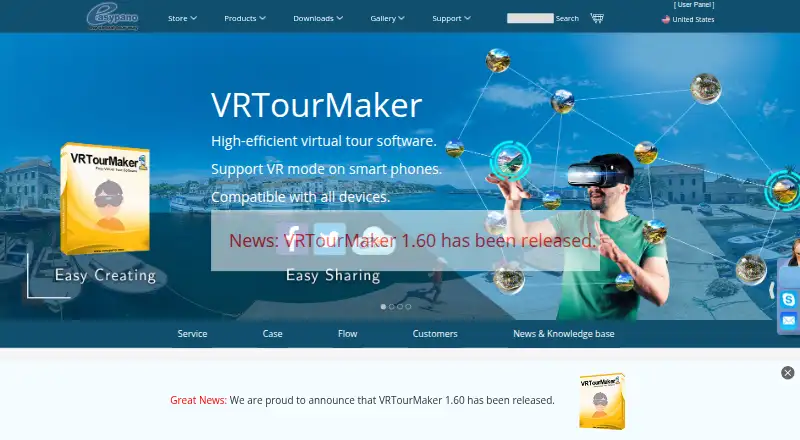
Panoweaver: A capable desktop stitcher for professional panoramas, HDR workflows, and gigapixel output. Ranked #7 of 22 in Panorama Stitching Software by our editors (7.9/10); pricing: Paid; best for professional publishing and gigapixel panoramas.
At a glance
- Editor score7.9 / 10
- PricingPaid
- Best forProfessional publishing and gigapixel panoramas
- Free planNo
- Paid from$149.95 one-time
- Panorama typesBoth
- Founded2001 · Shanghai, China
- Facts checked20 Sep 2026
Where it wins
- Supports RAW, 16-bit images, HDR integration, and gigapixel panoramas
- Professional Edition adds batch stitching, publishing, and HDR processing
- Exports JPEG, PNG, TIF, BMP, PSD, HTML5, Flash VR, and SWF formats
Where it doesn't
- No perpetual free plan; the trial adds a watermark and popups
- Professional Edition costs $399.95 as a one-time purchase
- The broader editing workflow is limited to listed exposure, contrast, and seam tools
Our verdict on Panoweaver
Panoweaver is desktop panorama-stitching software for photographers, virtual-tour creators, and businesses producing panoramic imagery. It runs on Windows and macOS, with automatic stitching for spherical, cubic, cylindrical, Little Planet, and gigapixel panoramas. Camera RAW and 16-bit image support make it suitable for image-heavy workflows, while manual matching-point insertion and editing provide additional control when automatic alignment needs adjustment. Its publishing features also extend beyond image export to panorama formats including HTML5, Flash VR, and SWF.
Pricing is structured around two one-time editions. Panoweaver 10 Standard Edition costs $149.95 and includes automatic stitching, the supported panorama types, RAW and 16-bit image support, panorama publishing, and export to JPEG, PNG, TIF, BMP, and PSD. Panoweaver 10 Professional Edition costs $399.95 and adds batch stitching, batch publishing, HDR processing, batch HDR integration, tripod removal, masking, and adjustments for exposure, contrast, and seams. A downloadable trial is available with a watermark and popup limitations, rather than as a perpetual free plan.
The main distinction is workflow depth: Standard covers core stitching and publishing, while Professional is aimed at repeated production work that benefits from batch processing and additional correction tools. GPU-accelerated stitching is listed among the product features, and the combination of RAW import, HDR support, manual points, masking, and multiple output formats gives Panoweaver a broad panorama-focused toolkit. It suits users who need desktop control and professional publishing options across Windows and macOS. Those seeking a free perpetual plan or a narrower, lower-cost panorama tool should look elsewhere.
Your product? Our editors can test Panoweaver in depth and publish a review, labelled as paid · from $149/mo →
Panoweaver pricing
All 2 Panoweaver plans and prices →
Panoweaver fact sheet
| Free plan | No |
|---|---|
| Paid from | $149.95 one-time |
| Panorama types | Both |
| RAW input | Yes |
| HDR/exposure blending | Yes |
| Max images per project | Not verified |
| Control point editing | Yes |
| Supported platforms | Not verified |
| Batch stitching | Yes |
| Deployment | Desktop |
| Platforms | Windows, macOS |
| Support | Email, Live chat, Tickets, Community, Docs |
| Built for | Solo, Small business, Mid-market (editorial estimate) |
| Pricing | Paid (source) |
| Website | easypano.com |
| Facts checked | 20 Sep 2026 |
Alternatives to Panoweaver
- HuginA free desktop stitcher with deep manual control, HDR tools, and broad platform coverage.9.3
- PTGuiA broad, cross-platform panorama toolkit for demanding manual and automated workflows.8.9
- PanoramaStudioA focused Windows and macOS toolkit for stitching, correcting and publishing panoramas.8.6


See all Panoweaver alternatives →
Panoweaver vs the competition
- Panoweaver vs Hugin
- Panoweaver vs PTGui
- Panoweaver vs PanoramaStudio
- Panoweaver vs 3DVista Stitcher
- Panoweaver vs PTAssembler
- Panoweaver vs Bimostitch Panorama Stitcher

Compare Panoweaver with any tool side by side →
Used Panoweaver? Be the first to review it
The editor score above is our own research. What this page doesn't have yet is a reader's view — what you used Panoweaver for, what worked and what didn't. No stars are seeded and no review is paid for; an editor reads every one before it appears.
Write a reviewTwo minutes · verified accounts only · read by an editor before it appears
Featured on iTechGuides

Panoweaver is listed in our Panorama Stitching Software directory. Add the badge to your site — it links back to this page.
<a href="https://www.itechguides.com/products/panoweaver/"><img src="https://www.itechguides.com/best/badge/panoweaver.svg" alt="Featured on iTechGuides" width="230" height="46"></a>
Reviewed by iTechGuides Editors · Editorial team · Updated Oct 2026
Advertiser disclosure: iTechGuides is reader-supported. Vendors can pay for top positions in our rankings and for a place on other products' pages, and we may earn a commission when you click some links. Bought places stand at the number bought; this page and our disclosure say so. Paying vendors may get a fuller, more detailed review from our editors, and that review can change their score. How we rank.
Last updated · How we research and update