
Overflow
Overflow: A focused tool for turning imported designs into shareable, interactive user flows. Ranked #2 of 20 in User Flow Software by our editors (8.9/10); pricing: 14-day trial; best for design teams presenting detailed user flows.
At a glance
- Editor score8.9 / 10
- Pricing14-day trial
- Best forDesign teams presenting detailed user flows
- Free planNo
- Facts checked20 Sep 2026
Where it wins
- Imports designs from Figma, Sketch, Adobe XD, and Photoshop
- Interactive presentations, prototypes, hotspots, and annotations
- Unlimited version history with comments and team folders
Where it doesn't
- No permanent free plan
- Paid pricing is not displayed in USD
- AI features are not included
Our verdict on Overflow
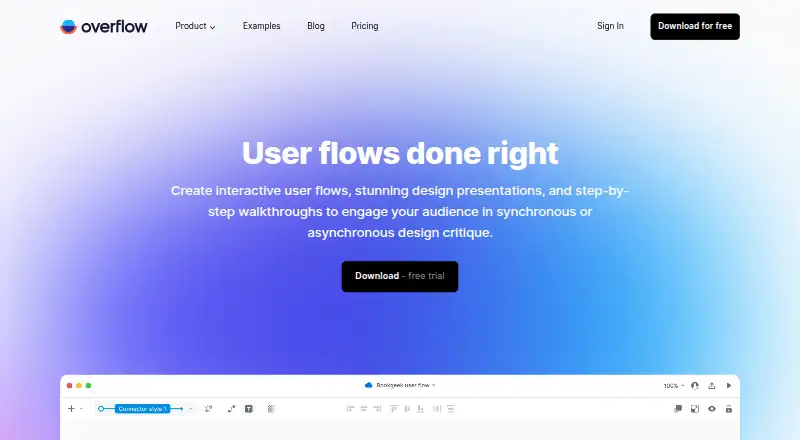
Overflow is a desktop and cloud-sharing tool for product and design teams that need to map, explain, and present user journeys. It supports user-flow diagrams with connectors, shapes, annotations, and device skins, then adds interactive presentation and rapid prototype modes. Teams can also create self-guided Story presentations, connect imported screens with hotspots, and share flows through browser links or embedded presentations. It is most suitable for designers and product teams presenting detailed flows rather than creating general-purpose diagrams.
The workflow centers on importing designs from Figma, Sketch, Adobe XD, and Photoshop, then arranging screens into connected journeys. PDF and PNG export supports offline or static handoffs, while cloud publication links and embeddable presentations fit reviews in tools such as Confluence, Jira, Trello, Slack, and Dropbox. Comments, document editors, private and team folders, and unlimited document version history support collaborative iteration. The platform is available on macOS, Windows, and the web, giving teams several ways to access and present work.
Overflow offers a 14-day trial and paid Pro and Enterprise plans rather than a permanent free plan. Pro includes 1GB of cloud storage per user, Overflow Cloud sharing, embedded share links, PDF printing, and watermark-free export. Enterprise adds advanced security permissions, single sign-on / SAML, unlimited users and cloud storage, pre-approved external reviewers, and priority support. Choose Overflow if interactive flow communication, imported design files, and presentation quality are central to your process. Teams wanting a free ongoing tier, built-in AI features, or a broader diagramming focus should consider alternatives.
Questions about Overflow
Is there a free trial of Overflow? Yes: a 14-day free trial; no card is needed.
What does Overflow run on? Web, Windows and macOS. It runs in the cloud and as a desktop app.
What does Overflow integrate with? 9 integrations, including Figma, Sketch, Adobe XD, Adobe Photoshop and Confluence.
Who is Overflow built for? Solo users, small businesses, mid-market companies and enterprises (our editorial estimate).
Your product? Our editors can test Overflow in depth and publish a review, labelled as paid · from $149/mo →
Overflow pricing
All 2 Overflow plans and prices →
Overflow fact sheet
| Free plan | No |
|---|---|
| Paid from | Not verified |
| Real-time collaboration | Not verified |
| Interactive prototypes | Yes |
| Version history | Yes |
| Flow templates | Not verified |
| Export formats | PDF, PNG |
| Supported platforms | macOS, Windows, web browsers |
| Screen imports | Yes |
| Free trial | 14 days · no card needed |
| Deployment | Cloud, Desktop |
| Platforms | Web, Windows, macOS |
| Compliance & security | GDPR, ISO 27001, SSO/SAML |
| Support | Email, Live chat, Community, Docs |
| Built for | Solo, Small business, Mid-market, Enterprise (editorial estimate) |
| Integrations | 9 integrations: Figma, Sketch, Adobe XD, Adobe Photoshop, Confluence, Jira … See all → |
| Pricing | 14-day trial (source) |
| Website | overflow.io |
| Facts checked | 20 Sep 2026 |
Overflow integrations
Overflow lists 9 integrations on its own site.
- Figma
- Sketch
- Adobe XD
- Adobe Photoshop
- Confluence
- Jira
- Trello
- Slack
- Dropbox
See all Overflow integrations →
Alternatives to Overflow
- MarvelA focused browser-based workspace for turning wireframes into testable, shareable prototypes.9.2
- FigrA broad product-flow workspace combining UX analysis, prototypes, collaboration, and exports.8.8
- EVONXA code-aware flow builder for mapping real application behavior and implementation paths.8.7



See all Overflow alternatives →
Overflow vs the competition
- Overflow vs Marvel
- Overflow vs Figr
- Overflow vs EVONX
- Overflow vs Wireflow
- Overflow vs FlowMapp
- Overflow vs Storyflow



Compare Overflow with any tool side by side →
Also Ranked In
Overflow is ranked in 2 of our directories.
Used Overflow? Be the first to review it
The editor score above is our own research. What this page doesn't have yet is a reader's view — what you used Overflow for, what worked and what didn't. No stars are seeded and no review is paid for; an editor reads every one before it appears.
Write a reviewTwo minutes · verified accounts only · read by an editor before it appears
Featured on iTechGuides

Overflow is listed in our User Flow Software directory. Add the badge to your site — it links back to this page.
<a href="https://www.itechguides.com/products/overflow/"><img src="https://www.itechguides.com/best/badge/overflow.svg" alt="Featured on iTechGuides" width="230" height="46"></a>
Reviewed by iTechGuides Editors · Editorial team · Updated Nov 2026
Advertiser disclosure: iTechGuides is reader-supported. Vendors can pay for top positions in our rankings and for a place on other products' pages, and we may earn a commission when you click some links. Bought places stand at the number bought; this page and our disclosure say so. Paying vendors may get a fuller, more detailed review from our editors, and that review can change their score. How we rank.
Last updated · How we research and update