
Opero Reservations
Opero Reservations: A mobile-first reservation tool with broader POS and restaurant operations features. Ranked #30 of 33 in Restaurant Reservation Software by our editors (5.3/10); pricing: Paid; best for mobile-first restaurants using a broader operations suite.
At a glance
- Editor score5.3 / 10
- PricingPaid
- Best forMobile-first restaurants using a broader operations suite
- Paid from$99/mo
- Waitlist managementYes
- Facts checked16 Sep 2026
Where it wins
- Reservations, waitlists, floor plans, and table management in Starter
- POS, KDS, QR ordering, and web ordering support restaurant workflows
- Growth and higher plans support multi-location management
Where it doesn't
- Starts at $99 per location per month on monthly billing
- Reservation workflow is host-managed rather than consumer self-booking
- Deposits and automated reservation reminders are not part of the described workflow
Our verdict on Opero Reservations
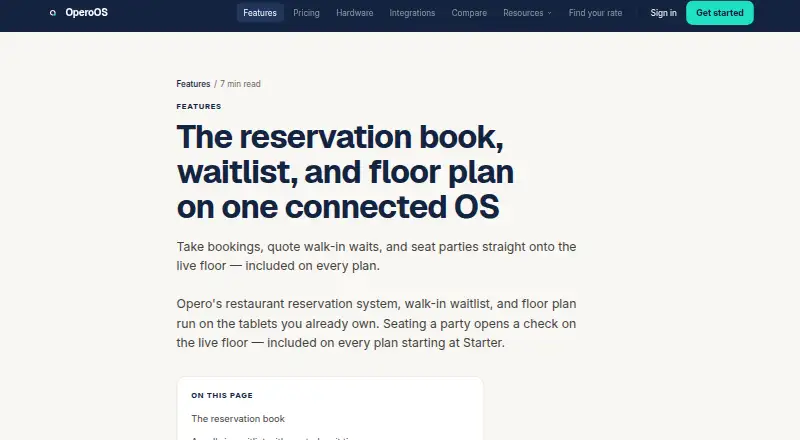
Opero Reservations is a host-stand tool for managing bookings, walk-in waitlists, table assignments, and floor plans. It runs on iOS and Android, including standard iPads and Android tablets, and sits within Opero's broader restaurant operating system. That wider suite includes POS, kitchen display, QR and web ordering, payments, guest management, inventory, labor, loyalty, and reporting. It fits restaurants that want reservation operations connected to front-of-house and restaurant management workflows rather than a standalone booking product.
The published plans show Starter at $99 per location per month with monthly billing. It includes POS, KDS, QR and web ordering, reservations, floor plans, waitlists, and unlimited devices, screens, and kiosks for one location. Growth is $249 per location per month and adds unlimited locations, inventory and recipe costing, staff scheduling, a time clock, and a cross-location dashboard. Pro is $499 per location per month and adds the AI Operating Partner, automated accounts payable workflows, and multi-brand and franchise reporting. Enterprise has custom pricing, corporate and regional dashboards, custom integrations and APIs, and dedicated onboarding.
Opero's strongest fit is a mobile-first restaurant group that wants reservation books, seating workflows, POS integration, ordering, loyalty points, and multi-location management in one system. Integrations include QuickBooks Online and DoorDash Drive. The reservation materials describe a host-managed reservation book rather than a consumer self-booking widget, so restaurants seeking a guest-facing booking experience should assess that distinction carefully. Deposits and automated reservation reminders are not part of the described workflow. Choose Opero when broader restaurant operations matter alongside reservations; consider a narrower reservation product when guest self-booking is the primary requirement.
Your product? Our editors can test Opero Reservations in depth and publish a review, labelled as paid · from $149/mo →
Opero Reservations pricing
All 4 Opero Reservations plans and prices →
Opero Reservations fact sheet
| Free plan | Not verified |
|---|---|
| Paid from | $99/mo |
| Booking channels | Not verified |
| Waitlist management | Yes |
| Deposits or prepayment | Not verified |
| Automated reminders | Not verified |
| Table management | Yes |
| Included locations | 1 |
| Multi-location support | Yes |
| Deployment | Mobile |
| Platforms | iOS, Android |
| Integrations | 2 integrations: QuickBooks Online, DoorDash Drive |
| Pricing | Paid (source) |
| Website | operoos.com |
| Facts checked | 16 Sep 2026 |
Opero Reservations integrations
Opero Reservations lists 2 integrations on its own site.
- QuickBooks Online
- DoorDash Drive
Alternatives to Opero Reservations
- Eat AppA broad reservation suite spanning bookings, guest data, messaging, payments, and operations.9.3
- OpenTable GuestCenterA broad restaurant management platform for teams that need reservations, tables, guests, and marketing.9.1
- SevenRoomsA broad restaurant operations platform for groups that need reservations, CRM, ordering, and marketing.9.0



See all Opero Reservations alternatives →
Used Opero Reservations? Be the first to review it
The editor score above is our own research. What this page doesn't have yet is a reader's view — what you used Opero Reservations for, what worked and what didn't. No stars are seeded and no review is paid for; an editor reads every one before it appears.
Write a reviewTwo minutes · verified accounts only · read by an editor before it appears
Featured on iTechGuides

Opero Reservations is listed in our Restaurant Reservation Software directory. Add the badge to your site — it links back to this page.
<a href="https://www.itechguides.com/products/opero-reservations/"><img src="https://www.itechguides.com/best/badge/opero-reservations.svg" alt="Featured on iTechGuides" width="230" height="46"></a>
Reviewed by iTechGuides Editors · Editorial team · Updated Sep 2026
Advertiser disclosure: iTechGuides is reader-supported. Vendors can pay for top positions in our rankings and for a place on other products' pages, and we may earn a commission when you click some links. Bought places stand at the number bought; this page and our disclosure say so. Paying vendors may get a fuller, more detailed review from our editors, and that review can change their score. How we rank.
Last updated · How we research and update