
OpenMPT
OpenMPT: A capable free tracker for module composition, with a narrower workflow than general audio editors. Ranked #88 of 128 in Audio Editing Software by our editors (3.0/10); pricing: Free plan; best for free tracker-based composition.
At a glance
- Editor score3.0 / 10
- PricingFree plan
- Best forFree tracker-based composition
- Free planYes
- Paid fromFree
- Third-party pluginsYes
- Founded1997
- Facts checked20 Sep 2026
Where it wins
- Pattern-based editing supports up to 128 channels
- Broad module support with native MPTM, MOD, XM, S3M, and IT editing
- Sample tools, plug-ins, MIDI I/O, and multiple export formats
Where it doesn't
- Tracker workflow is narrower than general audio editing
- Native application is Windows-focused
- MIDI support does not make it a MIDI editor
Our verdict on OpenMPT
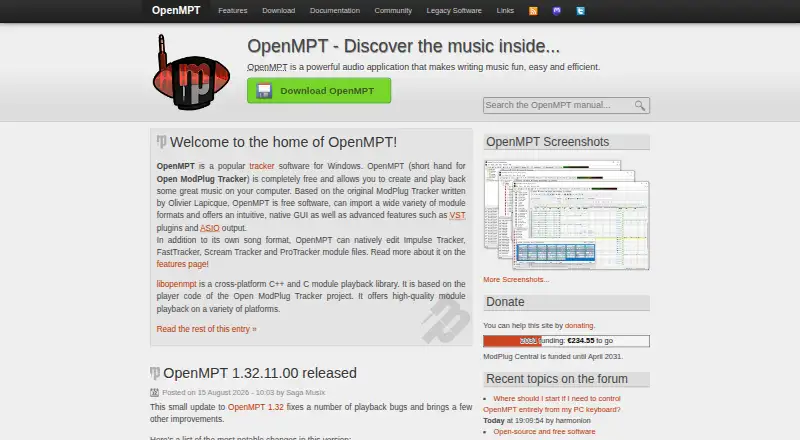
OpenMPT is a free, open-source music tracker for composing, editing, playing, and exporting module-based music. Its pattern-based workflow is designed for creators working with tracker formats and sample-driven arrangements rather than users seeking a general-purpose audio editor. Native support covers MOD, XM, S3M, IT, and MPTM files, while the sample and instrument tools support detailed work inside a module-based project. The application is native to Windows and can run through Wine on macOS and Linux.
The strongest part of OpenMPT is its focused composition toolkit. Pattern editing supports up to 128 channels, and the sample editor includes normalization, resampling, amplification, and related tools. VST and DirectX audio plug-ins extend its processing options, while MIDI input and output allow connections to external devices. Audio can use WASAPI, ASIO, WaveOut, or WaveRT, and finished work can be exported to WAV, FLAC, MP3, Ogg, Opus, or MIDI. Portable Windows installation is also available for users who prefer a self-contained setup.
OpenMPT keeps pricing straightforward: the product uses a free model rather than separate paid tiers. That makes it a practical choice for module composers who want broad format support without a subscription or paid upgrade path. Its specialization is also its main boundary. The tracker interface and module-centered workflow will suit users who want pattern-based control, but may be a poor fit for people looking primarily for conventional waveform editing or a dedicated MIDI editor. Choose OpenMPT for free tracker-based composition, sample work, and module export; choose a broader audio editor when those specialized workflows are not the priority.
Your product? Our editors can test OpenMPT in depth and publish a review, labelled as paid · from $149/mo →
OpenMPT pricing
OpenMPT fact sheet
| Free plan | Yes |
|---|---|
| Paid from | Free |
| Supported platforms | Windows; macOS and Linux via Wine |
| Multitrack editing | Yes |
| MIDI sequencing | No |
| Third-party plugins | Yes |
| Noise reduction | Not verified |
| Video synchronization | Not verified |
| Cloud collaboration | Not verified |
| Deployment | Desktop |
| Platforms | Windows, macOS, Linux |
| Support | Community, Docs, Tickets |
| Built for | Solo, Small business (editorial estimate) |
| Pricing | Free plan |
| Website | openmpt.org |
| Facts checked | 20 Sep 2026 |
Alternatives to OpenMPT
- Pro ToolsA broad workstation for studios spanning music production, audio post, and immersive mixing.9.4
- REAPERA flexible desktop DAW with broad audio and MIDI tools and a one-time license from $60.9.3
- Logic ProA broad audio and MIDI workstation for Apple-based producers and video composers.9.2


See all OpenMPT alternatives →
Also Ranked In
OpenMPT is ranked in 4 of our directories.
Used OpenMPT? Be the first to review it
The editor score above is our own research. What this page doesn't have yet is a reader's view — what you used OpenMPT for, what worked and what didn't. No stars are seeded and no review is paid for; an editor reads every one before it appears.
Write a reviewTwo minutes · verified accounts only · read by an editor before it appears
Featured on iTechGuides

OpenMPT is listed in our Audio Editing Software directory. Add the badge to your site — it links back to this page.
<a href="https://www.itechguides.com/products/openmpt/"><img src="https://www.itechguides.com/best/badge/openmpt.svg" alt="Featured on iTechGuides" width="230" height="46"></a>
Reviewed by iTechGuides Editors · Editorial team · Updated Oct 2026
Advertiser disclosure: iTechGuides is reader-supported. Vendors can pay for top positions in our rankings and for a place on other products' pages, and we may earn a commission when you click some links. Bought places stand at the number bought; this page and our disclosure say so. Paying vendors may get a fuller, more detailed review from our editors, and that review can change their score. How we rank.
Last updated · How we research and update