OpenMeters
OpenMeters: A free Linux meter with broad real-time analysis views, built around PipeWire. Ranked #23 of 43 in Audio Analysis Software by our editors (6.1/10); pricing: Free plan; best for free Linux desktop metering.
At a glance
- Editor score6.1 / 10
- PricingFree plan
- Best forFree Linux desktop metering
- Free planYes
- Paid fromFree
- Real-time analysisYes
- Facts checked20 Sep 2026
Where it wins
- Free and open source under GPL-3.0-or-later
- Covers LUFS, true peak, waveform, spectrum, spectrogram and stereo views
- Supports PipeWire capture from applications, devices and the default sink
Where it doesn't
- Linux-only desktop support
- Audio capture is built around PipeWire
- Focused on live capture rather than broader workflow features
Our verdict on OpenMeters
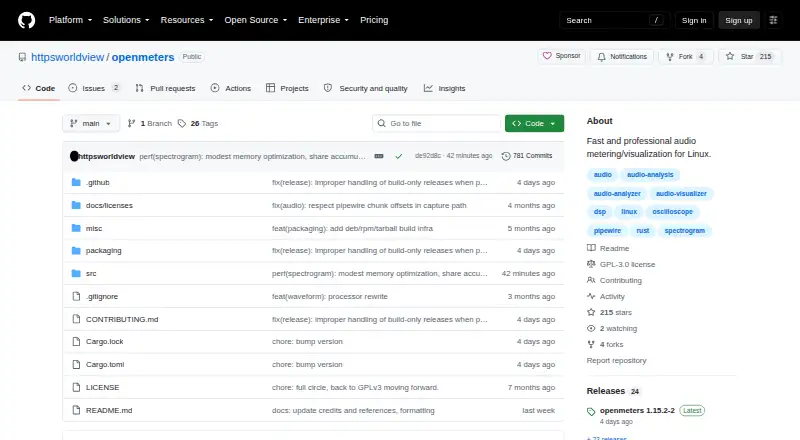
OpenMeters is a free, open-source desktop application for analyzing and visualizing audio on Linux. It captures audio through PipeWire from applications, devices or the default sink, then presents several real-time views for loudness, frequency, waveform, stereo and time-frequency analysis. The audience is Linux users who need desktop metering across multiple analysis modes without a paid plan. It supports both X11 and Wayland windows, with an optional Wayland bar mode, and is distributed under GPL-3.0-or-later.
Its strongest area is the breadth of its analysis display. OpenMeters includes BS.1770-5 LUFS loudness metering, true-peak and K-weighted RMS metering, an oscilloscope with stable and zero-crossing triggers, and a waveform display with channel selection. The spectrogram uses STFT and time-frequency reassignment, while the spectrum analyzer provides averaging and peak hold. A left/right stereometer adds phase correlation, giving the application a useful range for monitoring loudness, timing, frequency content and stereo behavior in one desktop interface.
The main trade-off is platform and ecosystem focus. OpenMeters is designed for Linux and integrates with PipeWire, with configurable refresh rates, pop-out visuals, editable JSON settings and user themes adding control over the desktop experience. That makes it a clear fit for PipeWire-based Linux monitoring, but less suitable for users seeking a cross-platform application or a broader audio workflow. Choose OpenMeters for free, real-time desktop metering with multiple visualizers; choose another category tool if your priority is a platform beyond Linux or a workflow centered on features outside PipeWire capture.
Your product? Our editors can test OpenMeters in depth and publish a review, labelled as paid · from $149/mo →
OpenMeters pricing
OpenMeters fact sheet
| Free plan | Yes |
|---|---|
| Paid from | Free |
| Real-time analysis | Yes |
| Offline file analysis | Not verified |
| Loudness standards | Yes |
| Maximum channels | Not verified |
| Plugin support | Not verified |
| Analysis views | loudness, waveform, spectrogram, spectrum analyzer, oscilloscope, stereometer |
| Deployment | Desktop |
| Platforms | Linux |
| Support | Community, Docs |
| Built for | Solo, Small business (editorial estimate) |
| Integrations | 1 integrations: PipeWire |
| Pricing | Free plan |
| Website | github.com |
| Facts checked | 20 Sep 2026 |
OpenMeters integrations
OpenMeters lists 1 integrations on its own site.
- PipeWire
Alternatives to OpenMeters
- Insight 2A focused metering plug-in for loudness compliance and multichannel audio analysis.9.1
- WLM Plus Loudness MeterA standards-focused loudness plugin for production across major DAWs.9.0
- SmaartA broad measurement suite for live sound, acoustics, and SPL monitoring.8.9



See all OpenMeters alternatives →
Used OpenMeters? Be the first to review it
The editor score above is our own research. What this page doesn't have yet is a reader's view — what you used OpenMeters for, what worked and what didn't. No stars are seeded and no review is paid for; an editor reads every one before it appears.
Write a reviewTwo minutes · verified accounts only · read by an editor before it appears
Featured on iTechGuides

OpenMeters is listed in our Audio Analysis Software directory. Add the badge to your site — it links back to this page.
<a href="https://www.itechguides.com/products/openmeters/"><img src="https://www.itechguides.com/best/badge/openmeters.svg" alt="Featured on iTechGuides" width="230" height="46"></a>
Reviewed by iTechGuides Editors · Editorial team · Updated Oct 2026
Advertiser disclosure: iTechGuides is reader-supported. Vendors can pay for top positions in our rankings and for a place on other products' pages, and we may earn a commission when you click some links. Bought places stand at the number bought; this page and our disclosure say so. Paying vendors may get a fuller, more detailed review from our editors, and that review can change their score. How we rank.
Last updated · How we research and update