
Opencast
Opencast: A capable, free lecture-capture system for institutions with technical teams. Ranked #4 of 19 in Lecture Capture Software by our editors (8.8/10); pricing: Free plan; best for budget-conscious institutions with technical teams.
At a glance
- Editor score8.8 / 10
- PricingFree plan
- Best forBudget-conscious institutions with technical teams
- Free planYes
- Paid fromFree
- Searchable transcriptsYes
- Founded2007
- Facts checked20 Sep 2026
Where it wins
- Scheduled, on-demand, and live lecture recording
- Captions, transcription, editing, and searchable slide text
- LTI, LMS, academic platform, and media integrations
Where it doesn't
- Self-hosted deployment requires institutional infrastructure management
- Linux-based hosting may demand technical administration
- Some classroom workflows require external capture agents
Our verdict on Opencast
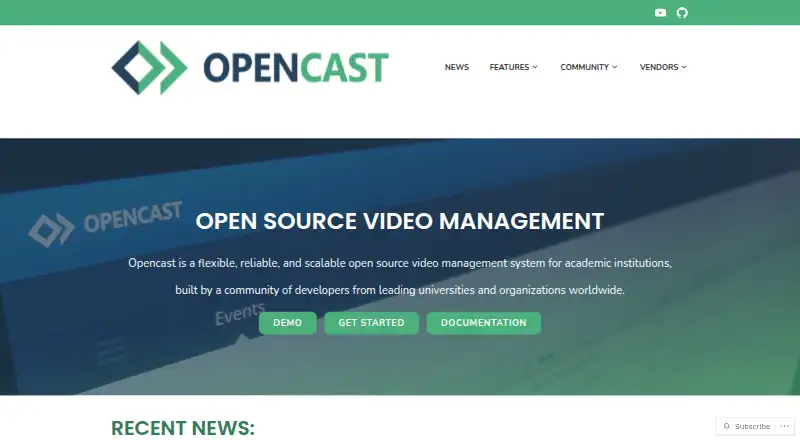
Opencast is an open-source video management and lecture-capture system for academic institutions. It supports scheduled and on-demand recording, live streaming, browser-based recording through Opencast Studio, media processing, caption and transcription generation, editing across multiple streams, access control, search, and distribution. Its free, self-hosted model is well suited to budget-conscious institutions that have technical teams and want control over deployment across one or multiple Linux servers.
The feature depth is appropriate for lecture capture rather than limited to basic recording. Institutions can search subtitles and slide text, apply fine-grained viewing and editing permissions, and deliver content through learning management systems using LTI and dedicated plugins. Opencast also supports external capture agents for classroom workflows, while its integrations include Brightspace, Canvas, ILIAS, Moodle, Sakai, Stud.IP, BigBlueButton, Zoom, Matomo, WordPress, Tobira, and YouTube. This makes it a practical fit for campuses with varied academic platforms and established video workflows.
The main trade-off is operational responsibility. On-premise deployment gives institutions control over hosting and administration, but it is less suited to teams seeking a vendor-managed SaaS service. Some classrooms may also require external capture agents instead of relying only on browser-based recording. Institutions choosing Opencast should be comfortable managing a Linux-based, open-source system and connecting it to their existing LMS and media environment. Those priorities align well with its broad capture, distribution, search, and permissions capabilities; teams seeking minimal infrastructure ownership should consider a different deployment model.
Your product? Our editors can test Opencast in depth and publish a review, labelled as paid · from $149/mo →
Opencast pricing
Opencast fact sheet
| Free plan | Yes |
|---|---|
| Paid from | Free |
| Deployment | On-premise |
| Automatic captions | Yes |
| Searchable transcripts | Yes |
| LMS delivery | Yes |
| Multi-camera capture | Not verified |
| Live streaming | Yes |
| Retention period | Not verified |
| Deployment | Self-hosted |
| Platforms | Web, Linux |
| Support | Email, Live chat, Community, Docs |
| Built for | Mid-market, Enterprise (editorial estimate) |
| Integrations | 12 integrations: Brightspace, Canvas, ILIAS, Moodle, Sakai, Stud.IP … See all → |
| Pricing | Free plan |
| Website | opencast.org |
| Facts checked | 20 Sep 2026 |
Opencast integrations
Opencast lists 12 integrations on its own site.
- Brightspace
- Canvas
- ILIAS
- Moodle
- Sakai
- Stud.IP
- BigBlueButton
- Zoom
- Matomo
- WordPress
- Tobira
- YouTube
See all Opencast integrations →
Alternatives to Opencast
- PanoptoA mature all-in-one platform for recording, managing, searching, and assessing video.9.3
- Echo360A broad education video platform for capture, delivery, accessibility, and learning insight.9.1
- UbiCast NudgisA flexible lecture-capture platform for institutions with complex delivery needs.8.9



See all Opencast alternatives →
Opencast vs the competition
- Opencast vs Panopto
- Opencast vs Echo360
- Opencast vs UbiCast Nudgis
- Opencast vs Presentations2Go
- Opencast vs Planet eStream
- Opencast vs YuJa Lumina Video Platform


Compare Opencast with any tool side by side →
Also Ranked In
Opencast is ranked in 5 of our directories.
Used Opencast? Be the first to review it
The editor score above is our own research. What this page doesn't have yet is a reader's view — what you used Opencast for, what worked and what didn't. No stars are seeded and no review is paid for; an editor reads every one before it appears.
Write a reviewTwo minutes · verified accounts only · read by an editor before it appears
Featured on iTechGuides

Opencast is listed in our Lecture Capture Software directory. Add the badge to your site — it links back to this page.
<a href="https://www.itechguides.com/products/opencast/"><img src="https://www.itechguides.com/best/badge/opencast.svg" alt="Featured on iTechGuides" width="230" height="46"></a>
Reviewed by iTechGuides Editors · Editorial team · Updated Oct 2026
Advertiser disclosure: iTechGuides is reader-supported. Vendors can pay for top positions in our rankings and for a place on other products' pages, and we may earn a commission when you click some links. Bought places stand at the number bought; this page and our disclosure say so. Paying vendors may get a fuller, more detailed review from our editors, and that review can change their score. How we rank.
Last updated · How we research and update