
OpenBoard
OpenBoard: A free desktop whiteboard for building lessons, annotations and interactive exercises. Ranked #27 of 27 in Interactive Classroom Software by our editors (6.1/10); pricing: Free plan; best for teachers wanting a free desktop whiteboard for exercises.
At a glance
- Editor score6.1 / 10
- PricingFree plan
- Best forTeachers wanting a free desktop whiteboard for exercises
- Free planYes
- Paid fromFree
- Facts checked24 Sep 2026
Where it wins
- Works on Windows, macOS and Linux as a desktop application
- Combines drawing, media, browser capture and desktop annotation
- Includes customizable exercises, questionnaires and screencasting
Where it doesn't
- Runs locally rather than as a browser-based classroom tool
- No documented LMS integration or assessment reporting
- Support is through community resources and documentation
Our verdict on OpenBoard
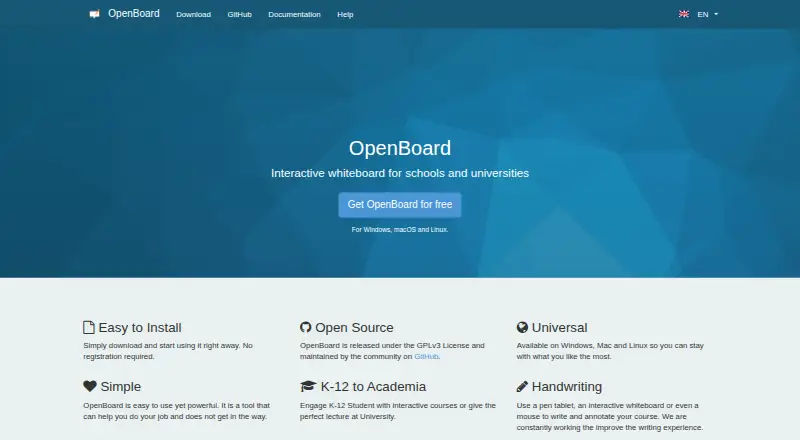
OpenBoard is free, open-source interactive whiteboard software for classroom teaching in schools and universities. It is aimed at teachers who want to prepare and present lesson material on a desktop computer, with support for Windows, macOS and Linux. Boards can combine drawing and annotation tools with text, images, video, audio and web widgets, while folders and page management help organize lesson documents. Teachers can present content on a second display, and the application runs locally without registration.
Its breadth centers on lesson creation and presentation rather than live classroom management. Customizable interactive exercises and questionnaires support learner activities, while the integrated browser can capture and annotate webpages. Desktop mode lets teachers mark up other applications; the built-in library organizes board elements, and OpenBoard documents and PDFs can be imported or exported. Screencasting is also included. These tools make it a fit for teachers who want to build and explain material on a classroom display, but the documented feature set does not establish live student participation, polling, audience questions or assessment reporting.
OpenBoard is distributed as free GPLv3 software, so its appeal is strongest for schools and teachers seeking a no-cost desktop whiteboard rather than a hosted service with a tiered subscription. Its local, desktop deployment may be less suitable for teams looking for LMS integration or documented participant-management features. Community resources and documentation are the stated support channels. Choose it for cross-platform whiteboarding, document handling and exercises; look elsewhere if reporting, LMS workflows or live participation tools are central requirements.
Your product? Our editors can test OpenBoard in depth and publish a review, labelled as paid · from $149/mo →
OpenBoard pricing
OpenBoard fact sheet
| Free plan | Yes |
|---|---|
| Paid from | Free |
| Max participants | Not verified |
| Interactive presentations | Yes |
| Live polls | Not verified |
| Quiz activities | Yes |
| Audience questions | Not verified |
| Assessment reports | Not verified |
| LMS integration | Not verified |
| Deployment | Desktop |
| Platforms | Windows, macOS, Linux |
| Support | Community, Docs |
| Built for | Small business, Mid-market, Enterprise (editorial estimate) |
| Pricing | Free plan |
| Website | openboard.ch |
| Facts checked | 24 Sep 2026 |
Alternatives to OpenBoard
- LumioA broad browser-based classroom workspace for mixed lesson files and interactive teaching.9.1
- NearpodA web-based classroom platform with broad interactive lesson and assessment tools.8.8
- WaygroundAssessment-focused classroom software with live sessions, AI creation, and broad LMS synchronization.8.7



See all OpenBoard alternatives →
Used OpenBoard? Be the first to review it
The editor score above is our own research. What this page doesn't have yet is a reader's view — what you used OpenBoard for, what worked and what didn't. No stars are seeded and no review is paid for; an editor reads every one before it appears.
Write a reviewTwo minutes · verified accounts only · read by an editor before it appears
Featured on iTechGuides

OpenBoard is listed in our Interactive Classroom Software directory. Add the badge to your site — it links back to this page.
<a href="https://www.itechguides.com/products/openboard/"><img src="https://www.itechguides.com/best/badge/openboard.svg" alt="Featured on iTechGuides" width="230" height="46"></a>
Reviewed by iTechGuides Editors · Editorial team · Updated Oct 2026
Advertiser disclosure: iTechGuides is reader-supported. Vendors can pay for top positions in our rankings and for a place on other products' pages, and we may earn a commission when you click some links. Bought places stand at the number bought; this page and our disclosure say so. Paying vendors may get a fuller, more detailed review from our editors, and that review can change their score. How we rank.
Last updated · How we research and update