Opal
Opal: A capable blocker with useful analytics and strong Apple integration, but narrower platform reach. Ranked #13 of 29 in Distraction Blocking Software by our editors (8.1/10); pricing: Free plan · 7-day trial; best for users wanting analytics and Apple integrations.
At a glance
- Editor score8.1 / 10
- PricingFree plan · 7-day trial
- Best forUsers wanting analytics and Apple integrations
- Free planYes
- Paid from$8.29/mo
- Block targetsWebsites and apps
- Facts checked20 Sep 2026
Where it wins
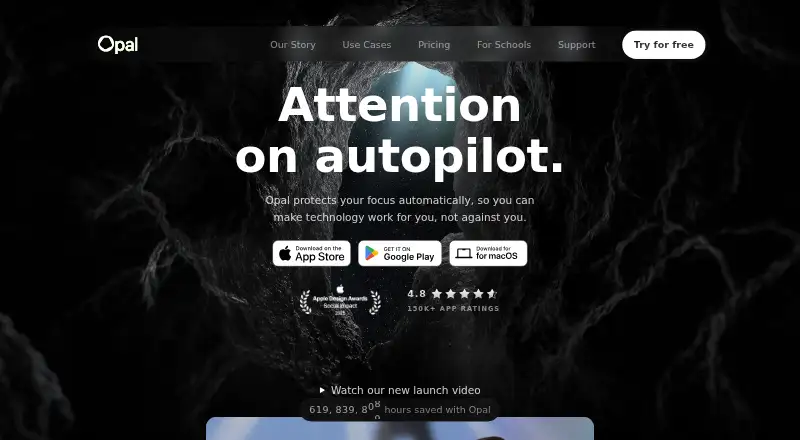
- Blocks distracting apps and websites across Mac, iPhone, and Android
- Offers schedules, limits, Hard Mode, and Allow Only rules
- Connects with Apple Shortcuts and Focus Filters
Where it doesn't
- Pro pricing rises to $19.99 monthly without annual billing
- Free plan is limited to one rule
- Apple integrations have narrower ecosystem coverage
Our verdict on Opal
Opal is a distraction-blocking and digital-wellbeing app for people who want to reduce screen time and improve focus. It blocks selected apps and websites across macOS, iOS, and Android, with scheduled sessions, Time Limits, Open Limits, and configurable protection. Its feature set also includes screen-time analytics, focus scoring, timers, soundscapes, and Allow Only rules. That makes it a fit for individuals who want both active blocking and a way to review their focus patterns.
Pricing covers a useful free entry point and several Pro options. The Free plan includes one rule, schedules, Time Limits, Open Limits, app blocking, basic timers and soundscapes, and today’s Opal Score. Pro Yearly costs $8.29 per month when billed annually, while Pro Monthly costs $19.99 per month. Both add Hard Mode, unlimited rules, advanced timers and soundscapes, Allow Only, and score history. Pro Lifetime costs $399 one time and includes the same Pro features. Annual plans have a 7-day trial, monthly plans have a 3-day trial, and Stripe purchases include a 30-day money-back guarantee.
Opal’s strongest distinction is the combination of blocking controls and Apple-focused automation. Hard Mode prevents sessions from ending early, while recurring schedules and limits support ongoing routines rather than one-off interventions. Apple Shortcuts and Focus Filters can connect blocking with Apple workflows. Teams Pro adds a single invoice, advanced support and training, and an account manager. Choose Opal if analytics, configurable restrictions, and Apple integrations matter. Consider another option if you need broader platform or ecosystem coverage, or if the monthly Pro price is a major concern.
Your product? Our editors can test Opal in depth and publish a review, labelled as paid · from $149/mo →
Opal pricing
Opal fact sheet
| Free plan | Yes |
|---|---|
| Paid from | $8.29/mo |
| Block targets | Websites and apps |
| Scheduled blocking | Yes |
| Recurring schedules | Yes |
| Locked sessions | Yes |
| Browser extensions | Not verified |
| Mobile apps | Ios and android |
| Devices included | Not verified |
| Free trial | 7 days |
| Money-back guarantee | 30 days |
| Deployment | Cloud, Desktop, Mobile |
| Platforms | macOS, iOS, Android |
| Support | Email, Live chat, Community, Docs |
| Built for | Solo, Small business, Mid-market, Enterprise (editorial estimate) |
| Integrations | 2 integrations: Apple Shortcuts, Apple Focus Filters |
| Pricing | Free plan · 7-day trial (source) |
| Website | opalapp.com |
| Facts checked | 20 Sep 2026 |
Opal integrations
Opal lists 2 integrations on its own site.
- Apple Shortcuts
- Apple Focus Filters
Alternatives to Opal
- FreedomA cross-device blocker with scheduling, Locked Mode, and a useful free tier.9.4
- Digital Habits: BlockerBroad desktop and mobile blocking with schedules, focus spaces, and no user-data collection.9.3
- one secA cross-platform blocker with configurable interventions, schedules, strict sessions, and tracking.9.2


Also Ranked In
Opal is ranked in 3 of our directories.
Used Opal? Be the first to review it
The editor score above is our own research. What this page doesn't have yet is a reader's view — what you used Opal for, what worked and what didn't. No stars are seeded and no review is paid for; an editor reads every one before it appears.
Write a reviewTwo minutes · verified accounts only · read by an editor before it appears
Featured on iTechGuides

Opal is listed in our Distraction Blocking Software directory. Add the badge to your site — it links back to this page.
<a href="https://www.itechguides.com/products/opal-distraction-blocking-app/"><img src="https://www.itechguides.com/best/badge/opal-distraction-blocking-app.svg" alt="Featured on iTechGuides" width="230" height="46"></a>
Reviewed by iTechGuides Editors · Editorial team · Updated Oct 2026
Advertiser disclosure: iTechGuides is reader-supported. Vendors can pay for top positions in our rankings and for a place on other products' pages, and we may earn a commission when you click some links. Bought places stand at the number bought; this page and our disclosure say so. Paying vendors may get a fuller, more detailed review from our editors, and that review can change their score. How we rank.
Last updated · How we research and update