
Online Image Converter
Online Image Converter: A free, focused tool for converting image assets into LVGL-ready C or binary output. Ranked #26 of 36 in Image Converter Software by our editors (6.1/10); pricing: Free plan; best for embedded developers creating C image assets.
At a glance
- Editor score6.1 / 10
- PricingFree plan
- Best forEmbedded developers creating C image assets
- Free planYes
- Paid fromFree
- Batch conversionYes
- Facts checked22 Sep 2026
Where it wins
- Converts BMP, JPG, PNG, and SVG images to C arrays
- Supports batch conversion with LVGL color formats and endian control
- Offers alpha, transparency, dithering, C, and binary output options
Where it doesn't
- Web-only access may not suit offline development workflows
- Provides no resize tools for image preparation
- Its focus on LVGL output limits general-purpose conversion use
Our verdict on Online Image Converter
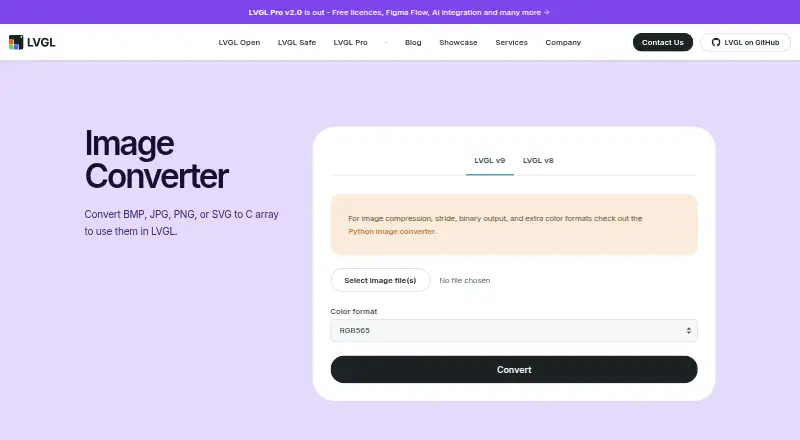
Online Image Converter is a free, browser-based utility from LVGL Ltd. for embedded UI developers who need to turn BMP, JPG, PNG, or SVG files into image assets for LVGL projects. It accepts one or more images in a single operation, lets users assign output filenames, and provides downloadable generated files. The tool is aimed at firmware and embedded graphics workflows rather than broad, general-purpose image editing or conversion.
Its strongest feature is control over embedded output. Users can select from LVGL color formats, add an optional 8-bit alpha byte per pixel, apply chroma-key transparency with LV_COLOR_TRANSP, and enable dithering. Output can be generated as C arrays or binary files, with big-endian output available when the target workflow requires it. These options make the utility a practical fit for developers preparing image data for LVGL-based interfaces, especially when multiple assets need consistent conversion settings.
The offering is straightforward from a cost perspective: it is free and runs on the web. Its narrow scope is also its main boundary. There are no resize tools, so image dimensions must be prepared elsewhere, and the LVGL-oriented output choices are less relevant to users seeking a general image converter for everyday formats or broader application ecosystems. Choose Online Image Converter when the destination is an LVGL project and embedded output control matters; choose a broader image utility when resizing, general editing, or non-LVGL workflows are central requirements.
Your product? Our editors can test Online Image Converter in depth and publish a review, labelled as paid · from $149/mo →
Online Image Converter pricing
Online Image Converter fact sheet
| Free plan | Yes |
|---|---|
| Paid from | Free |
| Batch conversion | Yes |
| Image resizing | No |
| Color mode conversion | Yes |
| API access | Not verified |
| Desktop application | Not verified |
| Web application | Yes |
| Supported formats | Not verified |
| Deployment | Cloud |
| Platforms | Web |
| Support | Community, Docs |
| Built for | Solo, Small business, Mid-market, Enterprise (editorial estimate) |
| Pricing | Free plan |
| Website | lvgl.io |
| Facts checked | 22 Sep 2026 |
Alternatives to Online Image Converter
- XnConvertA broad local converter for automated batch workflows, with free noncommercial use.9.4
- ImageMagickA highly capable command-line converter for developers building automated image pipelines.9.2
- GraphicsMagickA capable free converter for scripted, multi-file image workflows.8.9


See all Online Image Converter alternatives →
Used Online Image Converter? Be the first to review it
The editor score above is our own research. What this page doesn't have yet is a reader's view — what you used Online Image Converter for, what worked and what didn't. No stars are seeded and no review is paid for; an editor reads every one before it appears.
Write a reviewTwo minutes · verified accounts only · read by an editor before it appears
Featured on iTechGuides

Online Image Converter is listed in our Image Converter Software directory. Add the badge to your site — it links back to this page.
<a href="https://www.itechguides.com/products/online-image-converter/"><img src="https://www.itechguides.com/best/badge/online-image-converter.svg" alt="Featured on iTechGuides" width="230" height="46"></a>
Reviewed by iTechGuides Editors · Editorial team · Updated Oct 2026
Advertiser disclosure: iTechGuides is reader-supported. Vendors can pay for top positions in our rankings and for a place on other products' pages, and we may earn a commission when you click some links. Bought places stand at the number bought; this page and our disclosure say so. Paying vendors may get a fuller, more detailed review from our editors, and that review can change their score. How we rank.
Last updated · How we research and update