
ODA File Converter
ODA File Converter: A focused, free converter for DWG/DXF version compatibility across major desktop platforms. Ranked #22 of 31 in 3D File Converter Software by our editors (7.1/10); pricing: Free plan; best for free DWG and DXF version conversion.
At a glance
- Editor score7.1 / 10
- PricingFree plan
- Best forFree DWG and DXF version conversion
- Free planYes
- Paid fromFree
- Format scopeCad
- Facts checked22 Sep 2026
Where it wins
- Converts between different DWG and DXF file versions
- Offers both graphical and command-line interfaces
- Supports filters, recursive processing, audit and repair
Where it doesn't
- Its conversion scope is limited to DWG and DXF files
- Non-members may use the example project only non-commercially
- It focuses on conversion rather than a broader 3D file workflow
Our verdict on ODA File Converter
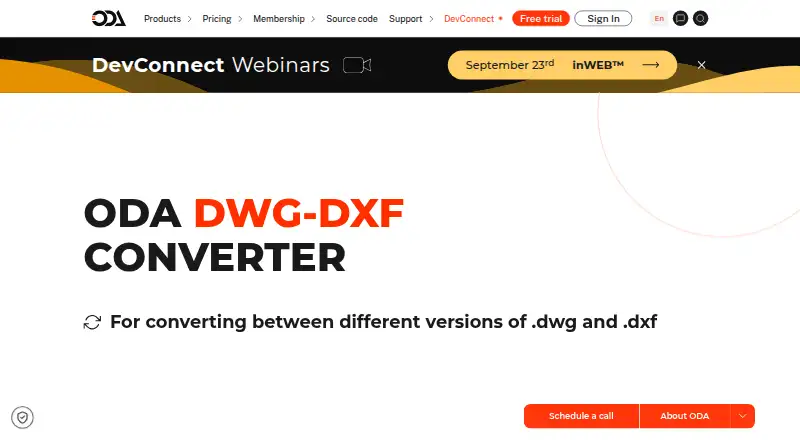
ODA File Converter is a free desktop utility from Open Design Alliance for converting between different versions of DWG and DXF files. It is aimed at CAD users and teams that need to bring files into a compatible version without paying for a conversion tool. Windows, macOS and Linux support make it suitable for mixed desktop environments, while the graphical interface covers visual workflows and the command-line interface supports scripted operations.
The workflow includes practical file-processing controls. Input filters such as *.dwg and *.dxf help target specific files, and recursive processing can extend conversion through subdirectories. An audit option applies file checking and repair during file loading, adding a file-maintenance step to the conversion process. These capabilities make the utility relevant when conversion involves multiple folders or when files need checking as they load, rather than only a single manual file operation.
Its main trade-off is focus. ODA File Converter is built around DWG and DXF version conversion, not a broad 3D format pipeline, so teams needing wider CAD or 3D interoperability should consider a different category of tool. ODA describes it as an example project and states that non-members may use it only for non-commercial applications. Choose it for free, cross-platform DWG/DXF conversion with GUI, command-line and recursive processing options; look elsewhere when commercial use by a non-member or broader format coverage is central to the requirement.
Your product? Our editors can test ODA File Converter in depth and publish a review, labelled as paid · from $149/mo →
ODA File Converter pricing
All 1 ODA File Converter plans and prices →
ODA File Converter fact sheet
| Free plan | Yes |
|---|---|
| Paid from | Free |
| Format scope | Cad |
| Animation conversion | Not verified |
| Batch conversion | Yes |
| API access | Not verified |
| Maximum file size | Not verified |
| Supported platforms | windows, macos, linux |
| Deployment | Desktop |
| Platforms | Windows, macOS, Linux |
| Support | Phone, Community |
| Built for | Solo, Small business (editorial estimate) |
| Pricing | Free plan (source) |
| Website | opendesign.com |
| Facts checked | 22 Sep 2026 |
Alternatives to ODA File Converter
- 3D_EvolutionA professional CAD conversion suite for complex engineering workflows and enterprise validation.9.4
- 3D InterOpA broad engineering SDK for integrating high-volume CAD and BIM translation.9.3
- HOOPS ExchangeA broad CAD/BIM conversion SDK for engineering software teams.9.2



See all ODA File Converter alternatives →
Used ODA File Converter? Be the first to review it
The editor score above is our own research. What this page doesn't have yet is a reader's view — what you used ODA File Converter for, what worked and what didn't. No stars are seeded and no review is paid for; an editor reads every one before it appears.
Write a reviewTwo minutes · verified accounts only · read by an editor before it appears
Featured on iTechGuides

ODA File Converter is listed in our 3D File Converter Software directory. Add the badge to your site — it links back to this page.
<a href="https://www.itechguides.com/products/oda-file-converter/"><img src="https://www.itechguides.com/best/badge/oda-file-converter.svg" alt="Featured on iTechGuides" width="230" height="46"></a>
Reviewed by iTechGuides Editors · Editorial team · Updated Oct 2026
Advertiser disclosure: iTechGuides is reader-supported. Vendors can pay for top positions in our rankings and for a place on other products' pages, and we may earn a commission when you click some links. Bought places stand at the number bought; this page and our disclosure say so. Paying vendors may get a fuller, more detailed review from our editors, and that review can change their score. How we rank.
Last updated · How we research and update