
NuGraf
NuGraf: A broad professional converter for mixed 3D, CAD, VR and animation workflows. Ranked #6 of 31 in 3D File Converter Software by our editors (8.7/10); pricing: Paid; best for mixed 3D, CAD and animation conversion.
At a glance
- Editor score8.7 / 10
- PricingPaid
- Best forMixed 3D, CAD and animation conversion
- Free planNo
- Paid from$495 one-time
- Format scopeMixed
- Founded1991 · Mississauga, Ontario, Canada
- Facts checked22 Sep 2026
Where it wins
- Converts extensive CAD, DCC, VR and animation formats
- Supports batch conversion, polygon reduction and scene manipulation
- Includes material editing, texture mapping and multithreaded rendering
Where it doesn't
- The Windows package costs $495 as a one-time purchase
- Additional converter modules are sold separately
- macOS requires Windows emulation through Parallels or VMware Fusion
Our verdict on NuGraf
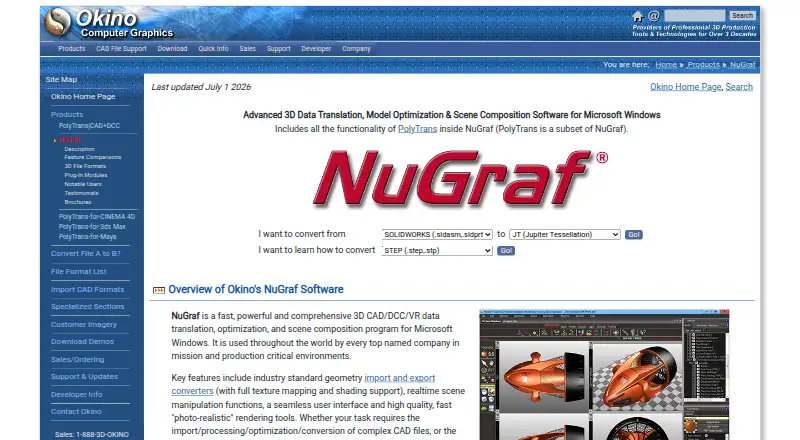
NuGraf is desktop software for importing, processing, optimizing, converting, viewing, rendering and composing 3D CAD, DCC, VR and animation data. It is aimed at professional users working with large or complex datasets in engineering, aerospace, military and production environments. Its scope covers geometry, materials, textures, cameras, lights, object hierarchies and animation, making it suitable for teams that need more than straightforward file-format conversion.
The published pricing shows one plan: NuGraf for Windows 64-bits at $495 as a one-time purchase. This includes a 3D translation, rendering, viewing and data optimization system. The base package does not cover every possible converter requirement; additional converter modules are sold separately, and sales may be tailored to the formats a customer needs. That structure suits organizations with specific conversion workflows, but the upfront cost is substantial for occasional or basic conversion work.
NuGraf’s strongest differentiator is breadth. It combines batch conversion, animation conversion, polygon processing and reduction, hierarchical model and scene manipulation, material and texture editing, and scanline plus multithreaded ray-trace rendering. Integrations with Autodesk 3ds Max, Autodesk Maya, Cinema 4D and LightWave support established DCC workflows, while API access is listed as available. The software runs on Windows; macOS use depends on Windows emulation such as Parallels or VMware Fusion. Choose NuGraf when mixed engineering and content-creation formats, batch processing and scene-level control matter. A narrower converter may be a better fit for simpler, lower-cost needs.
Your product? Our editors can test NuGraf in depth and publish a review, labelled as paid · from $149/mo →
NuGraf pricing
All 1 NuGraf plans and prices →
NuGraf fact sheet
| Free plan | No |
|---|---|
| Paid from | $495 one-time |
| Format scope | Mixed |
| Animation conversion | Yes |
| Batch conversion | Yes |
| API access | Yes |
| Maximum file size | Not verified |
| Supported platforms | Windows, macOS via Parallels or VMware Fusion |
| Deployment | Desktop |
| Platforms | Windows, macOS |
| Support | Email, Phone, Docs |
| Built for | Mid-market, Enterprise (editorial estimate) |
| Integrations | 4 integrations: Autodesk 3ds Max, Autodesk Maya, Cinema 4D, LightWave |
| Pricing | Paid (source) |
| Website | okino.com |
| Facts checked | 22 Sep 2026 |
NuGraf integrations
NuGraf lists 4 integrations on its own site.
- Autodesk 3ds Max
- Autodesk Maya
- Cinema 4D
- LightWave
Alternatives to NuGraf
- 3D_EvolutionA professional CAD conversion suite for complex engineering workflows and enterprise validation.9.4
- 3D InterOpA broad engineering SDK for integrating high-volume CAD and BIM translation.9.3
- HOOPS ExchangeA broad CAD/BIM conversion SDK for engineering software teams.9.2



NuGraf vs the competition
- NuGraf vs 3D_Evolution
- NuGraf vs 3D InterOp
- NuGraf vs HOOPS Exchange
- NuGraf vs CAD Exchanger
- NuGraf vs PolyTrans
- NuGraf vs CADfix DX


Compare NuGraf with any tool side by side →
Used NuGraf? Be the first to review it
The editor score above is our own research. What this page doesn't have yet is a reader's view — what you used NuGraf for, what worked and what didn't. No stars are seeded and no review is paid for; an editor reads every one before it appears.
Write a reviewTwo minutes · verified accounts only · read by an editor before it appears
Featured on iTechGuides

NuGraf is listed in our 3D File Converter Software directory. Add the badge to your site — it links back to this page.
<a href="https://www.itechguides.com/products/nugraf/"><img src="https://www.itechguides.com/best/badge/nugraf.svg" alt="Featured on iTechGuides" width="230" height="46"></a>
Reviewed by iTechGuides Editors · Editorial team · Updated Oct 2026
Advertiser disclosure: iTechGuides is reader-supported. Vendors can pay for top positions in our rankings and for a place on other products' pages, and we may earn a commission when you click some links. Bought places stand at the number bought; this page and our disclosure say so. Paying vendors may get a fuller, more detailed review from our editors, and that review can change their score. How we rank.
Last updated · How we research and update