Notepad2
Notepad2: A focused, portable Windows editor for code, markup, and configuration files. Ranked #51 of 82 in Text Editors by our editors (4.2/10); pricing: Free plan; best for portable Windows text editing.
At a glance
- Editor score4.2 / 10
- PricingFree plan
- Best forPortable Windows text editing
- Free planYes
- Paid fromFree
- Founded2004
- Facts checked20 Sep 2026
Where it wins
- Portable operation without installation or registry entries
- Regex search, column editing, and broad encoding support
- Free, open-source Windows software with syntax highlighting
Where it doesn't
- Windows only
- No AI features
- The project was last updated in 2012
Our verdict on Notepad2
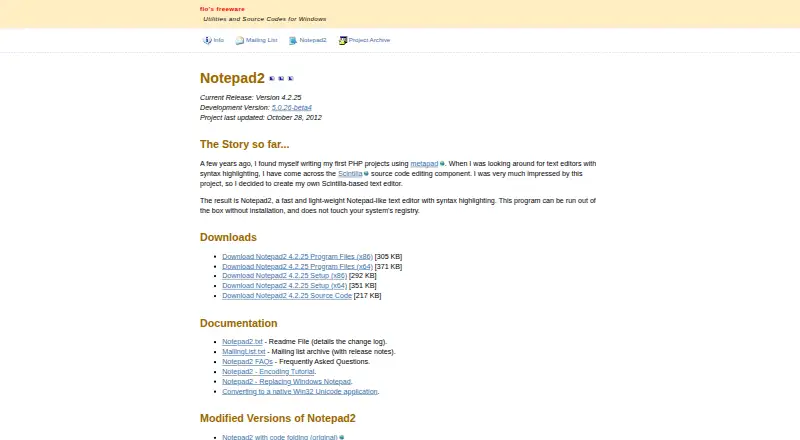
Notepad2 is a lightweight, free, open-source text editor for Windows. It is aimed at people who need a focused tool for programming, markup, configuration, scripting, and general text files without installing a larger development environment. Syntax highlighting covers commonly used programming and markup languages, while brace matching, automatic indentation, word wrap, zooming, indentation guides, and long-line markers support day-to-day editing. Its portable operation allows it to run without installation or registry entries, making it a practical fit for removable drives and restricted Windows setups.
Editing and text-handling features are the main reason to choose Notepad2. Regular-expression search and replace supports more advanced text changes, while rectangular selection and column-oriented commands are useful for structured, aligned edits. Line and block commands include sorting and line modification, and the editor supports Unicode, UTF-8, Unix, Mac, and other text encodings. The published feature set also includes large-file handling, giving it broader utility than a basic plain-text editor. For users who value a compact interface and direct control over text, this is a focused feature mix rather than an expansive development suite.
Notepad2 is a strong choice for portable Windows text editing, especially when free and open-source software is preferred. Its scope is narrower than a full code editor: it does not include AI features, and it is available only on Windows. The project was last updated in 2012, which may matter to buyers seeking a more actively updated tool. Choose Notepad2 for straightforward editing, encoding flexibility, regex operations, and column work; choose an alternative when current development, broader platform support, or advanced editor capabilities are priorities.
Your product? Our editors can test Notepad2 in depth and publish a review, labelled as paid · from $149/mo →
Notepad2 pricing
Notepad2 fact sheet
| Free plan | Yes |
|---|---|
| Paid from | Free |
| Supported platforms | Windows |
| Multi-cursor editing | Not verified |
| Macro recording | Not verified |
| Column editing | Yes |
| Large-file handling | Yes |
| Extension support | Not verified |
| Deployment | Desktop |
| Platforms | Windows |
| Support | Docs |
| Built for | Solo, Small business (editorial estimate) |
| Pricing | Free plan |
| Website | flos-freeware.ch |
| Facts checked | 20 Sep 2026 |
Alternatives to Notepad2
- Visual Studio CodeA free, open-source editor with broad development features across desktop and web.9.4
- NeovimA free, open-source editor for keyboard-driven workflows and deep customization.9.3
- GNU EmacsA mature, highly customizable editor for users who value breadth and control.9.2


See all Notepad2 alternatives →
Used Notepad2? Be the first to review it
The editor score above is our own research. What this page doesn't have yet is a reader's view — what you used Notepad2 for, what worked and what didn't. No stars are seeded and no review is paid for; an editor reads every one before it appears.
Write a reviewTwo minutes · verified accounts only · read by an editor before it appears
Featured on iTechGuides

Notepad2 is listed in our Text Editors directory. Add the badge to your site — it links back to this page.
<a href="https://www.itechguides.com/products/notepad2/"><img src="https://www.itechguides.com/best/badge/notepad2.svg" alt="Featured on iTechGuides" width="230" height="46"></a>
Reviewed by iTechGuides Editors · Editorial team · Updated Oct 2026
Advertiser disclosure: iTechGuides is reader-supported. Vendors can pay for top positions in our rankings and for a place on other products' pages, and we may earn a commission when you click some links. Bought places stand at the number bought; this page and our disclosure say so. Paying vendors may get a fuller, more detailed review from our editors, and that review can change their score. How we rank.
Last updated · How we research and update