
NeoMutt
NeoMutt: A flexible terminal email client with broad protocols, offline access, and scripting. Ranked #99 of 142 in Email Clients by our editors (3.0/10); pricing: Open source; best for power users preferring a terminal interface.
At a glance
- Editor score3.0 / 10
- PricingOpen source
- Best forPower users preferring a terminal interface
- Paid fromFree
- App coverageDesktop
- Facts checked21 Sep 2026
Where it wins
- Supports IMAP, POP3, SMTP, and sendmail-compatible delivery
- OpenPGP and S/MIME support email signing and encryption
- Threading, Notmuch search, Lua scripting, and configurable hooks
Where it doesn't
- No unified inbox is included in its stated capabilities
- No calendar tools are included
- Scheduled sending is not included
Our verdict on NeoMutt
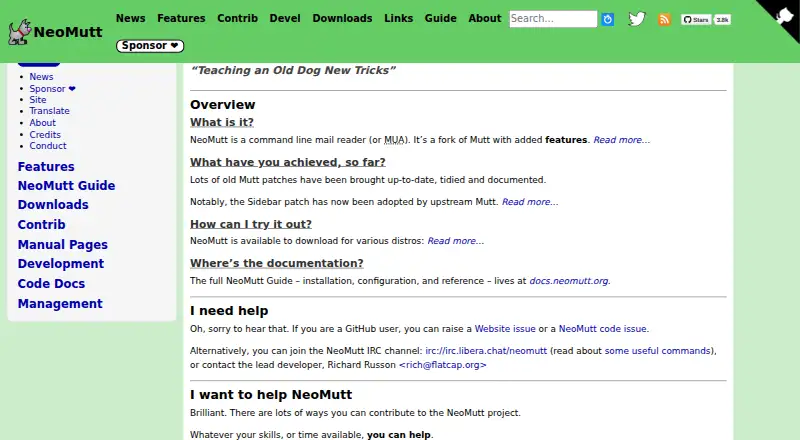
NeoMutt is an open-source email client built around a terminal interface for reading, composing, replying to, forwarding, postponing, and sending messages. It is aimed at users who prefer keyboard-driven workflows and extensive configuration over a graphical desktop experience. The client is available for Linux, macOS, and Windows, with desktop coverage and documented offline access through a local Maildir synchronized with mbsync. Its GNU General Public License model also makes it a fit for users seeking free software.
Protocol and ecosystem support are central strengths. NeoMutt works with IMAP, POP3, SMTP, sendmail-compatible delivery, and local mailboxes. It also connects with Notmuch for full-text search, mbsync for synchronization, msmtp, GnuPG, and S/MIME. MIME handling and file attachments cover common message formats, while OpenPGP and S/MIME support signing and encryption. Threaded display, sidebar mailbox navigation, and configurable hooks add structure to a workflow that can otherwise become complex across multiple mailboxes.
Its depth comes with a narrow focus. Lua scripting, filtering, and configuration suit people willing to shape a terminal-based workflow, but the product does not extend into the broader personal productivity features some email clients provide. Unified inbox behavior, calendar tools, and scheduled sending are not part of its stated capabilities. Choose NeoMutt if protocol coverage, offline mail, encryption, search integration, and scripting matter more than a graphical interface. Users seeking an integrated calendar or built-in scheduling should choose an alternative.
Your product? Our editors can test NeoMutt in depth and publish a review, labelled as paid · from $149/mo →
NeoMutt pricing
NeoMutt fact sheet
| Free plan | Not verified |
|---|---|
| Paid from | Free |
| App coverage | Desktop |
| Account limit | Not verified |
| Unified inbox | Not verified |
| Offline access | Yes |
| Scheduled sending | No |
| Calendar tools | No |
| Deployment | Desktop |
| Platforms | Windows, macOS, Linux |
| Support | Community, Docs |
| Built for | Solo, Small business (editorial estimate) |
| Integrations | 8 integrations: IMAP, POP3, SMTP, mbsync, offlineimap, Notmuch … |
| Pricing | Open source |
| Website | neomutt.org |
| Facts checked | 21 Sep 2026 |
NeoMutt integrations
NeoMutt lists 8 integrations on its own site.
- IMAP
- POP3
- SMTP
- mbsync
- offlineimap
- Notmuch
- khal
- calcurse
Alternatives to NeoMutt
- Mozilla ThunderbirdA capable free client for multi-account email, offline access, and desktop productivity tools.9.4
- Zoho MailA flexible hosted email service with free access, migration tools, and Zoho collaboration options.9.2
- Apple MailA capable Apple-focused email client with unified inboxes, scheduling, privacy controls, and AI assistance.9.1



See all NeoMutt alternatives →
Used NeoMutt? Be the first to review it
The editor score above is our own research. What this page doesn't have yet is a reader's view — what you used NeoMutt for, what worked and what didn't. No stars are seeded and no review is paid for; an editor reads every one before it appears.
Write a reviewTwo minutes · verified accounts only · read by an editor before it appears
Featured on iTechGuides

NeoMutt is listed in our Email Clients directory. Add the badge to your site — it links back to this page.
<a href="https://www.itechguides.com/products/neomutt/"><img src="https://www.itechguides.com/best/badge/neomutt.svg" alt="Featured on iTechGuides" width="230" height="46"></a>
Reviewed by iTechGuides Editors · Editorial team · Updated Oct 2026
Advertiser disclosure: iTechGuides is reader-supported. Vendors can pay for top positions in our rankings and for a place on other products' pages, and we may earn a commission when you click some links. Bought places stand at the number bought; this page and our disclosure say so. Paying vendors may get a fuller, more detailed review from our editors, and that review can change their score. How we rank.
Last updated · How we research and update