Multivio Studio
Multivio Studio: A cloud-first editor for social teams that need web and API video workflows. Ranked #75 of 153 in Video Editing Software by our editors (3.0/10); pricing: 14-day trial; best for social teams needing cloud video workflows.
At a glance
- Editor score3.0 / 10
- Pricing14-day trial
- Best forSocial teams needing cloud video workflows
- Paid from$16/mo
- 4K exportYes
- Facts checked21 Sep 2026
Where it wins
- Multitrack editing with text, effects, trimming, and media imports
- Cloud export with MP4, MOV, WebM, and 4K support
- Presets and integrations for major social platforms
Where it doesn't
- No desktop or mobile app
- AI generation is limited by monthly credit allowances
- Less feature depth than desktop video editors
Our verdict on Multivio Studio
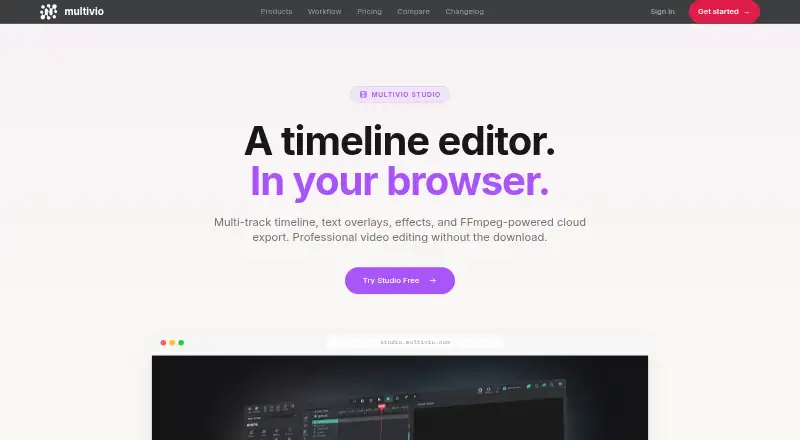
Multivio Studio is a browser-based video editor for creators and social teams publishing across multiple platforms. Its web and API access supports multitrack timelines for video, audio, and image tracks, clip trimming, text overlays, effects, drag-and-drop media importing, and cloud-based FFmpeg rendering. Platform-specific resizing and reframing presets help adapt content for Instagram, TikTok, YouTube, X/Twitter, Facebook, LinkedIn, Pinterest, and Threads. It fits teams that want a shared online workflow rather than a desktop editing application.
Pricing is structured around monthly credits and workspace features. Pro costs $20 per month monthly or $16 per month with annual billing and includes 340 credits, unlimited channels, unlimited storage, unlimited text AI, and access to Grok Imagine and Veo Fast 720p video. Creator+ costs $35 monthly, raises the allowance to 600 credits, includes Pro features, provides the same model access as Max, and offers a single workspace. Max costs $60 monthly or $48 annually, with 1,000 credits, Veo tiers up to 4K, a priority generation queue, three personal workspaces, and priority email support. Team costs $30 per seat monthly or $24 annually, with pooled credits, roles, approvals, a shared brand kit, a shared media library, an audit log, and live chat support. A 14-day free trial is advertised.
The strongest fit is a social content operation that values cloud rendering, API access, shared assets, and publishing integrations. Team adds collaboration controls, while Max targets users who need higher credit allowances and 4K generation. The tradeoff is focus: Multivio Studio is built around browser and cloud workflows, not the deeper editing environment of desktop software, and it has no desktop or mobile app. Choose it for distributed social production and reusable platform formats; choose a desktop editor instead when advanced editing depth is the priority.
Your product? Our editors can test Multivio Studio in depth and publish a review, labelled as paid · from $149/mo →
Multivio Studio pricing
All 4 Multivio Studio plans and prices →
Multivio Studio fact sheet
| Free plan | Not verified |
|---|---|
| Paid from | $16/mo |
| Desktop app | No |
| Web app | Yes |
| Mobile app | No |
| 4K export | Yes |
| Team collaboration | Yes |
| Included cloud storage | Not verified |
| Free trial | 14 days · no card needed |
| Deployment | Cloud |
| Platforms | Web |
| Compliance & security | GDPR |
| Support | Email, Live chat |
| Built for | Solo, Small business, Mid-market (editorial estimate) |
| Integrations | 8 integrations: Instagram, TikTok, YouTube, X/Twitter, Facebook, LinkedIn … |
| Pricing | 14-day trial (source) |
| Website | multivio.com |
| Facts checked | 21 Sep 2026 |
Multivio Studio integrations
Multivio Studio lists 8 integrations on its own site.
- TikTok
- YouTube
- X/Twitter
- Threads
Alternatives to Multivio Studio
- DaVinci ResolveA deep free editor with professional post-production tools across desktop and iPad.9.3
- Avid Media ComposerA deep editing suite with collaborative workflows, AI search, and a free entry option.9.2
- Final Cut ProA full-featured editor for Apple users who want desktop and iPad workflows.9.1


See all Multivio Studio alternatives →
Used Multivio Studio? Be the first to review it
The editor score above is our own research. What this page doesn't have yet is a reader's view — what you used Multivio Studio for, what worked and what didn't. No stars are seeded and no review is paid for; an editor reads every one before it appears.
Write a reviewTwo minutes · verified accounts only · read by an editor before it appears
Featured on iTechGuides

Multivio Studio is listed in our Video Editing Software directory. Add the badge to your site — it links back to this page.
<a href="https://www.itechguides.com/products/multivio-studio/"><img src="https://www.itechguides.com/best/badge/multivio-studio.svg" alt="Featured on iTechGuides" width="230" height="46"></a>
Reviewed by iTechGuides Editors · Editorial team · Updated Oct 2026
Advertiser disclosure: iTechGuides is reader-supported. Vendors can pay for top positions in our rankings and for a place on other products' pages, and we may earn a commission when you click some links. Bought places stand at the number bought; this page and our disclosure say so. Paying vendors may get a fuller, more detailed review from our editors, and that review can change their score. How we rank.
Last updated · How we research and update