MultiMarkdown Composer
MultiMarkdown Composer: A focused Mac editor for structured writing, references, review, and export. Ranked #19 of 31 in Markdown Editors by our editors (6.9/10); pricing: Free plan; best for mac authors working with references.
At a glance
- Editor score6.9 / 10
- PricingFree plan
- Best forMac authors working with references
- Free planYes
- Real-time collaborationNo
- Facts checked20 Sep 2026
Where it wins
- References sidebar supports links, figures, tables, and BibTeX.
- Exports to HTML, EPUB 3, OpenDocument, LaTeX, and TextPack.
- CriticMarkup supports tracking, comparison, and review.
Where it doesn't
- Available only for macOS.
- Collaboration and cloud sync are not part of the workflow.
- Advanced capabilities require Standard or Pro upgrades.
Our verdict on MultiMarkdown Composer
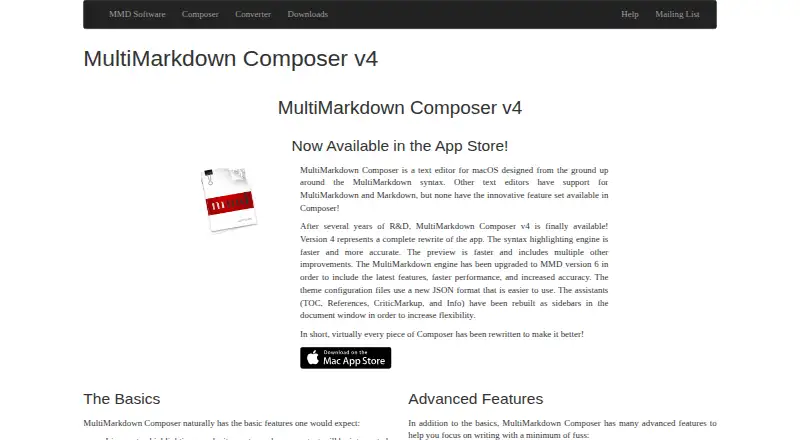
MultiMarkdown Composer is a macOS desktop editor for authors working with Markdown and MultiMarkdown documents. It combines live syntax highlighting, HTML preview, synchronized scrolling, table-of-contents navigation, references management, and CriticMarkup review in a local-file workflow. The free plan supports reading and writing files, MultiMarkdown v6, live HTML preview, CriticMarkup, and file comparison, making it suitable for Mac users who want structured document editing without starting with a paid upgrade.
Its strongest advantage is depth around long-form and reference-heavy writing. The Table of Contents sidebar supports drag-and-drop rearrangement, while the References sidebar organizes links, figures, tables, and BibTeX references. Standard adds multi-document editing, printing, export to HTML, EPUB 3, OpenDocument, LaTeX, and TextPack, plus custom themes, CSS, and sidebar assistants. Pro extends that workflow with automatic text expansion, configurable keyboard commands and macros, shared themes and expansion files between machines, history undo mode, and control over table-of-contents depth.
The product fits authors who work primarily on a Mac and value navigation, review markup, customizable presentation, and publishing-oriented exports. Its ecosystem includes Marked, MathJax, and highlight.js. The trade-off is a focused desktop workflow: collaboration, cloud sync, and AI features are not part of the product, and it is not positioned as a cross-platform or team editing tool. Choose MultiMarkdown Composer for local, reference-rich writing on macOS; choose another editor if shared online workspaces, broader platform coverage, or built-in AI assistance are central requirements.
Your product? Our editors can test MultiMarkdown Composer in depth and publish a review, labelled as paid · from $149/mo →
MultiMarkdown Composer pricing
All 3 MultiMarkdown Composer plans and prices →
MultiMarkdown Composer fact sheet
| Free plan | Yes |
|---|---|
| Paid from | Not verified |
| Supported platforms | macos |
| Export formats | HTML, EPUB 3, OpenDocument, LaTeX, TextPack |
| Publishing workflow | None |
| Real-time collaboration | No |
| Markdown flavor | Custom |
| Cloud sync | No |
| Local file support | Yes |
| Deployment | Desktop |
| Platforms | macOS |
| Support | Email, Docs |
| Built for | Solo, Small business (editorial estimate) |
| Integrations | 3 integrations: Marked, MathJax, highlight.js |
| Pricing | Free plan (source) |
| Website | multimarkdown.com |
| Facts checked | 20 Sep 2026 |
MultiMarkdown Composer integrations
MultiMarkdown Composer lists 3 integrations on its own site.
- Marked
- MathJax
- highlight.js
Alternatives to MultiMarkdown Composer
- StackEditA broad free editor for Markdown writing, collaboration, cloud sync, and CMS publishing.9.2
- HackMDA capable collaborative Markdown workspace with strong GitHub and publishing workflows.9.1
- HedgeDocA self-hosted Markdown workspace for teams that need live collaboration and control.8.9



See all MultiMarkdown Composer alternatives →
Used MultiMarkdown Composer? Be the first to review it
The editor score above is our own research. What this page doesn't have yet is a reader's view — what you used MultiMarkdown Composer for, what worked and what didn't. No stars are seeded and no review is paid for; an editor reads every one before it appears.
Write a reviewTwo minutes · verified accounts only · read by an editor before it appears
Featured on iTechGuides

MultiMarkdown Composer is listed in our Markdown Editors directory. Add the badge to your site — it links back to this page.
<a href="https://www.itechguides.com/products/multimarkdown-composer/"><img src="https://www.itechguides.com/best/badge/multimarkdown-composer.svg" alt="Featured on iTechGuides" width="230" height="46"></a>
Reviewed by iTechGuides Editors · Editorial team · Updated Oct 2026
Advertiser disclosure: iTechGuides is reader-supported. Vendors can pay for top positions in our rankings and for a place on other products' pages, and we may earn a commission when you click some links. Bought places stand at the number bought; this page and our disclosure say so. Paying vendors may get a fuller, more detailed review from our editors, and that review can change their score. How we rank.
Last updated · How we research and update